 Billing Bazaar
How to turn off or customise automatic SMS to customers in Vyapar
By default Vyapar can send an automatic message to the party's phone when you save a sale, purchase or payment. That is handy for real customers but not while you are testing. This guide shows where the setting is and how to switch it off or customise it.
| Time needed | 1 minute |
|---|---|
| Steps | 6, each with a screenshot |
| Tested on | Vyapar Desktop for Mac, October 2026 |
| Last updated | 11 October 2026 |
Before you start
- Nothing special. You need access to Settings in Vyapar.
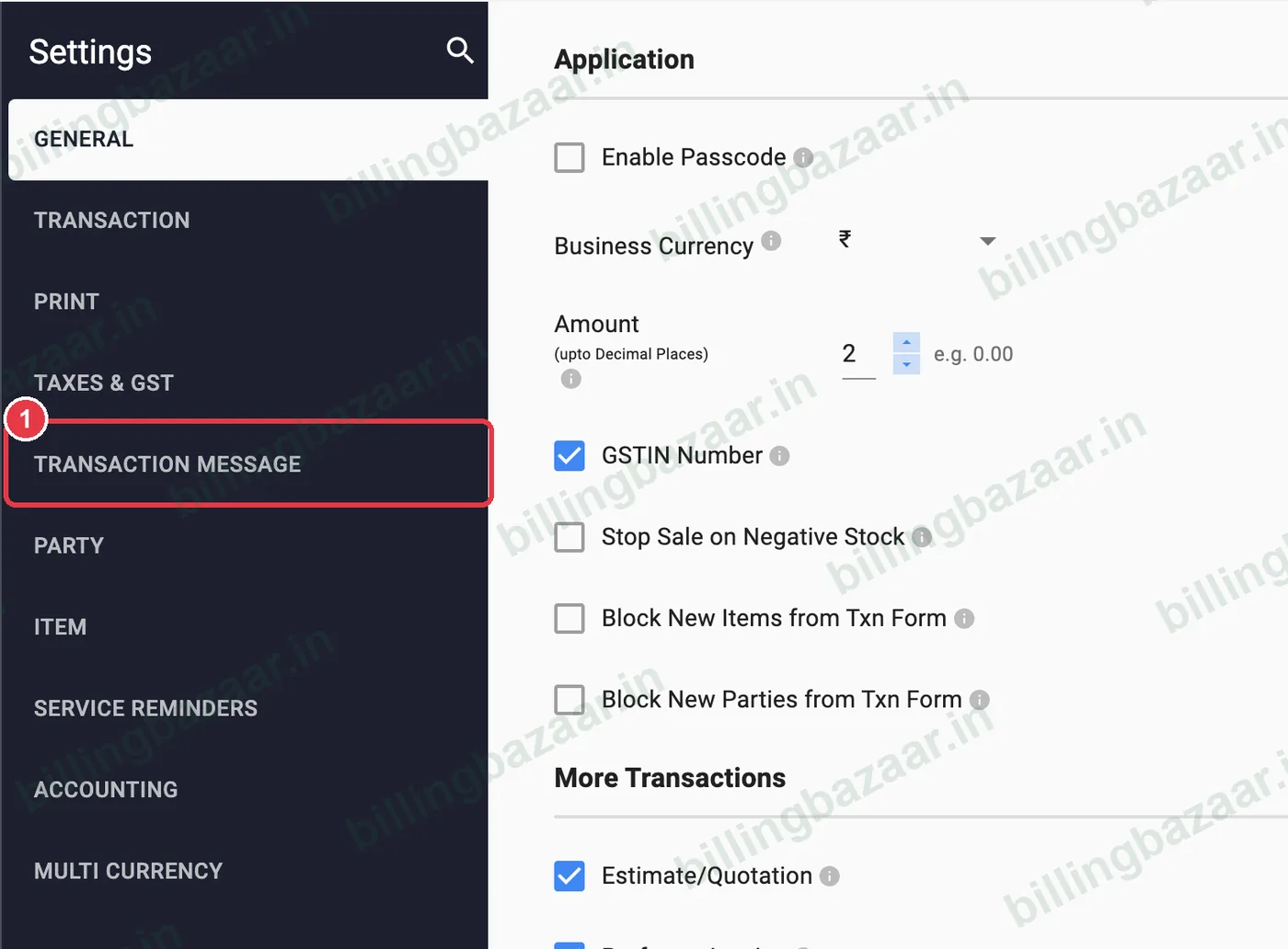
1Open Settings > Transaction Message
Click Settings in the sidebar, then TRANSACTION MESSAGE on the left.
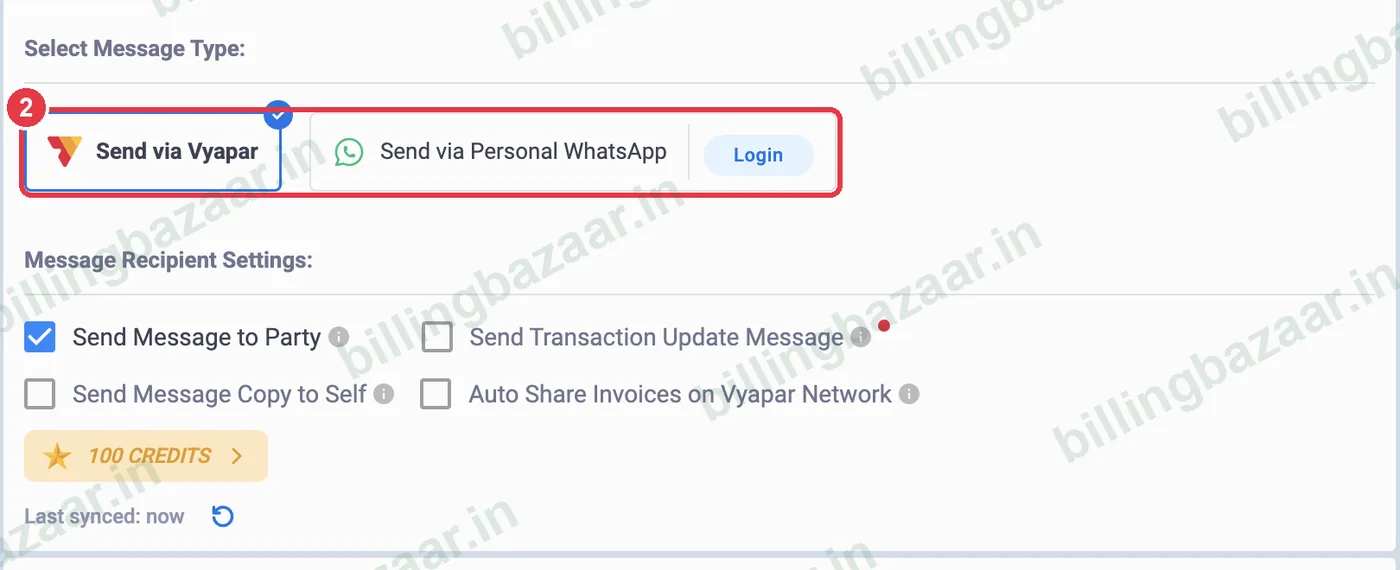
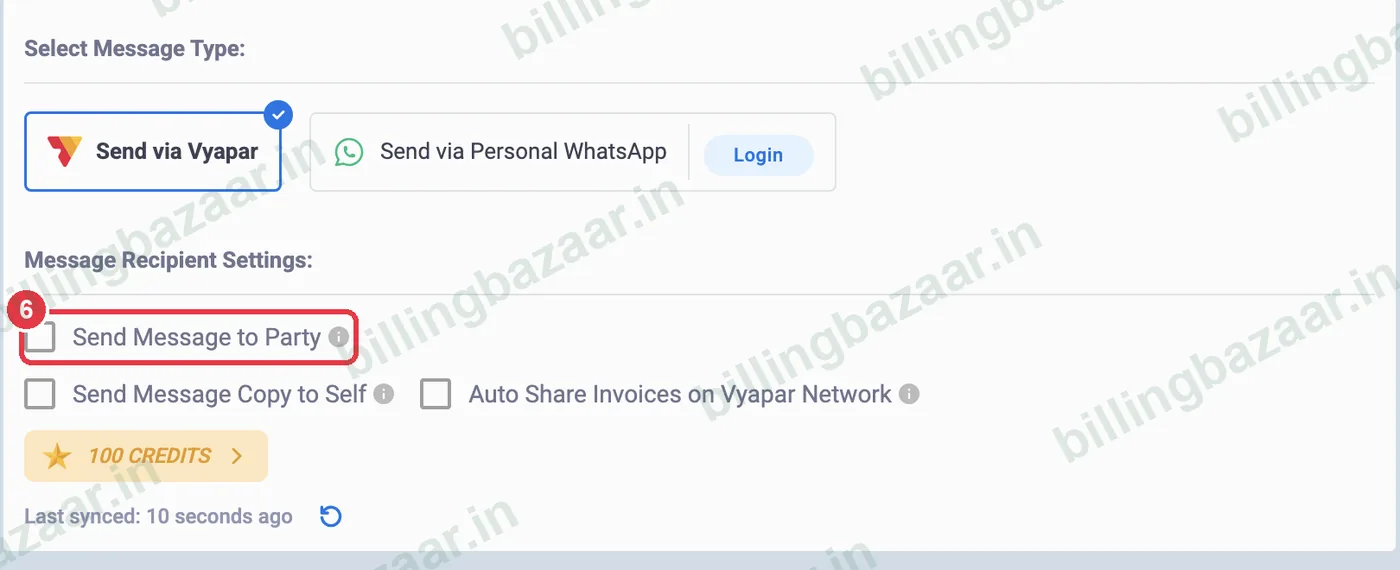
2See how messages are sent
Send via Vyapar sends SMS using Vyapar's credits. Send via Personal WhatsApp sends from your own WhatsApp after you log in.
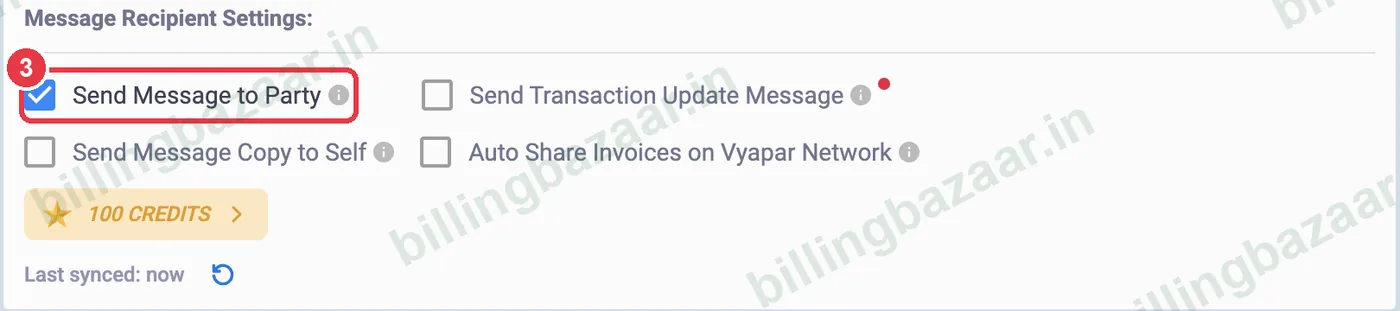
3Find Send Message to Party
Under Message Recipient Settings, Send Message to Party controls whether customers and suppliers get automatic messages. Send Message Copy to Self sends you a copy too.
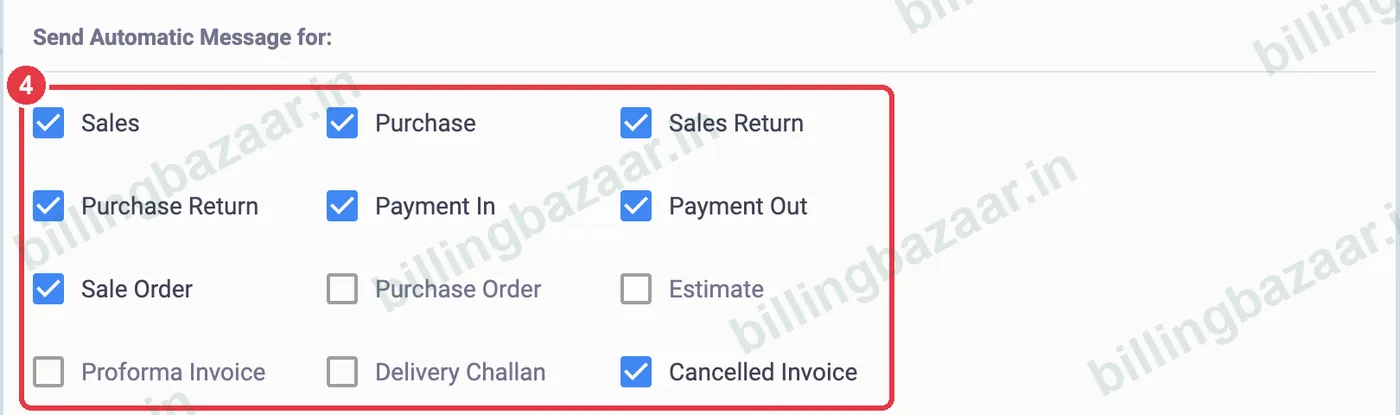
4Choose which transactions send messages
Under Send Automatic Message for, tick only the transactions that should send a message, for example Sales and Payment In.
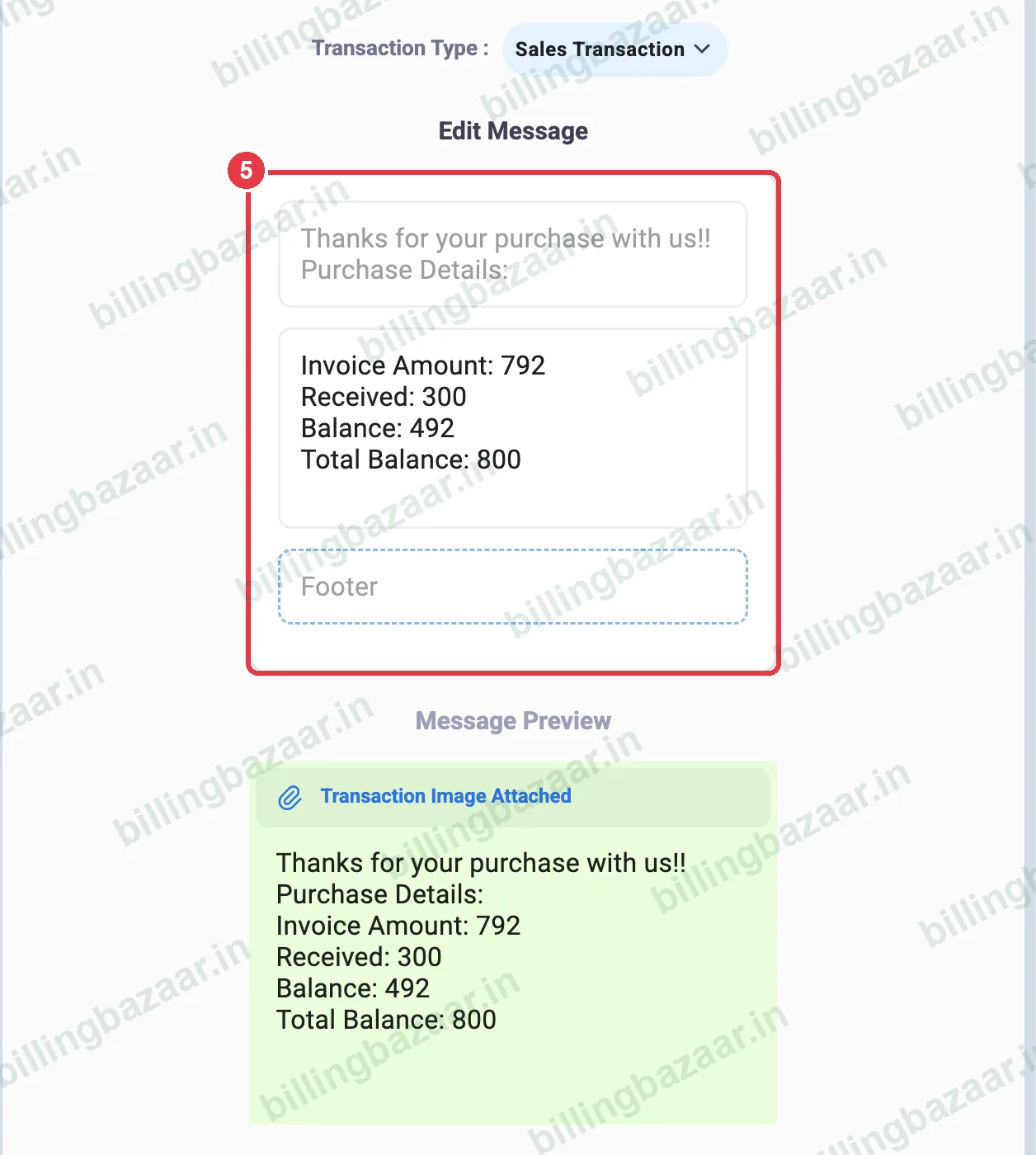
5Edit the message text
On the right, choose the Transaction Type, edit the greeting and add a footer such as your shop name. The Message Preview shows what the customer receives.
6Untick to turn messages off
To stop all automatic messages, untick Send Message to Party. Vyapar saves it immediately. Tick it again any time to turn messages back on.
Good to know
- Turn messages off while testing with sample customers so no one receives texts by mistake.
- Web invoice link in Message lets customers open the invoice online from the SMS.
- Vyapar SMS uses message credits; WhatsApp via your own number does not.
Questions people ask
Why did my customer get an SMS from Vyapar?
Send Message to Party is on in Settings > Transaction Message, so Vyapar texts the party when you save a transaction.
How do I stop Vyapar sending SMS?
Go to Settings > Transaction Message and untick Send Message to Party.
Can I send invoices on WhatsApp instead of SMS?
Yes. Choose Send via Personal WhatsApp and log in, or share each invoice on WhatsApp from the preview.
Can I change the SMS text?
Yes. Edit the message and footer on the right side of the Transaction Message screen.
Related guides
Screenshots are from a demo company in Vyapar Desktop for Mac, October 2026. Menus can move slightly between app versions. Guide by Billing Bazaar, a Vyapar partner.