 Billing Bazaar
How to share an invoice on WhatsApp from Vyapar
Most customers want their bill on WhatsApp. Vyapar can share any invoice as a PDF on WhatsApp, email or SMS, either right after you save it or later from the invoice list.
| Time needed | 2 minutes |
|---|---|
| Steps | 5, each with a screenshot |
| Tested on | Vyapar Desktop for Mac, October 2026 |
| Last updated | 11 October 2026 |
Before you start
- The customer saved with their WhatsApp number.
- WhatsApp installed or WhatsApp Web available on the computer.
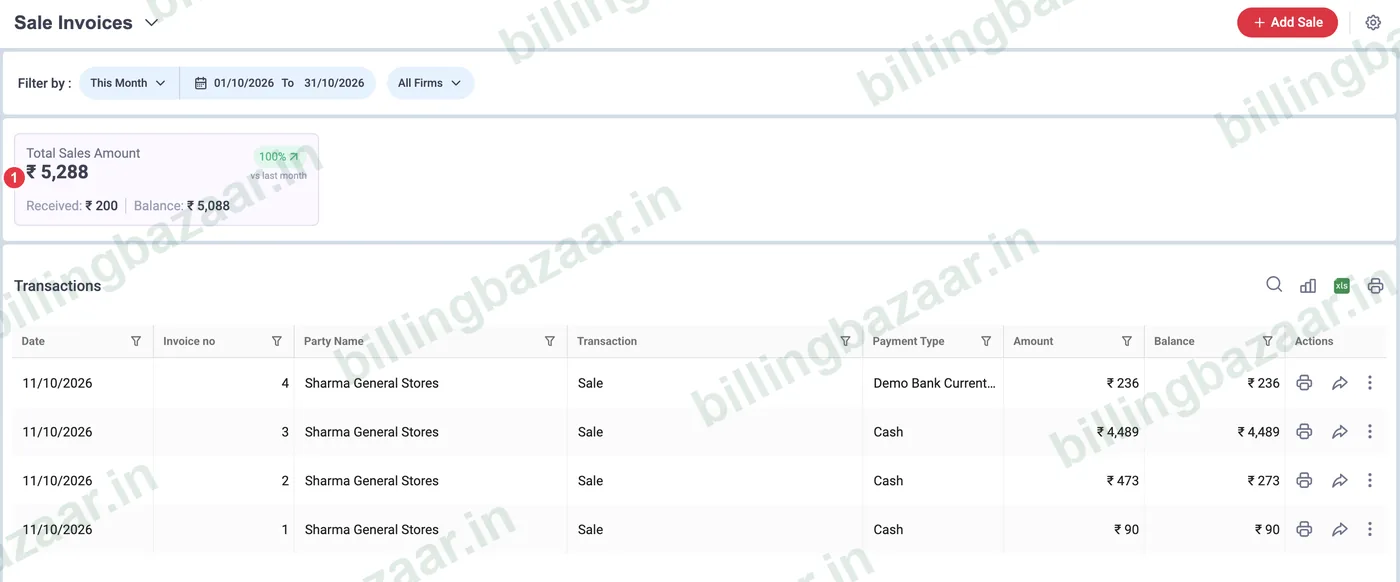
1Open Sale > Sale Invoices
Click Sale, then Sale Invoices. The list shows every invoice with amount, balance and action icons.
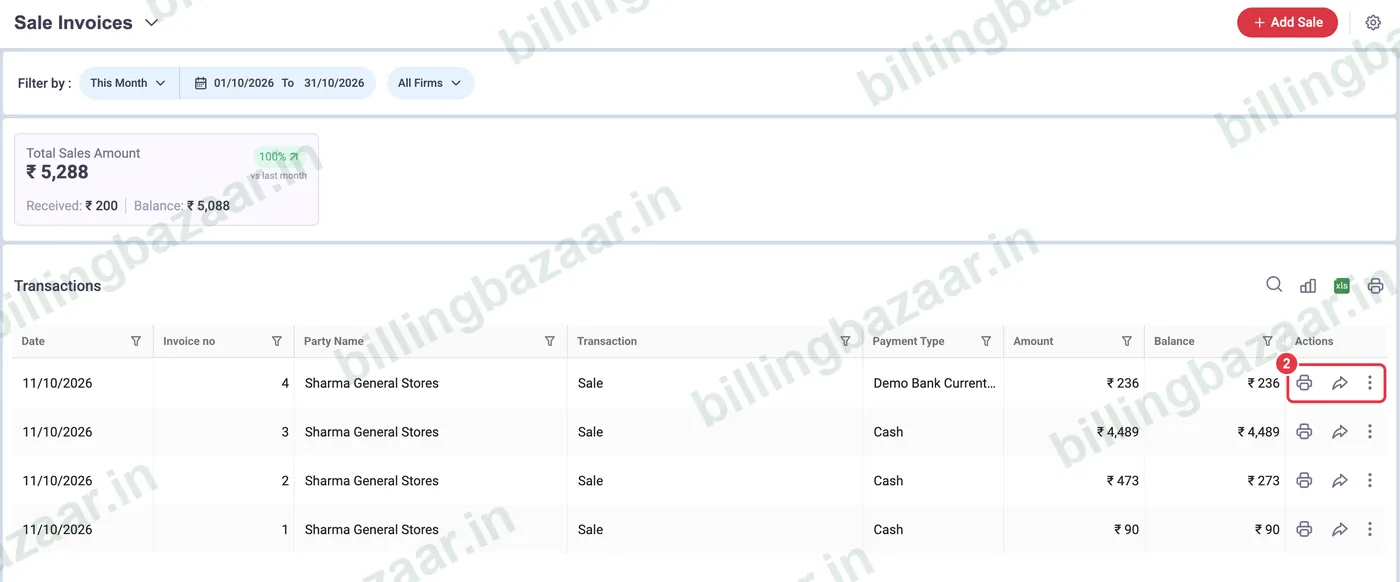
2Find the invoice and its share icon
Each row has a print icon and a share (arrow) icon on the right.
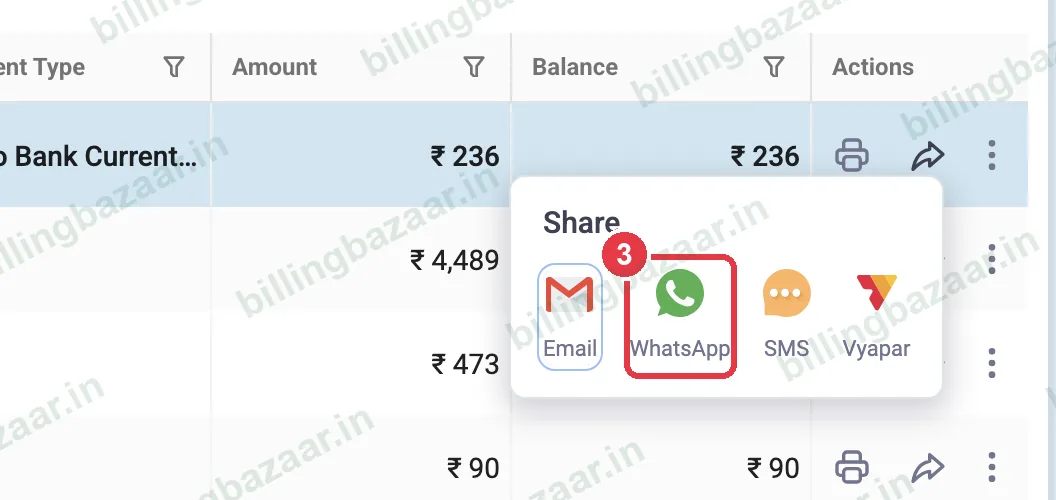
3Click share and choose WhatsApp
Click the share icon. The menu offers Email, WhatsApp, SMS and Vyapar. Choose WhatsApp; Vyapar opens WhatsApp with the customer's number and the invoice ready to send.
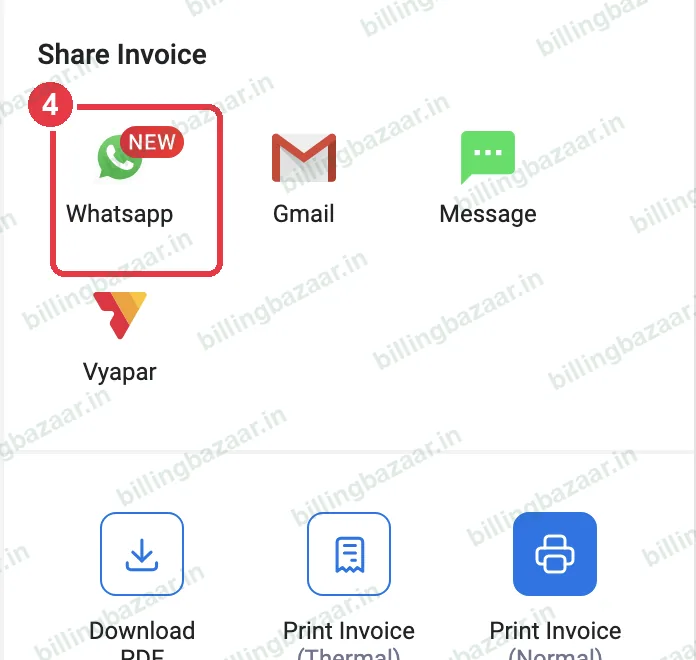
4Or share straight after saving
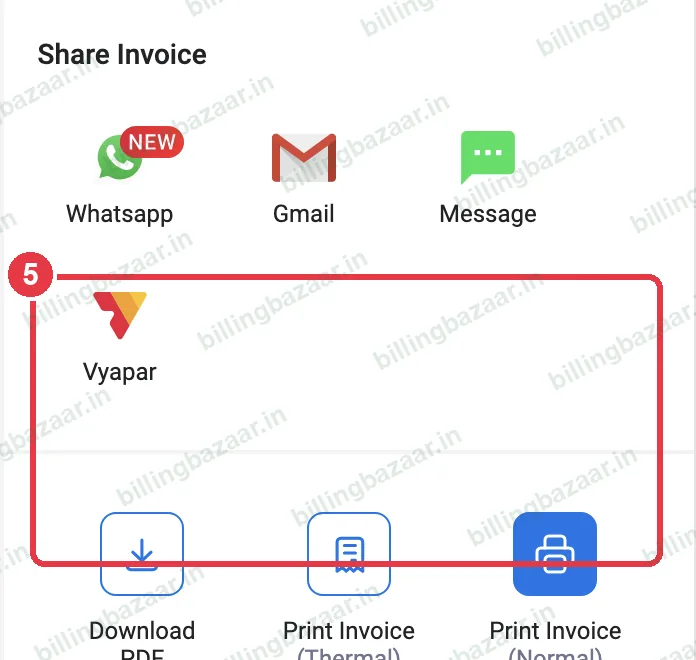
After you save an invoice, the preview has a Share Invoice panel with WhatsApp, Gmail and Message.
5Download PDF or print
In the same panel, Download PDF saves the invoice as a file, and Print Invoice prints it on a normal or thermal printer.
Good to know
- Check the customer's phone number in the party if WhatsApp opens the wrong chat.
- Use Settings > Transaction Message > Send via Personal WhatsApp to send automatically when you save.
- Payment receipts and estimates can be shared the same way.
Questions people ask
How do I send a Vyapar invoice on WhatsApp?
Open Sale > Sale Invoices, click the share icon on the invoice and choose WhatsApp, or click WhatsApp in the preview after saving.
Can I share an invoice as PDF?
Yes. Download PDF from the preview, or share it on WhatsApp or email as a PDF.
Can I resend an old invoice?
Yes. Find it in Sale Invoices and use the share icon.
Related guides
- How to create a GST invoice in Vyapar
- How to print an invoice (A4 and thermal) in Vyapar
- How to turn off or customise automatic SMS to customers in Vyapar
- How to change the invoice format and theme in Vyapar
Screenshots are from a demo company in Vyapar Desktop for Mac, October 2026. Menus can move slightly between app versions. Guide by Billing Bazaar, a Vyapar partner.