 Billing Bazaar
How to add shipping and other charges to an invoice in Vyapar
Delivery, packing and handling charges are often billed separately from goods. Vyapar can add up to three named charges at the bottom of every invoice, with their own SAC code and tax rate.
| Time needed | 2 minutes |
|---|---|
| Steps | 5, each with a screenshot |
| Tested on | Vyapar Desktop for Mac, October 2026 |
| Last updated | 11 October 2026 |
Before you start
- Decide which charges you bill (for example Shipping and Packaging) and whether GST applies to them.
1Open Additional Charges settings
Go to Settings > TRANSACTION, scroll down and click Additional Charges >.

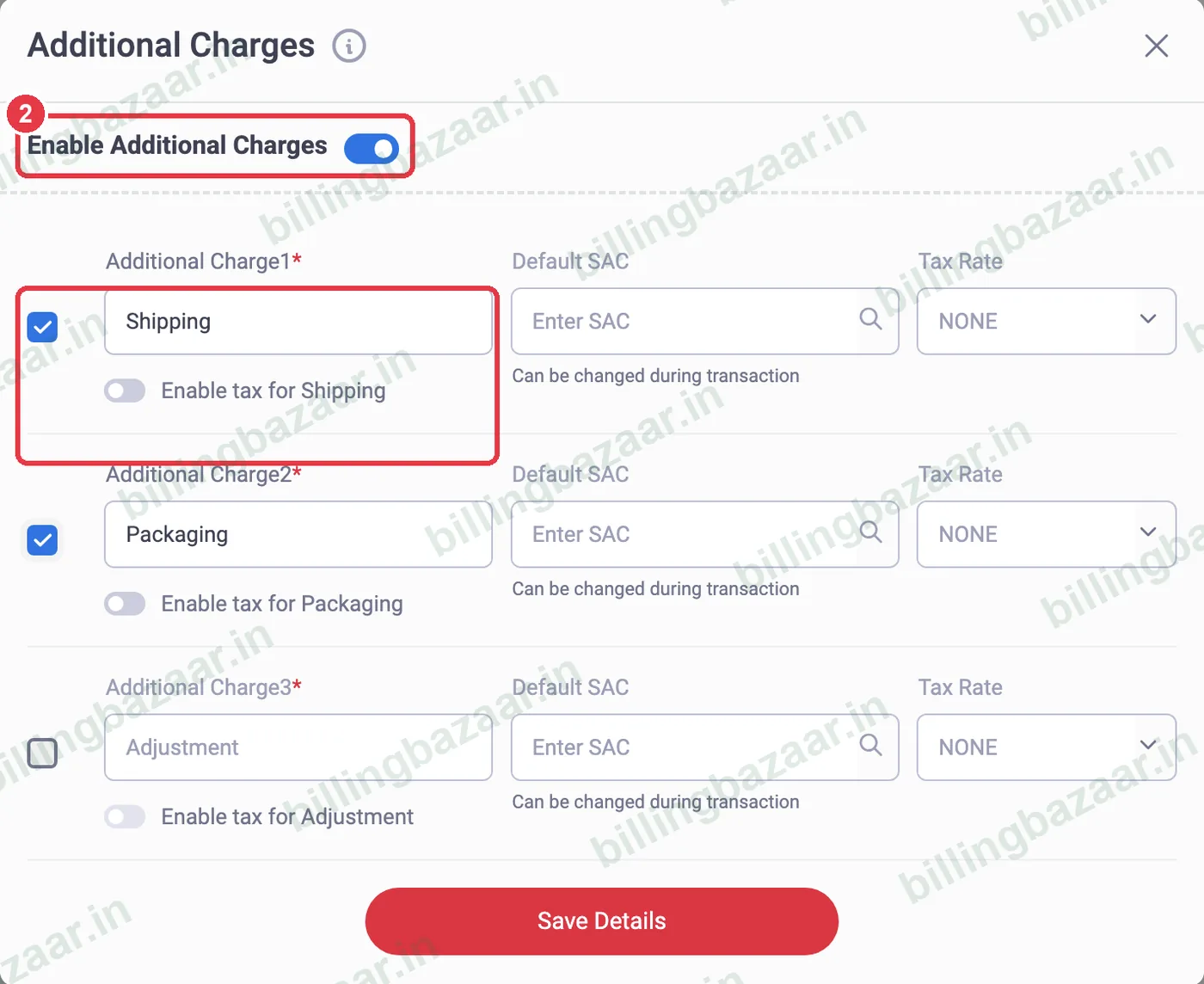
2Enable the charges
Switch on Enable Additional Charges and tick the charges you use. Rename them if you like (Shipping, Packaging, Adjustment by default).
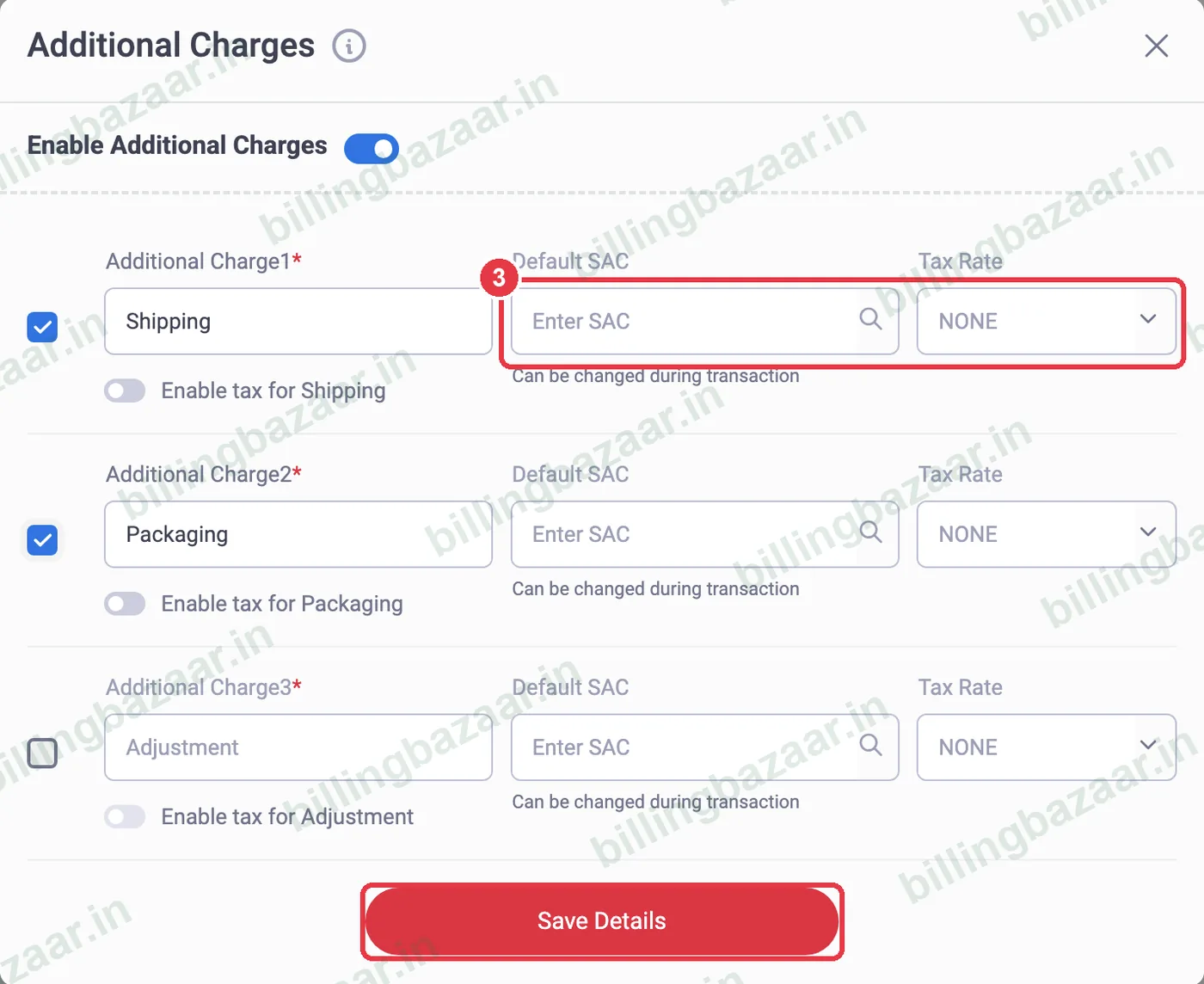
3Set SAC and tax, then save
For taxable charges, turn on Enable tax, add a Default SAC and Tax Rate. Click Save Details.
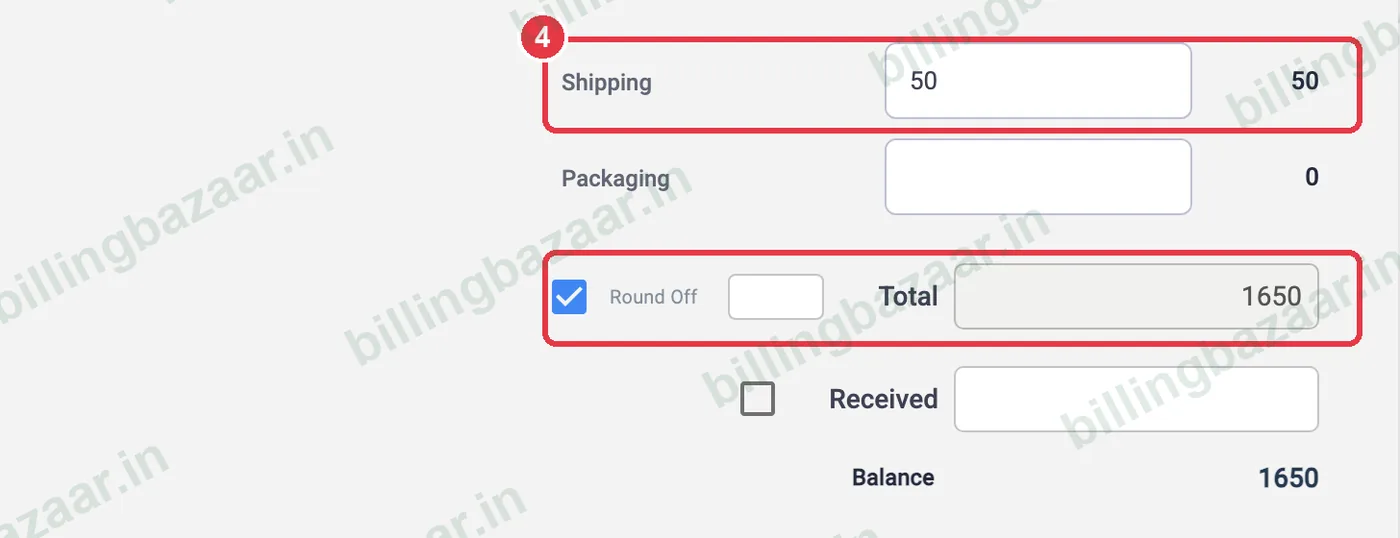
4Enter the charge on an invoice
On a sale, the charges appear above the Total. Type the amount, for example 50 for shipping; the total updates.
5Check the printed invoice
The invoice shows the charge in the totals box (Sub Total, Shipping, Total).

Good to know
- GST on freight generally follows the main supply when billed together; ask your CA if unsure.
- Leave the charge empty on invoices where it does not apply.
- For a separate service line, add the charge as a service item instead.
Questions people ask
How do I add delivery charges in Vyapar?
Enable Additional Charges in Settings > Transaction, then enter the Shipping amount on the invoice.
Can I charge GST on shipping?
Yes. Turn on Enable tax for the charge and choose the tax rate.
How many additional charges can I add?
Up to three, which you can rename.
Related guides
- How to create a GST invoice in Vyapar
- How to add services with SAC code in Vyapar
- How to give item and invoice discounts in Vyapar
Screenshots are from a demo company in Vyapar Desktop for Mac, October 2026. Menus can move slightly between app versions. Guide by Billing Bazaar, a Vyapar partner.