 Billing Bazaar
How to give item and invoice discounts in Vyapar
Vyapar has a discount column on every line of an invoice, estimate or order. Enter a percentage or an amount; Vyapar reduces the taxable value and calculates GST on the discounted price, as GST law requires for discounts shown on the invoice.
| Time needed | 1 minute |
|---|---|
| Steps | 5, each with a screenshot |
| Tested on | Vyapar Desktop for Mac, October 2026 |
| Last updated | 11 October 2026 |
Before you start
- An invoice or estimate with at least one item added.
1Find the Discount columns
On the item table of a sale, estimate or order, the DISCOUNT heading has two columns: % and AMOUNT.

2Enter a discount percentage
Type the discount percentage in %, for example 5 for a 5% bulk discount.

3Check discount amount and GST
Vyapar fills in the AMOUNT of the discount (or type an amount instead and it works out the %). The GST in the TAX column is now calculated on the discounted price.

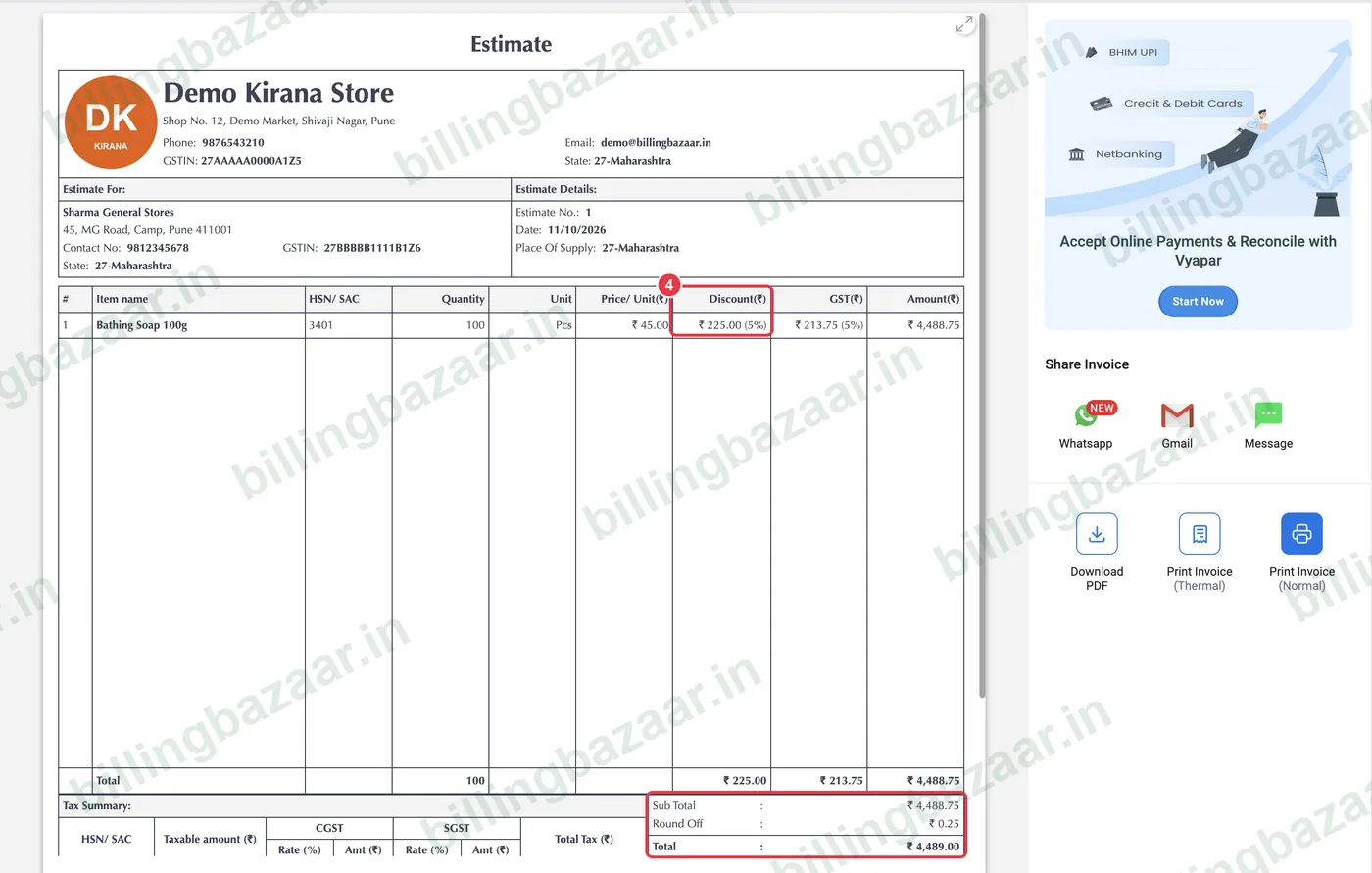
4See the discount on the invoice
The printed invoice has a Discount column showing the amount and percentage, and the tax summary uses the discounted taxable value.
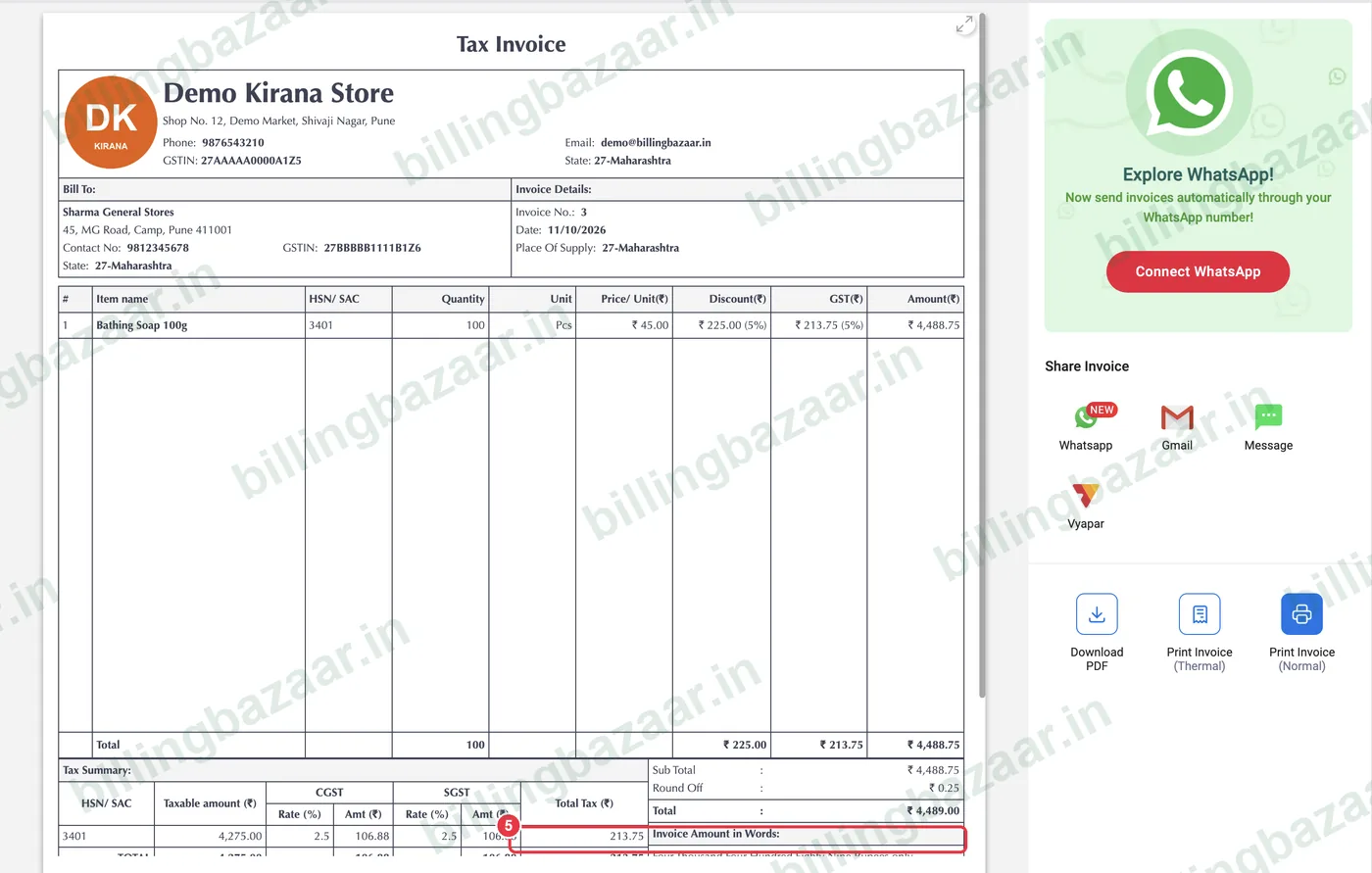
5Show how much the customer saved
Some invoice themes print a You Saved line at the bottom, which customers like to see.
Good to know
- Different items can have different discounts on the same invoice.
- If you sell at MRP and give a discount, set the item's sale price as With Tax so the total matches what the customer expects.
- Use party-wise rates instead of discounts if a customer always gets a special price.
Questions people ask
How do I give a discount in Vyapar?
On the item line, type a percentage in Discount % or an amount in Discount Amount. Vyapar recalculates GST and the total.
Is GST charged before or after discount in Vyapar?
After. Vyapar calculates GST on the price after the discount shown on the invoice.
Can I give a discount on the whole bill?
Apply the same discount % to each line, or use an invoice-level discount if it is enabled in your transaction settings.
Does the discount show on the printed invoice?
Yes. The Discount column shows the amount and percentage for each item.
Related guides
- How to create a GST invoice in Vyapar
- How to create an estimate or quotation in Vyapar
- How to set wholesale and retail prices in Vyapar
Screenshots are from a demo company in Vyapar Desktop for Mac, October 2026. Menus can move slightly between app versions. Guide by Billing Bazaar, a Vyapar partner.