 Billing Bazaar
How to add a party's opening balance and credit limit in Vyapar
When you start using Vyapar, customers may already owe you money (udhaar) and you may owe suppliers. Enter these as opening balances so every party ledger starts correct. You can also set a credit limit per customer.
| Time needed | 2 minutes |
|---|---|
| Steps | 7, each with a screenshot |
| Tested on | Vyapar Desktop for Mac, October 2026 |
| Last updated | 11 October 2026 |
Before you start
- Each party's balance on the day you start using Vyapar, from your old khata or ledger.
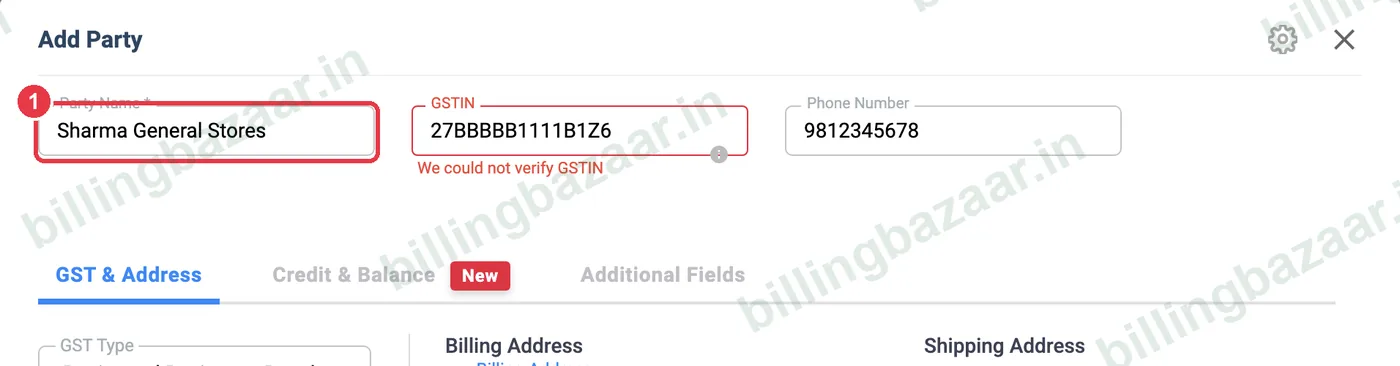
1Add or edit the party
Open Parties > Party Details and click + Add Party (or the pencil icon next to an existing party). Enter the name and other details as usual.
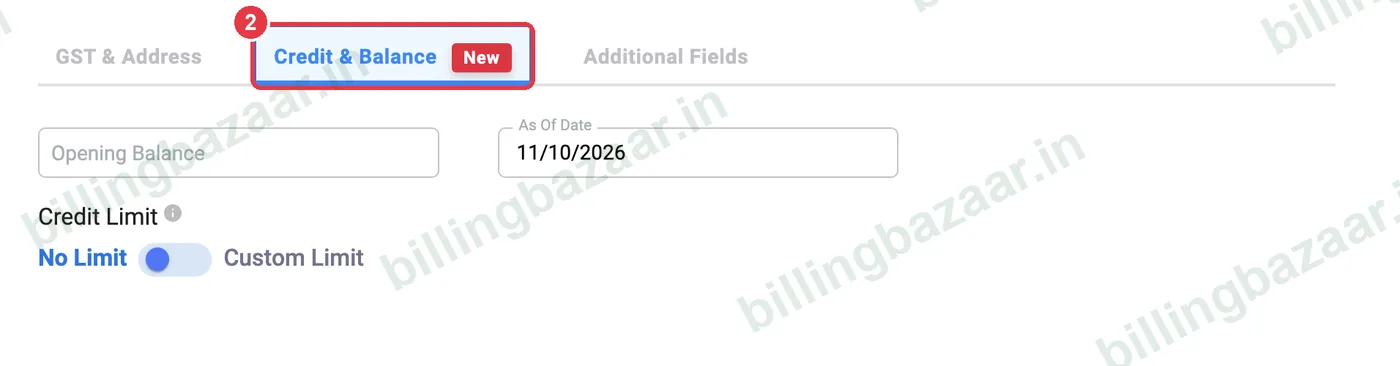
2Open the Credit & Balance tab
Click the Credit & Balance tab in the Add Party window.
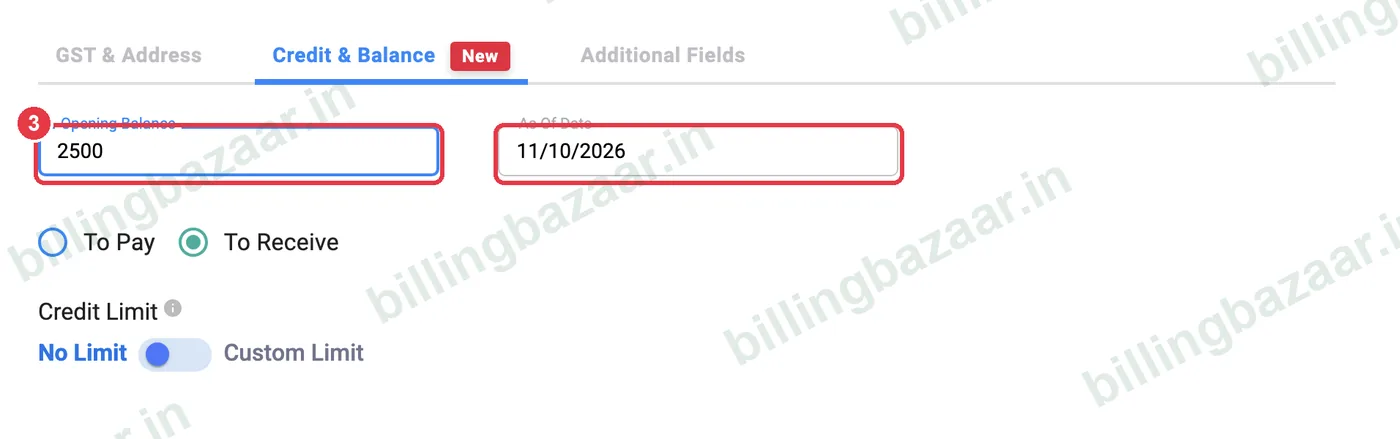
3Enter opening balance and date
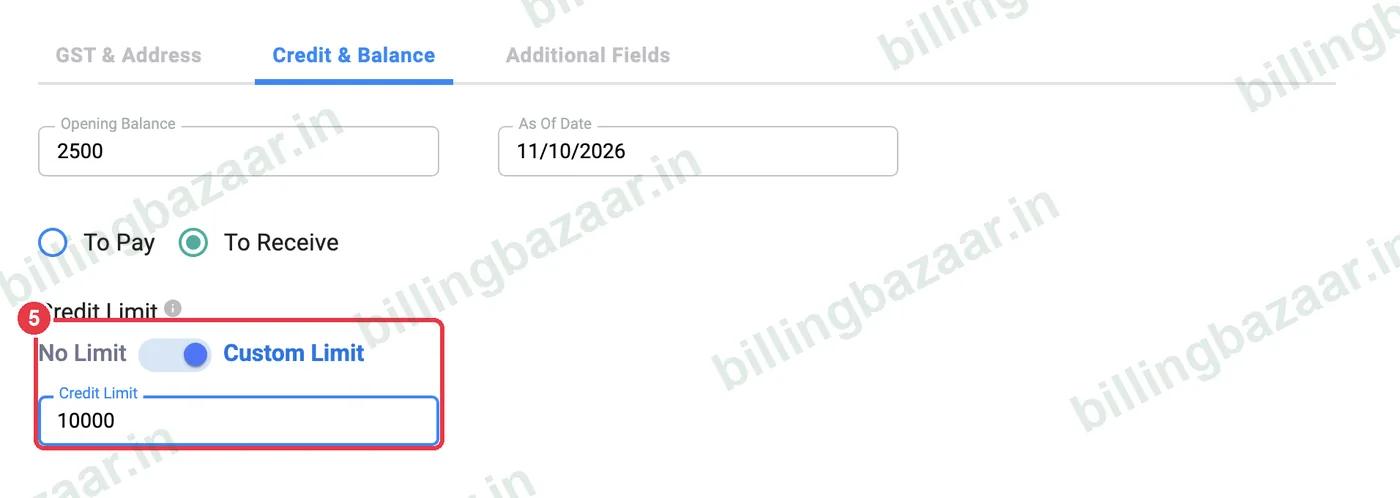
Type the amount in Opening Balance and set As Of Date to the day the balance was correct, usually the day you start using Vyapar.
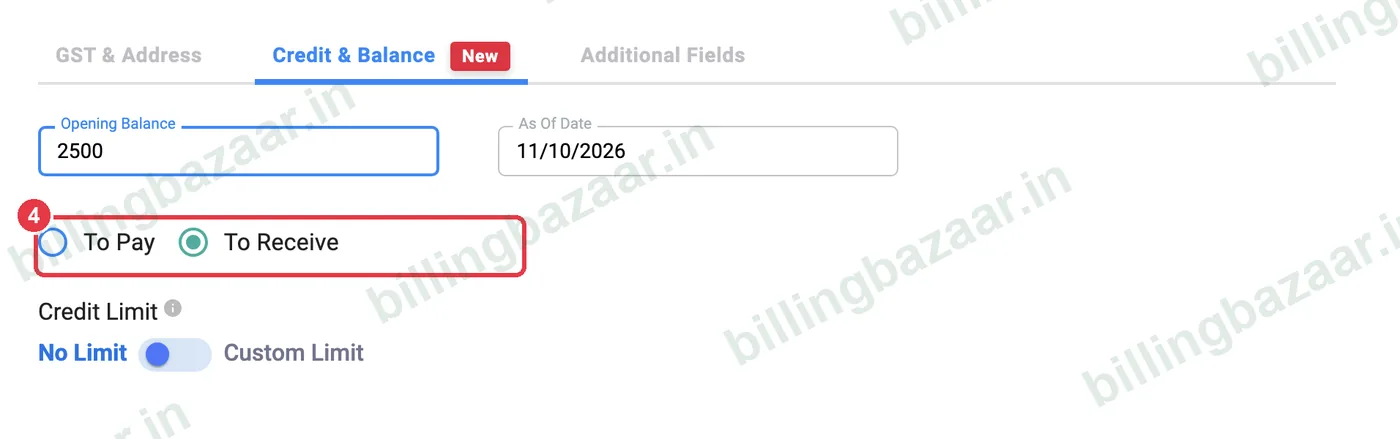
4Choose To Receive or To Pay
Choose To Receive if the party owes you (a customer's udhaar) or To Pay if you owe them (a supplier you have not paid yet).
5Set a credit limit (optional)
Switch Credit Limit from No Limit to Custom Limit and type the maximum the customer may owe (for example 10,000). Vyapar warns you when a sale takes them over the limit.
6Save and check the list
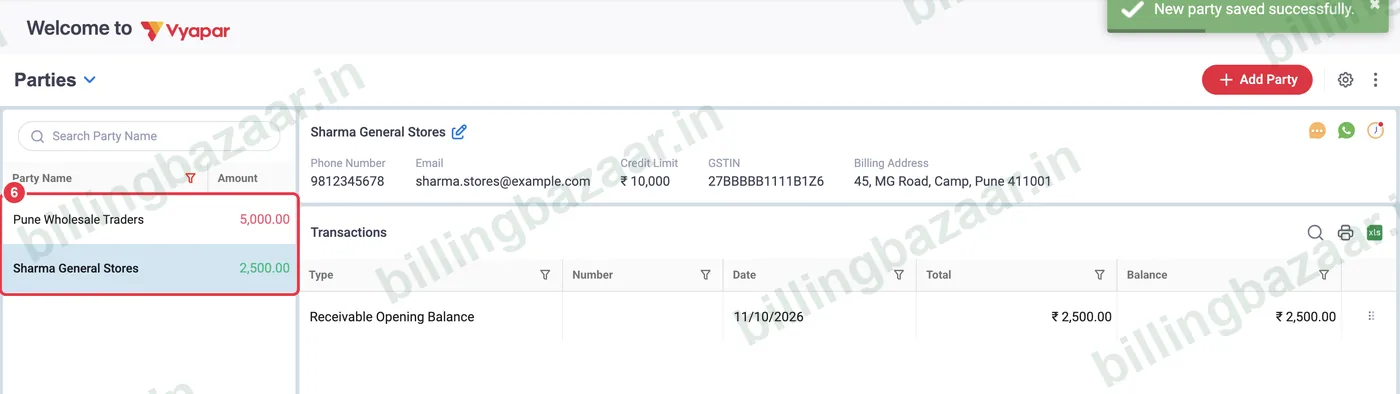
Click Save. In the party list, amounts you will receive show in green and amounts you have to pay in red.
7Check the party's ledger
Click the party. Its details show the Credit Limit, and the Transactions list starts with a Receivable Opening Balance (or Payable) entry for the amount you entered.

Good to know
- Use one As Of Date for all parties (the day you switch to Vyapar) so reports line up.
- If a balance was entered wrongly, edit the party and change the opening balance; do not add a fake invoice.
- Credit limits are a warning, not a block, so you can still bill trusted customers.
Questions people ask
How do I enter old udhaar in Vyapar?
Edit the customer, open Credit & Balance, enter the amount as Opening Balance with To Receive selected, and save.
What is the difference between To Pay and To Receive?
To Receive means the party owes you money. To Pay means you owe the party money.
What does the credit limit do in Vyapar?
It sets the maximum a customer should owe. Vyapar warns you when a new sale would take their balance over that limit.
Where can I see the opening balance later?
Click the party in Parties; the first transaction is Receivable or Payable Opening Balance.
Related guides
- How to add customers and suppliers in Vyapar
- How to see and share a party statement (ledger) in Vyapar
- How to record a payment received (Payment In) in Vyapar
Screenshots are from a demo company in Vyapar Desktop for Mac, October 2026. Menus can move slightly between app versions. Guide by Billing Bazaar, a Vyapar partner.