 Billing Bazaar
How to see and share a party statement (ledger) in Vyapar
A party statement is the full ledger of one customer or supplier: opening balance, every sale or purchase, payments and returns, with the balance after each entry. Share it when a customer asks how much they owe.
| Time needed | 1 minute |
|---|---|
| Steps | 5, each with a screenshot |
| Tested on | Vyapar Desktop for Mac, October 2026 |
| Last updated | 11 October 2026 |
Before you start
- Some sales and purchases recorded in Vyapar.
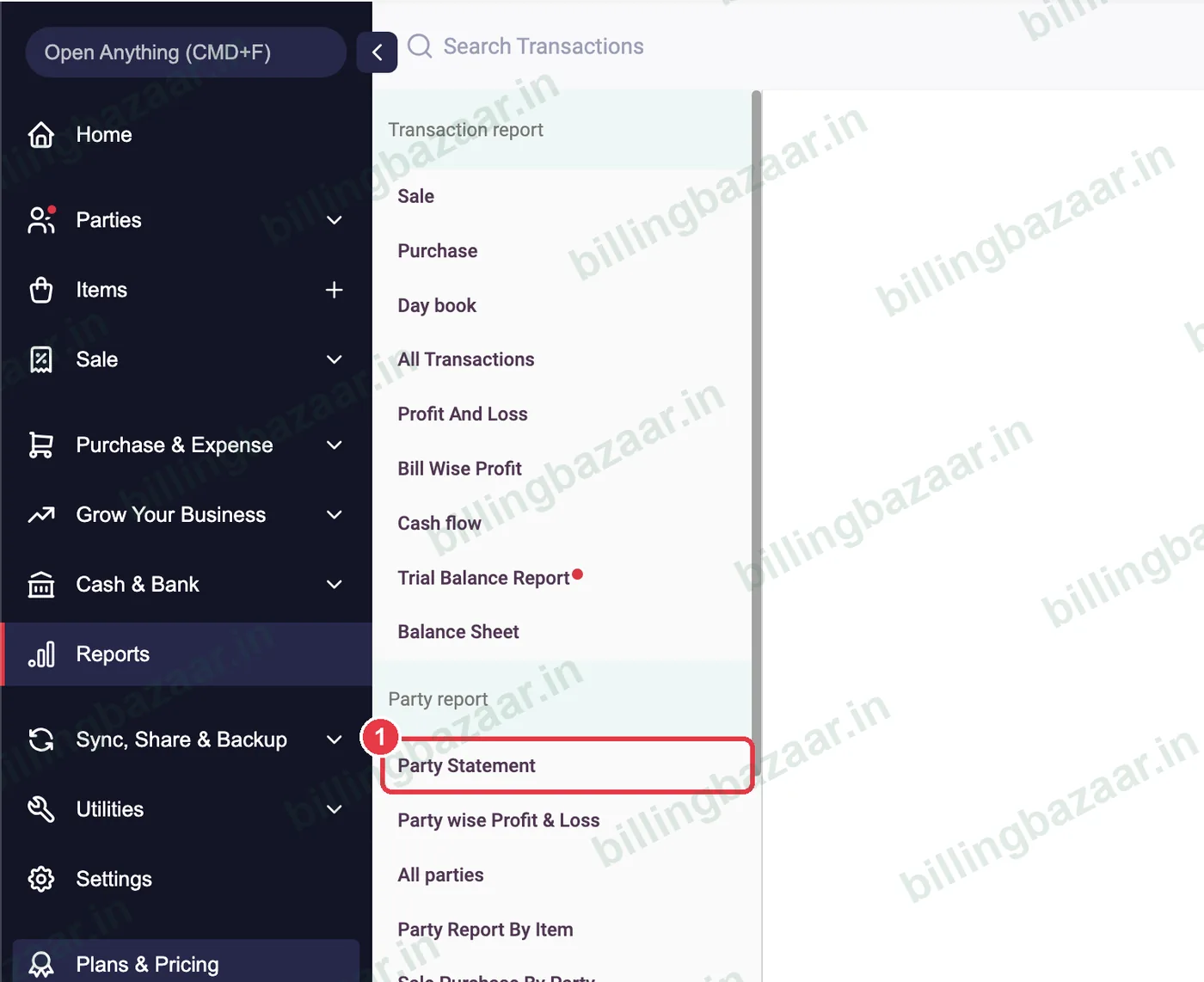
1Open Reports > Party Statement
Click Reports, then Party Statement under Party report.
2Select the party
Type the name in Select Party and pick the customer or supplier. Set the period at the left.

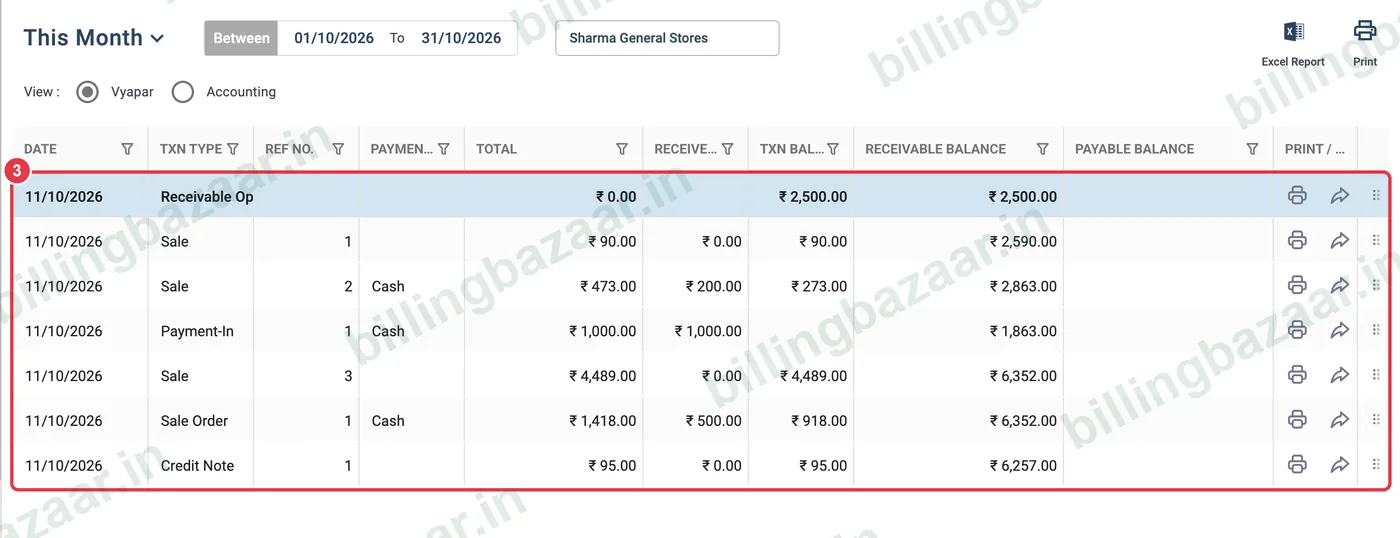
3Read the running balance
Each row shows the date, transaction type, reference number, total, amount received and the Receivable Balance after that entry, starting from the opening balance.
4Check the summary
At the bottom, Party Statement Summary shows total sale, purchase, expense, money in and money out, and the Total Receivable (or payable).

5Print or export
Use Excel Report or Print at the top right to send the statement to the party.

Good to know
- Use the Accounting view for a debit/credit ledger format.
- Send the statement before asking for payment; it avoids disputes.
- Sale orders show in the statement but do not change the balance until converted.
Questions people ask
How do I see a customer's ledger in Vyapar?
Reports > Party Statement, then select the party.
Can I share the party statement?
Yes. Export it to Excel or print it to PDF and share it.
What is Total Receivable?
The amount the party owes you at the end of the selected period.
Related guides
- How to add a party's opening balance and credit limit in Vyapar
- How to record a payment received (Payment In) in Vyapar
- How to send payment reminders in Vyapar
Screenshots are from a demo company in Vyapar Desktop for Mac, October 2026. Menus can move slightly between app versions. Guide by Billing Bazaar, a Vyapar partner.