 Billing Bazaar
How to adjust cash in hand in Vyapar
Cash in hand in Vyapar goes up with cash sales and payments received and down with cash purchases and expenses. If it does not match the cash in your drawer, for example because you never entered opening cash, use Adjust Cash.
| Time needed | 2 minutes |
|---|---|
| Steps | 5, each with a screenshot |
| Tested on | Vyapar Desktop for Mac, October 2026 |
| Last updated | 11 October 2026 |
Before you start
- The actual cash in your drawer today.
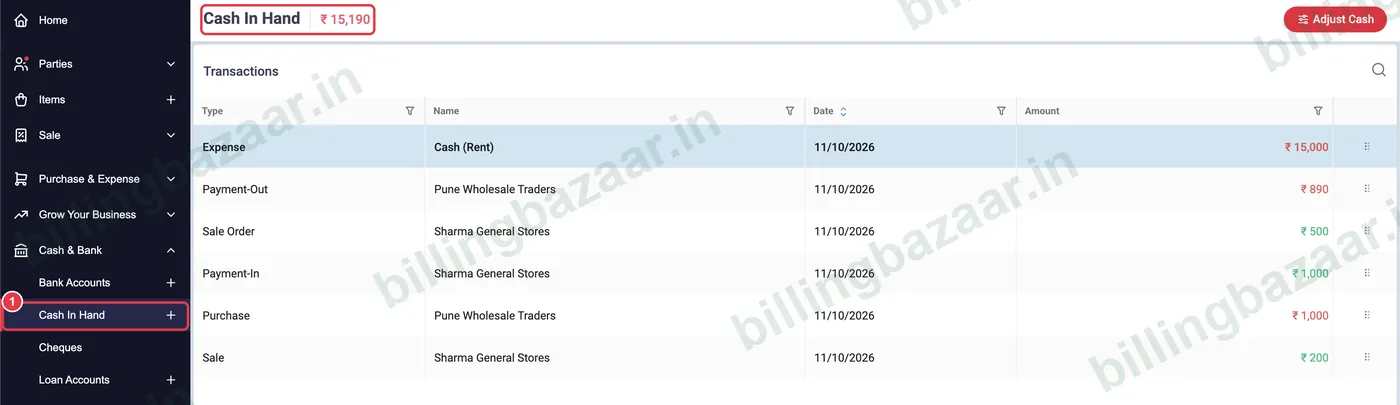
1Open Cash & Bank > Cash In Hand
Click Cash & Bank, then Cash In Hand. The balance is shown at the top; a negative balance in red usually means opening cash was never entered.
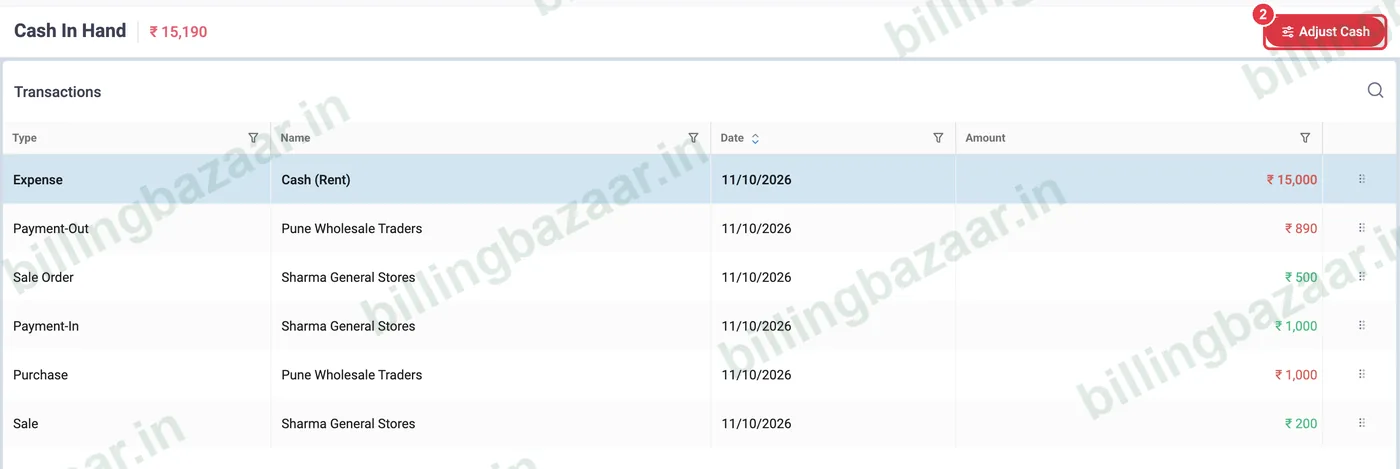
2Click Adjust Cash
Click the red Adjust Cash button at the top right.
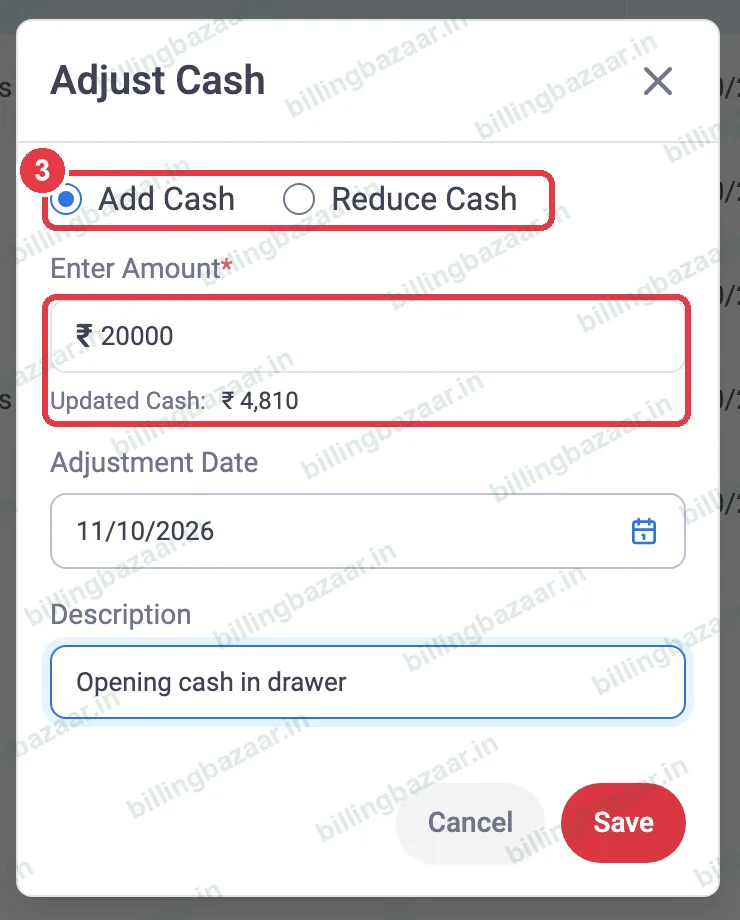
3Add or reduce and enter the amount
Choose Add Cash or Reduce Cash and type the amount. Vyapar shows the Updated Cash as you type.
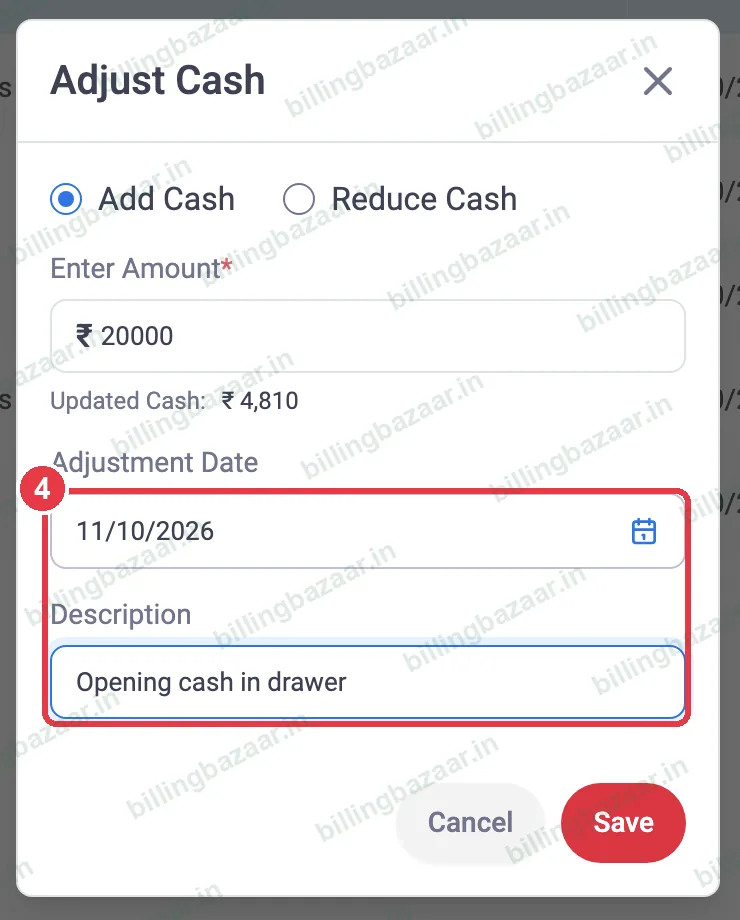
4Set the date and description
Set the Adjustment Date and add a Description such as Opening cash in drawer, then click Save.
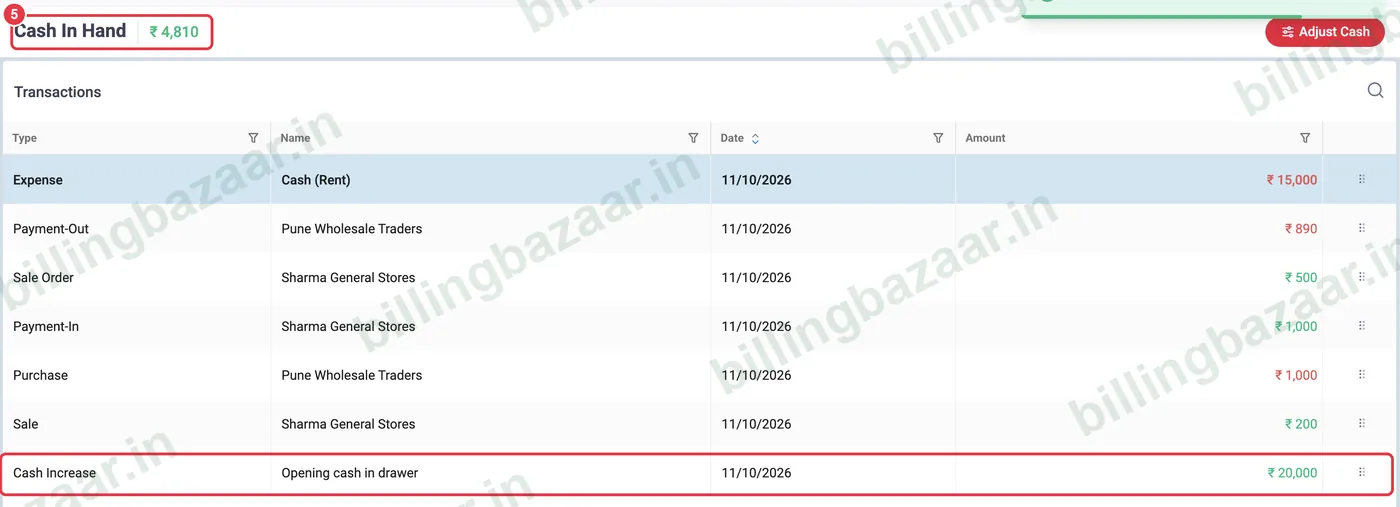
5Check the new balance
The adjustment appears as Cash Increase (or decrease) in the list, and the cash in hand balance updates.
Good to know
- Adjust cash only for real differences such as opening cash or counted shortages; record sales and expenses as transactions.
- Use Deposit / Withdraw in Bank Accounts to move cash to or from the bank.
- Check the day book at closing time to see why cash changed.
Questions people ask
Why is my cash in hand negative in Vyapar?
Usually because cash expenses or purchases were recorded but opening cash was never added. Use Adjust Cash to add it.
How do I add opening cash in Vyapar?
Cash & Bank > Cash In Hand > Adjust Cash > Add Cash, enter the amount and save.
Does Adjust Cash affect profit?
No. It only changes the cash balance, not sales or expenses.
Related guides
- How to add a bank account in Vyapar (with UPI QR on invoices)
- How to see the day book in Vyapar
- How to record business expenses in Vyapar
Screenshots are from a demo company in Vyapar Desktop for Mac, October 2026. Menus can move slightly between app versions. Guide by Billing Bazaar, a Vyapar partner.