 Billing Bazaar
How to adjust stock in Vyapar
Physical stock and Vyapar stock drift apart because of breakage, theft, free samples or counting errors. Use Adjust Item to correct the quantity with a note, instead of creating fake sales or purchases.
| Time needed | 1 minute |
|---|---|
| Steps | 5, each with a screenshot |
| Tested on | Vyapar Desktop for Mac, October 2026 |
| Last updated | 11 October 2026 |
Before you start
- The actual quantity on the shelf after a count.
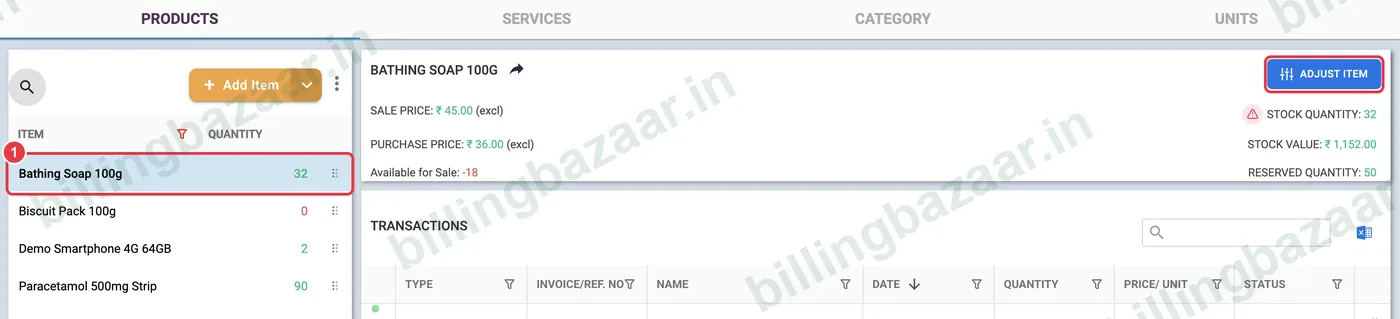
1Select the item and click Adjust Item
Open Items, select the item in the list and click ADJUST ITEM at the top right. The current stock quantity and value are shown next to it.
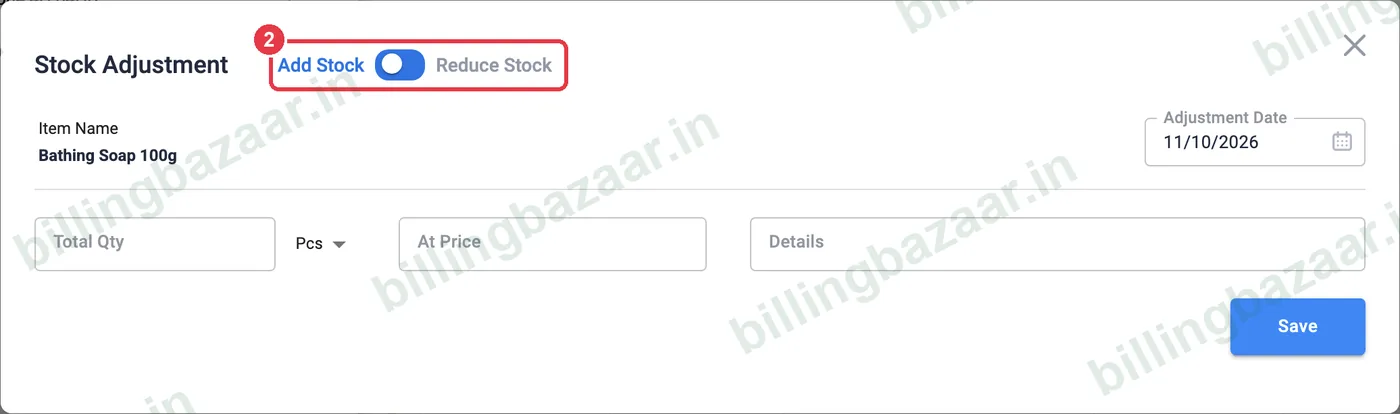
2Choose Add Stock or Reduce Stock
Use the toggle at the top: Add Stock for extra units found, Reduce Stock for damaged, expired or missing units. Check the Adjustment Date.
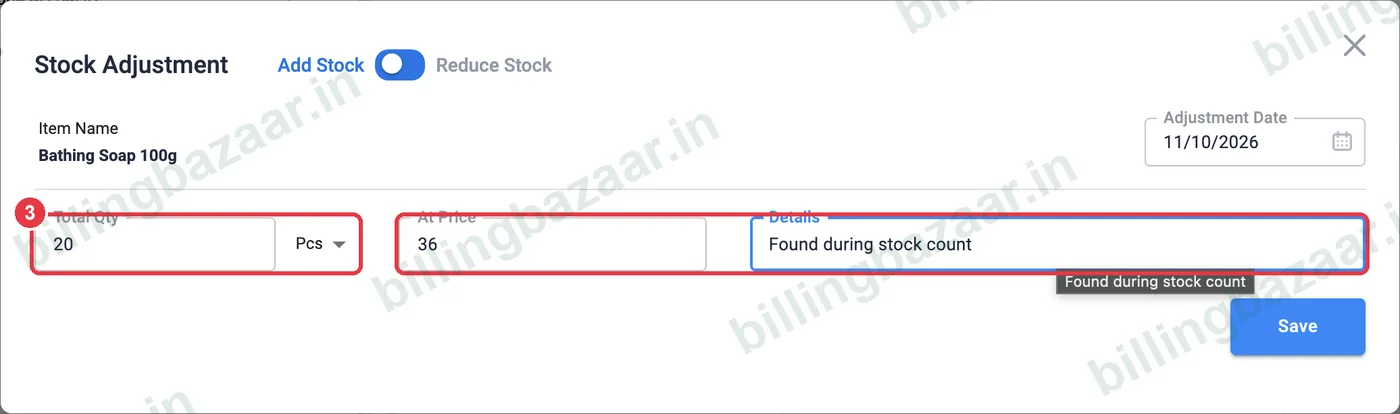
3Enter quantity, price and reason
Type the Total Qty to add or remove, the At Price (usually purchase price) and a Details note such as Found during stock count or Damaged. Click Save.
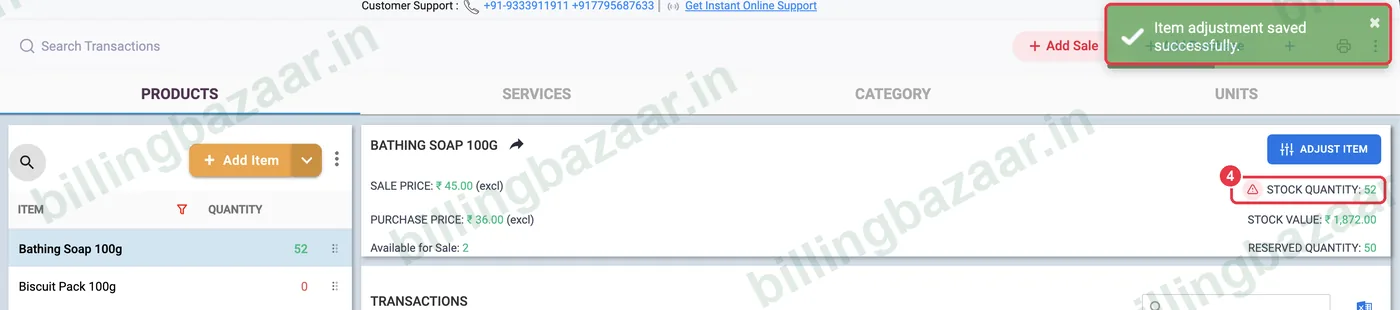
4Check the new stock
Vyapar shows Item adjustment saved successfully, and the stock quantity and stock value update.
5See it in the item history
The adjustment appears in the item's transactions as Add Adjustment (or Reduce Adjustment) with your note.

Good to know
- Reduce adjustments lower stock value and profit; use them for real losses only.
- Do a monthly stock count for fast-moving items.
- For items returned by customers, use a sale return instead.
Questions people ask
How do I correct stock in Vyapar?
Open Items, select the item, click Adjust Item, choose Add or Reduce Stock, enter the quantity and a reason, and save.
Does stock adjustment affect profit?
Yes. Reducing stock records a loss at the price you enter; adding stock increases stock value.
Where can I see stock adjustments?
In the item's transactions list, marked Add Adjustment or Reduce Adjustment.
Related guides
- How to see the stock summary report in Vyapar
- How to set low stock alerts in Vyapar
- How to add items with HSN code and GST rate in Vyapar
Screenshots are from a demo company in Vyapar Desktop for Mac, October 2026. Menus can move slightly between app versions. Guide by Billing Bazaar, a Vyapar partner.