 Billing Bazaar
How to change the invoice number and prefix in Vyapar
GST rules need unique, serial invoice numbers per financial year. Vyapar numbers invoices automatically; a prefix such as your firm initials or FY26-27 makes them easier to recognise and keeps each year's series separate.
| Time needed | 1 minute |
|---|---|
| Steps | 4, each with a screenshot |
| Tested on | Vyapar Desktop for Mac, October 2026 |
| Last updated | 11 October 2026 |
Before you start
- Decide the prefix you want, for example firm initials (DKS-) or the financial year (FY26-27).
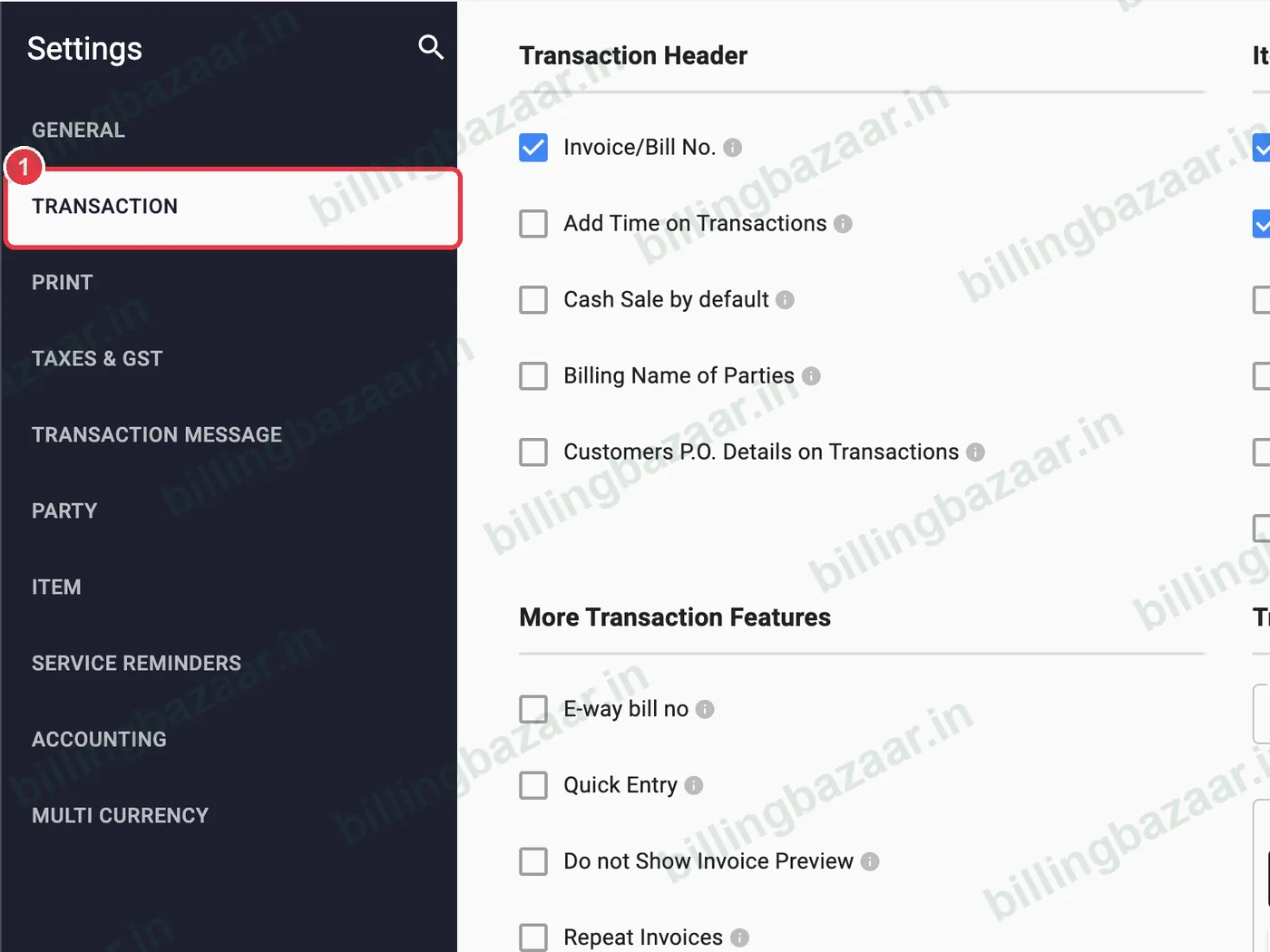
1Open Settings > Transaction
Click Settings and choose TRANSACTION. Scroll to Transaction Prefixes and check the Firm if you have more than one.
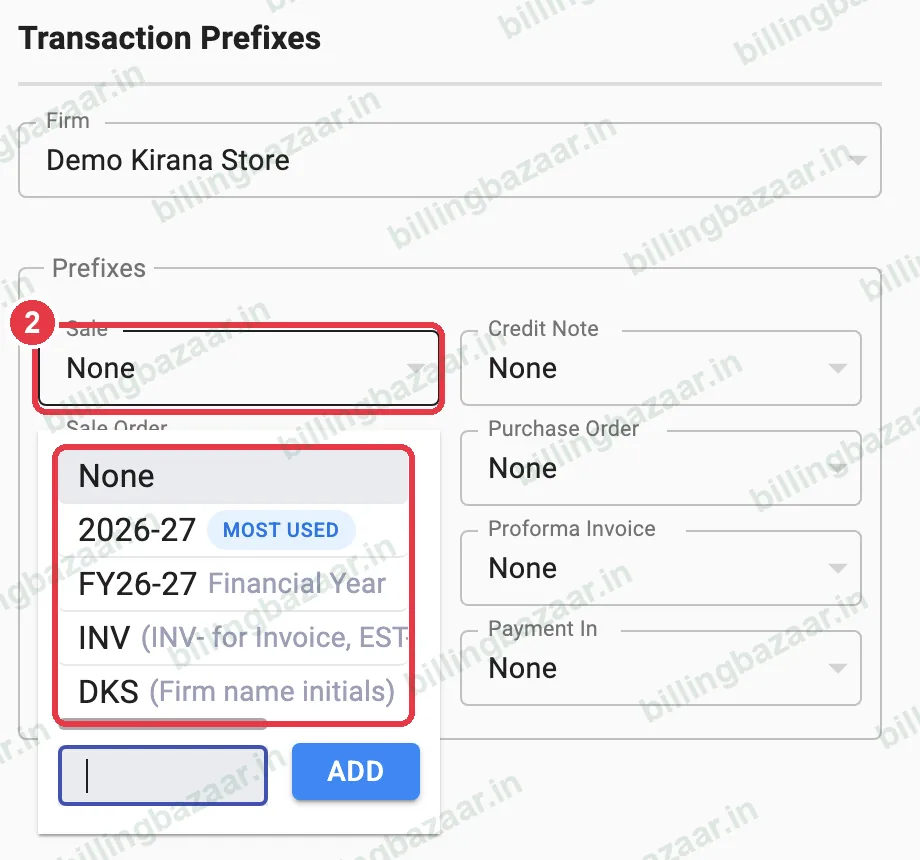
2Choose a prefix for Sale
Open the Sale prefix box. Pick a suggestion: the year (2026-27), financial year (FY26-27), INV, or your firm initials (DKS). Or type your own in the box at the bottom and click ADD.
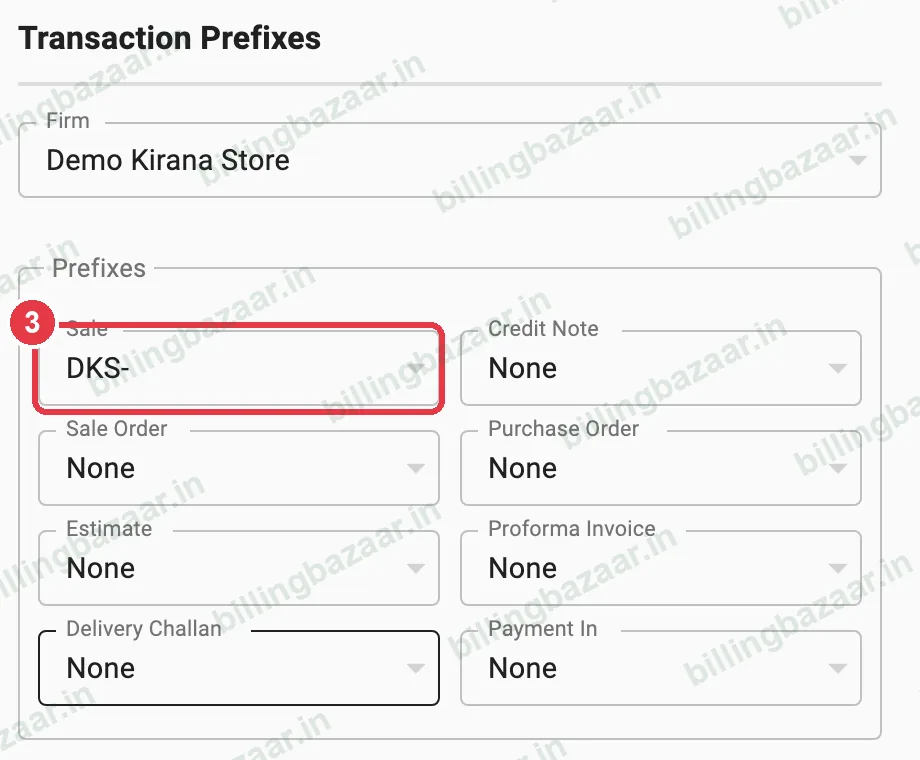
3Check the prefix
The Sale box now shows the prefix, for example DKS-. Set prefixes for Credit Note, Sale Order, Purchase Order, Estimate, Proforma Invoice, Delivery Challan and Payment In the same way.
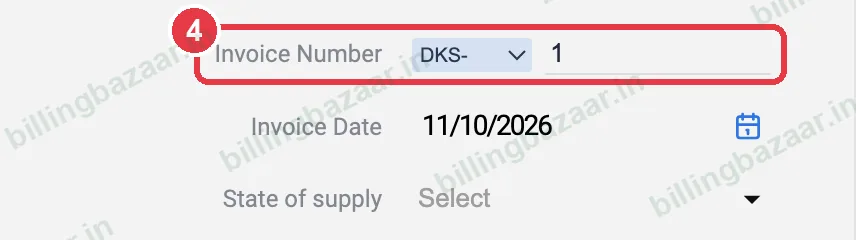
4See it on new invoices
Open Add Sale: the Invoice Number shows the prefix with the next number. You can also pick a different prefix from that box on a single invoice.
Good to know
- Start a new prefix (such as FY27-28) on 1 April so each financial year has its own series.
- Existing invoices keep their old numbers.
- Use different prefixes for different firms.
Questions people ask
How do I change the invoice number in Vyapar?
Type a different number in the Invoice Number field on the invoice, or set a prefix in Settings > Transaction > Transaction Prefixes.
How do I add INV- before Vyapar invoice numbers?
Settings > Transaction, open the Sale prefix and choose INV or type your own and click ADD.
Does the prefix restart numbering?
A new prefix starts its own series from 1.
Related guides
- How to create a GST invoice in Vyapar
- How to change the invoice format and theme in Vyapar
- How to create multiple companies in Vyapar
Screenshots are from a demo company in Vyapar Desktop for Mac, October 2026. Menus can move slightly between app versions. Guide by Billing Bazaar, a Vyapar partner.