 Billing Bazaar
How to change the invoice format and theme in Vyapar
Vyapar comes with many invoice designs: classic tax invoice layouts, modern vintage themes in your brand colour, and thermal themes for small receipt printers. You can switch the theme right from the invoice preview, and the choice is used for new invoices.
| Time needed | 2 minutes |
|---|---|
| Steps | 7, each with a screenshot |
| Tested on | Vyapar Desktop for Mac, October 2026 |
| Last updated | 11 October 2026 |
Before you start
- At least one saved invoice, so the preview opens.
- Logo and business details set up so the themes look complete.
1Open the invoice preview
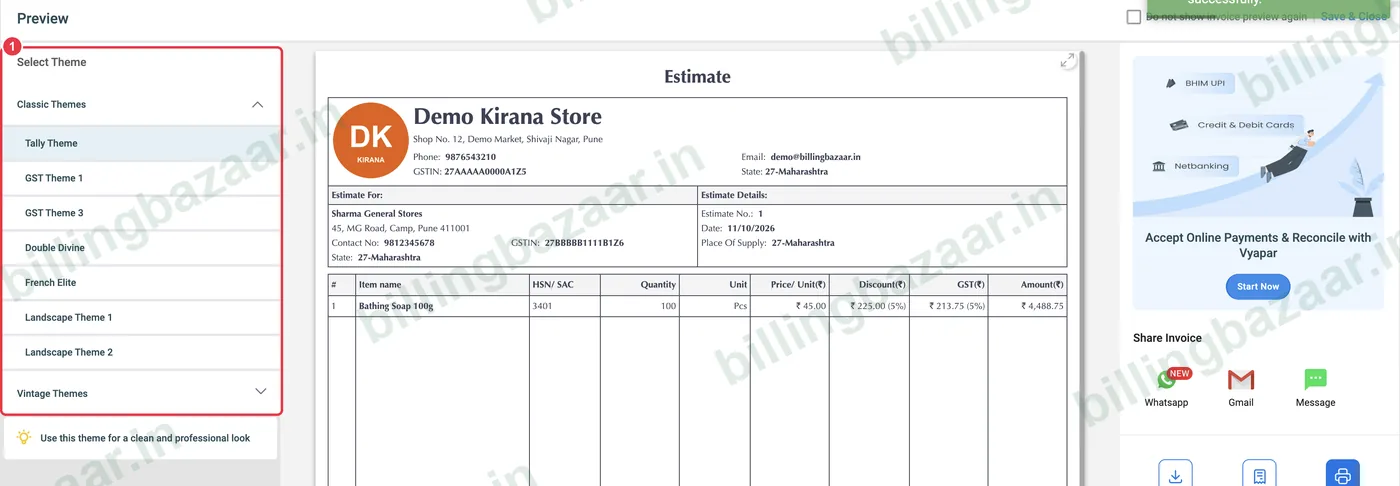
Save an invoice (or open one from Sale Invoices and click print). On the left of the Preview is Select Theme with Classic Themes and Vintage Themes.
2Pick a classic theme
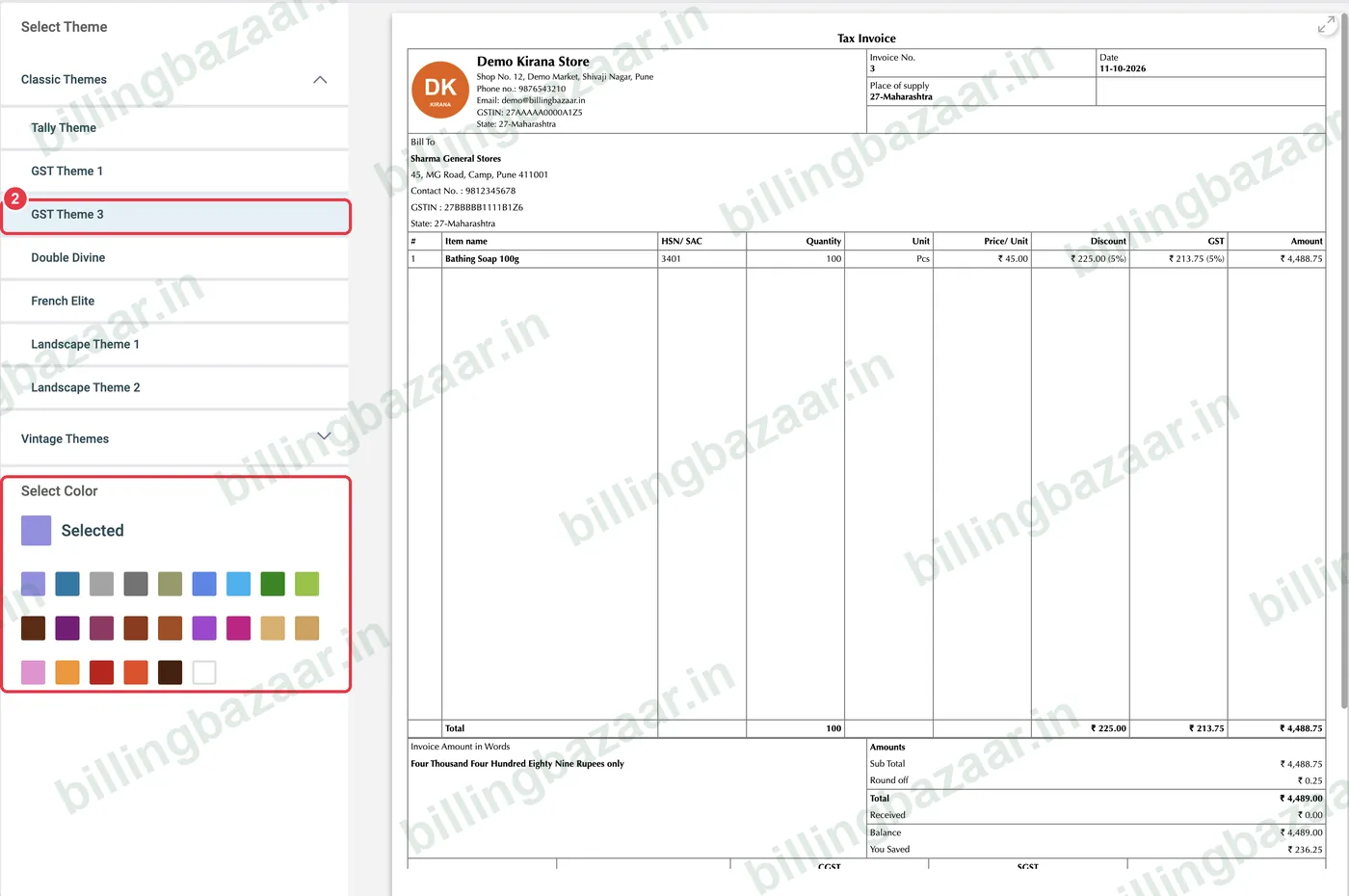
Click a classic theme such as GST Theme 3. The preview changes instantly. Some themes show a Select Color palette below the list.
3Change the colour
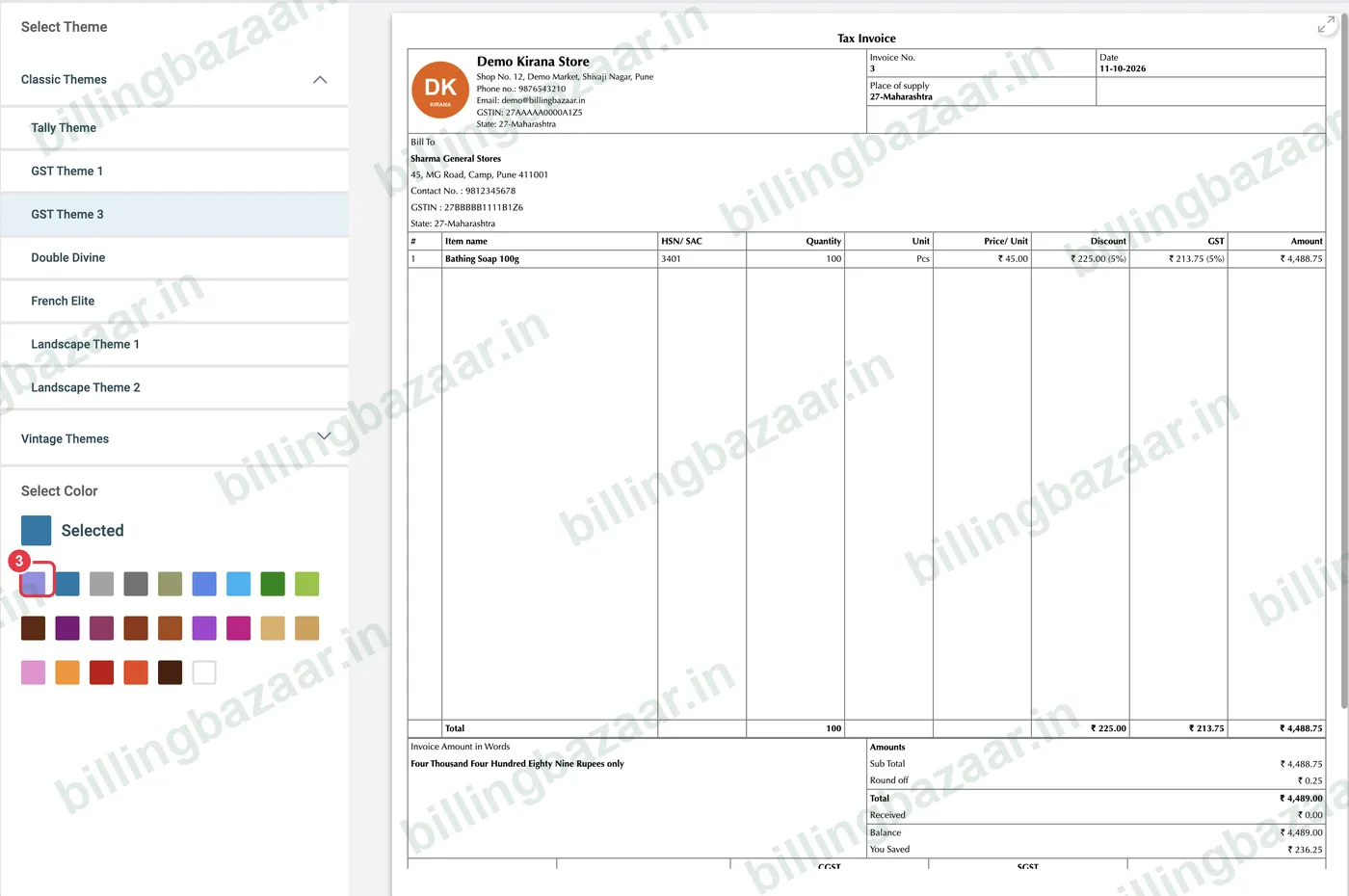
Click a colour in Select Color to match your brand. The headings and lines of the invoice change colour.
4Try Double Divine
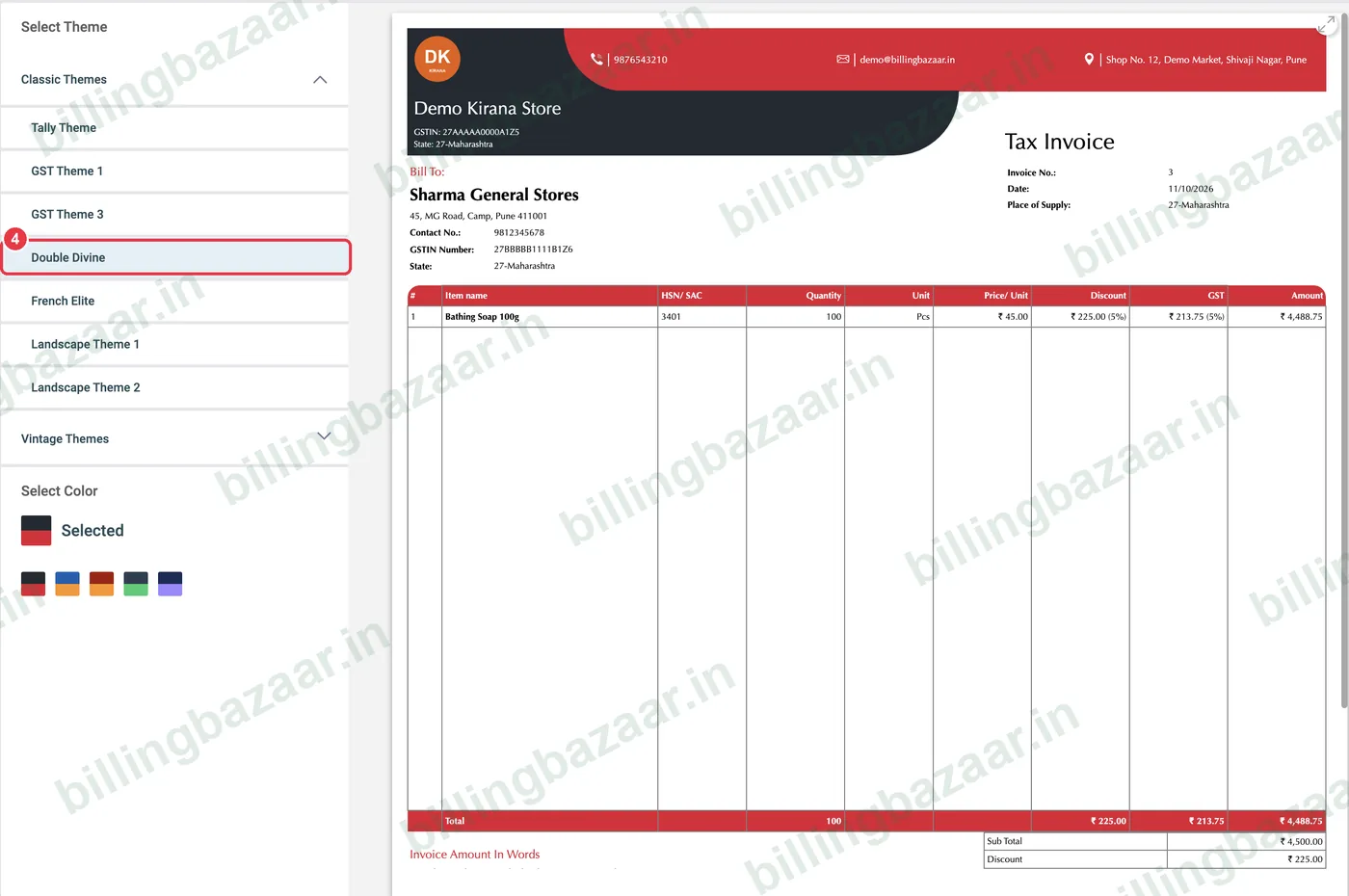
Double Divine is a bold layout with a coloured header band, good for retail bills.
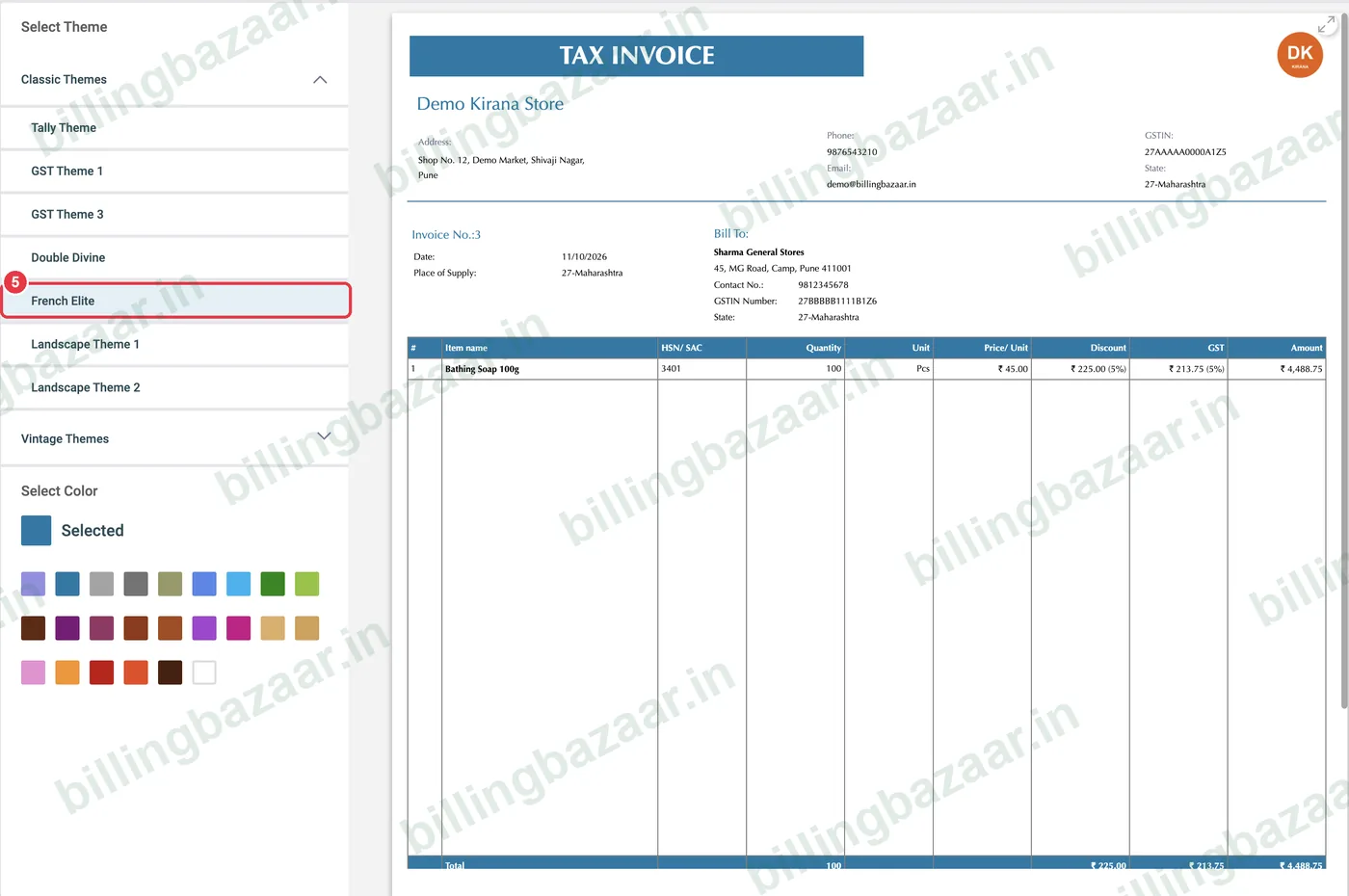
5Try French Elite
French Elite puts a large TAX INVOICE title at the top with a clean table.
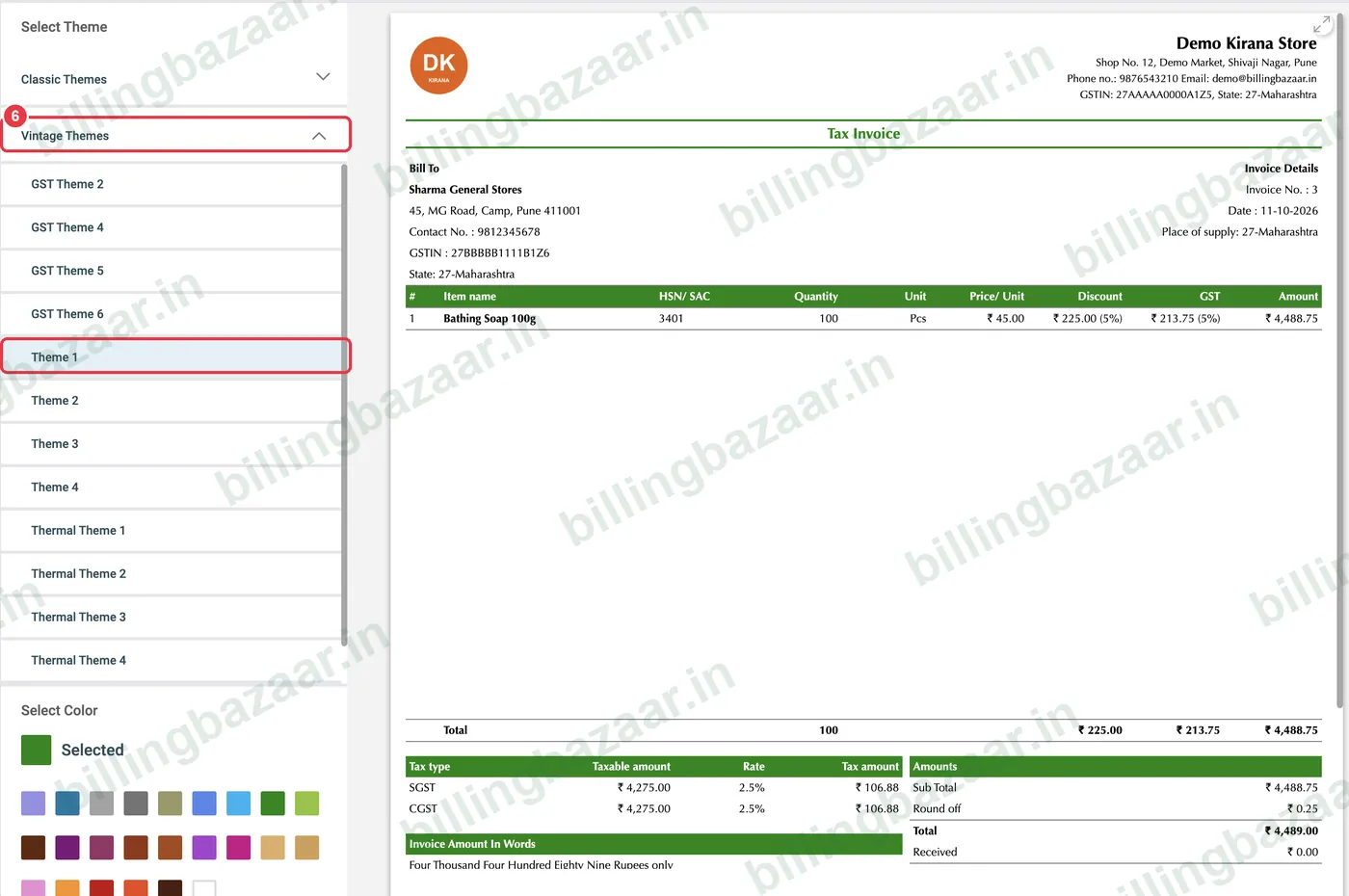
6Use a vintage theme in your colour
Open Vintage Themes for GST Themes 2 to 6 and Themes 1 to 4. Theme 1 with a green colour gives a modern invoice with CGST and SGST shown separately in the tax box.
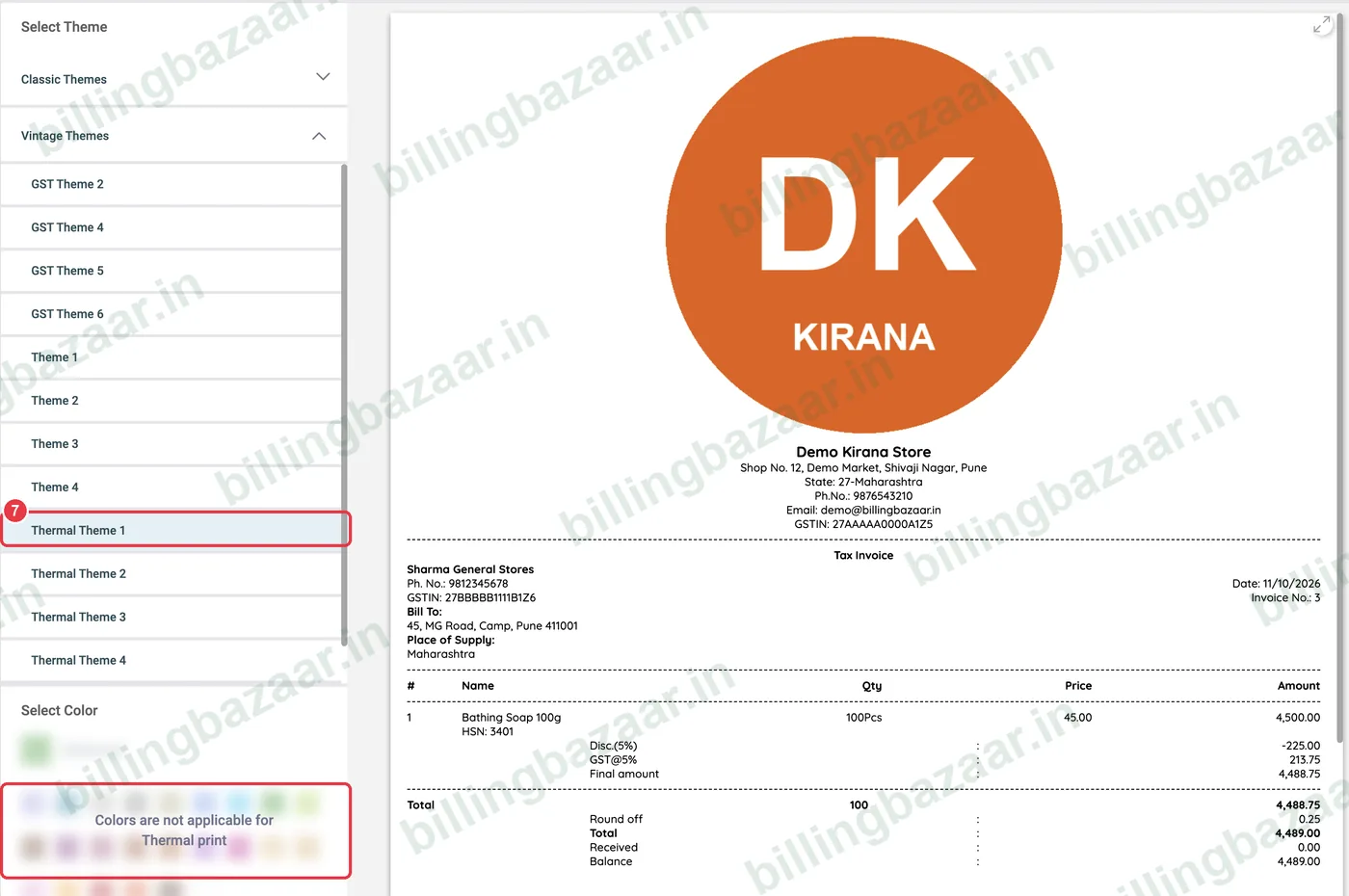
7Choose a thermal theme for receipt printers
For 2-inch or 3-inch receipt printers, pick Thermal Theme 1 to 4. Colours do not apply to thermal prints. Print with Print Invoice (Thermal).
Good to know
- Tally Theme and GST Theme 1 are the most familiar formats for CAs and B2B customers.
- Use a thermal theme only for counter receipts; send A4 themes to businesses that need a full tax invoice.
- More print options (paper size, what to show) are in Settings > Print.
Questions people ask
How do I change the invoice format in Vyapar?
Open the invoice preview and choose a theme under Select Theme on the left. The change applies to the invoice you are viewing and new invoices.
Can I change the invoice colour?
Yes. Many themes show a Select Color palette under the theme list.
Which Vyapar theme is best for thermal printers?
Use Thermal Theme 1 to 4 and print with Print Invoice (Thermal).
Do all themes show CGST and SGST?
Yes. The GST themes show the tax split; the layout of the tax summary differs between themes.
Related guides
- How to add your business logo and signature in Vyapar
- How to create a GST invoice in Vyapar
- How to share an invoice on WhatsApp from Vyapar
Screenshots are from a demo company in Vyapar Desktop for Mac, October 2026. Menus can move slightly between app versions. Guide by Billing Bazaar, a Vyapar partner.