 Billing Bazaar
How to convert an estimate into an invoice in Vyapar
When a customer accepts your quotation, there is no need to type it again. Vyapar converts the estimate into a sale invoice (or a sale order) with the same items, prices and discounts, and marks the estimate as converted.
| Time needed | 1 minute |
|---|---|
| Steps | 6, each with a screenshot |
| Tested on | Vyapar Desktop for Mac, October 2026 |
| Last updated | 11 October 2026 |
Before you start
- An open estimate saved in Vyapar (see the estimate guide).
1Open the estimate list
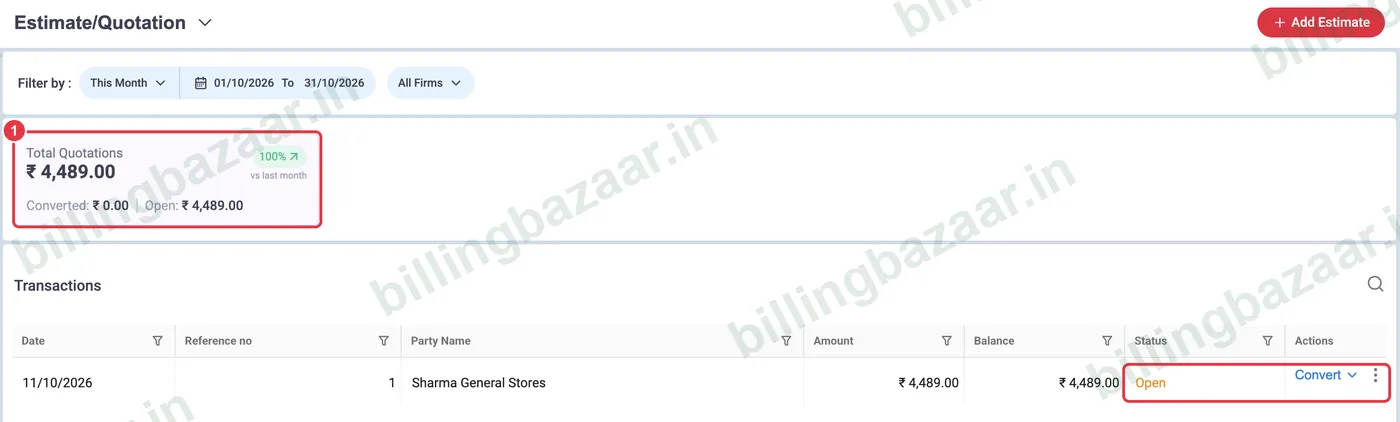
Go to Sale > Estimate/ Quotation. Open estimates show the status Open and a Convert button.
2Click Convert > Convert to Sale
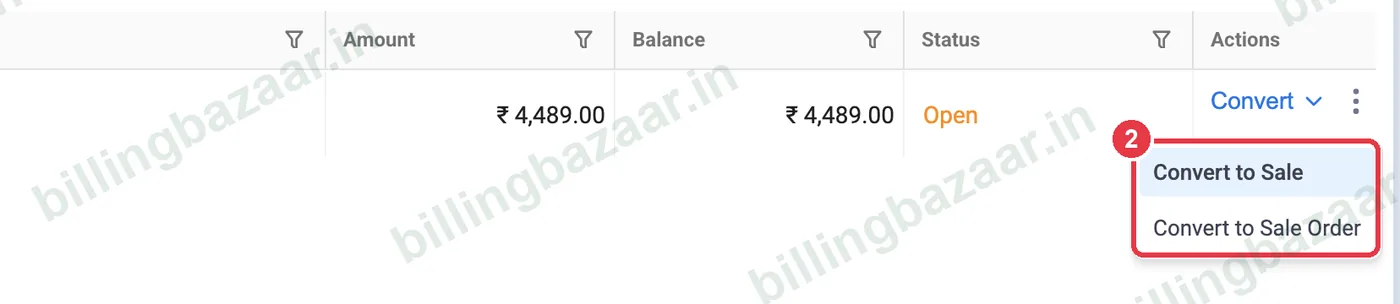
Click Convert on the estimate and choose Convert to Sale. Choose Convert to Sale Order instead if you will deliver later.
3Check the new invoice
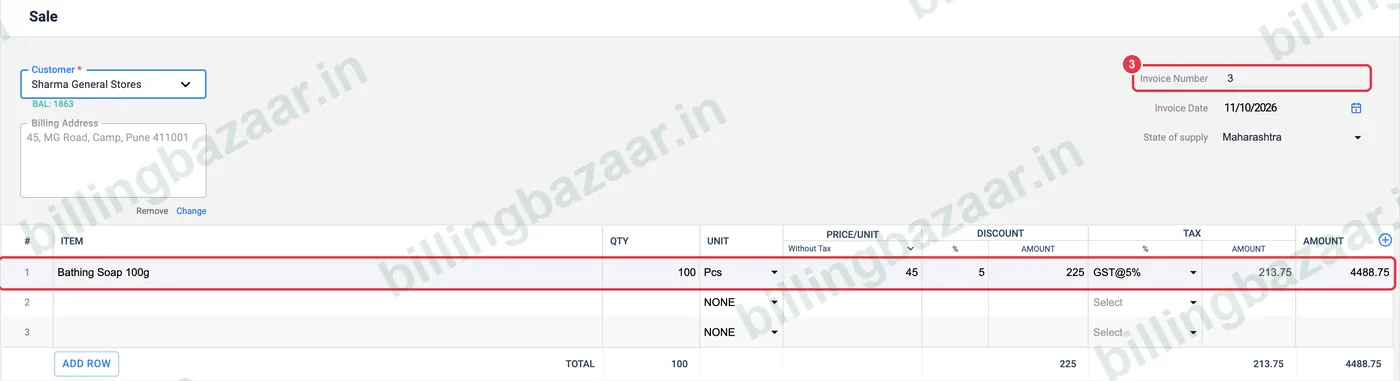
A new Sale opens with the next invoice number and everything from the estimate: customer, address, items, quantity, discount and GST. Change anything that differs.
4Enter payment received
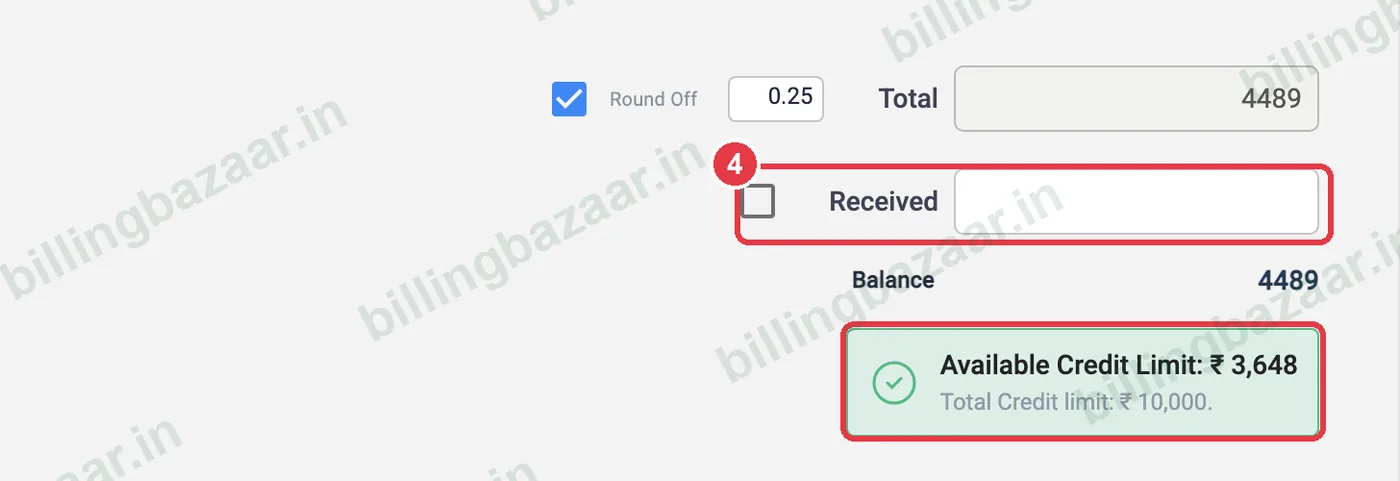
Tick Received if the customer paid now. Vyapar also shows the customer's available credit limit.
5Save the invoice
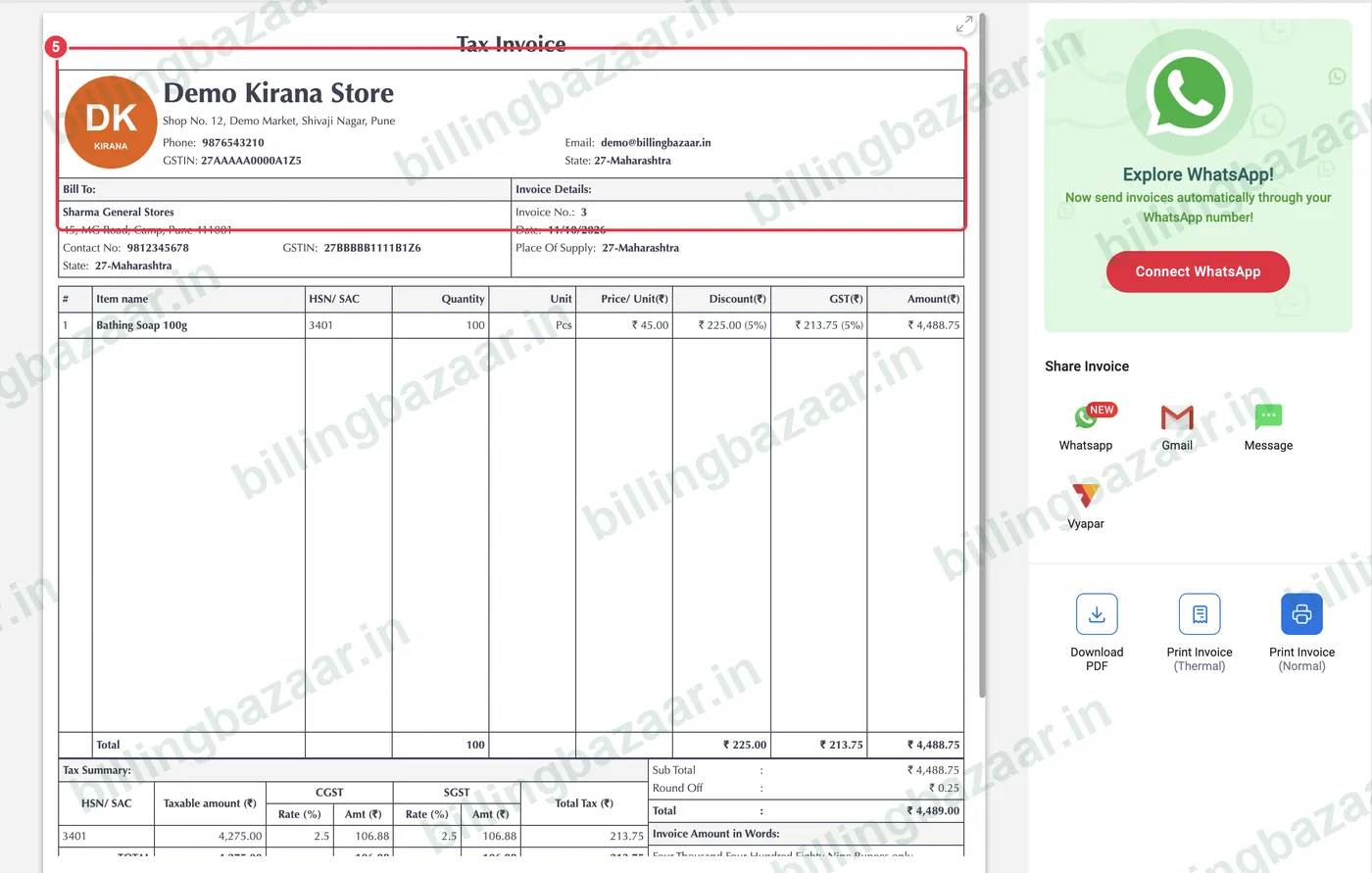
Click Save. The tax invoice preview opens, ready to print or share.
6See the estimate marked converted
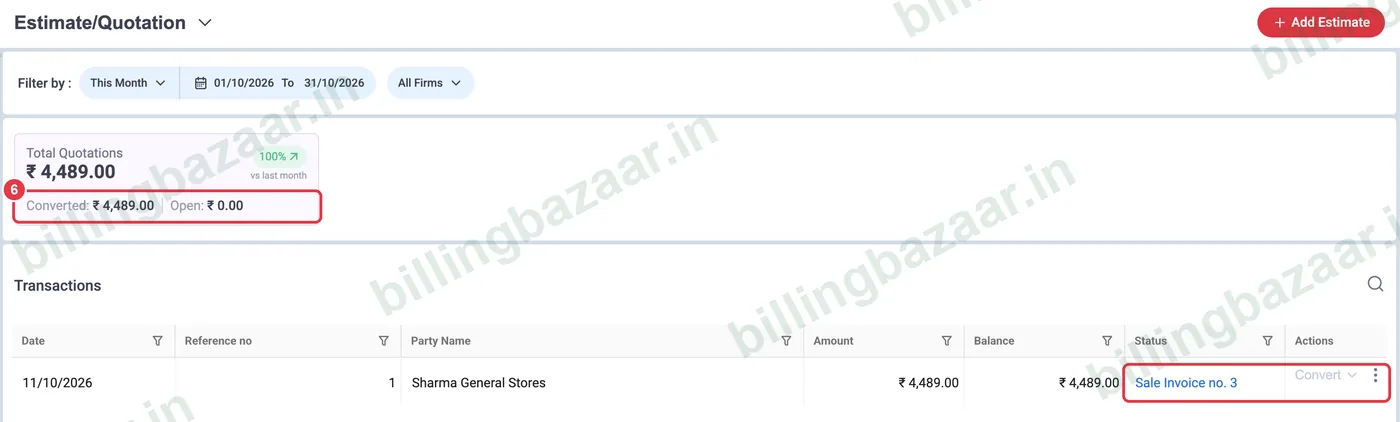
Back in Estimate/ Quotation, the status now shows the invoice it became (for example Sale Invoice no. 3), and the summary moves the amount from Open to Converted.
Good to know
- An estimate can be converted only once; edit the invoice afterwards if quantities change.
- Click the invoice number in the status to open the invoice.
- Converting to a sale order lets you track pending deliveries before invoicing.
Questions people ask
How do I convert a quotation to an invoice in Vyapar?
Open Sale > Estimate/ Quotation, click Convert on the estimate, choose Convert to Sale, check the details and click Save.
Will the discount from the estimate carry over?
Yes. Items, quantities, prices, discounts and taxes are all copied into the new invoice.
Can I convert an estimate to a sale order?
Yes. Choose Convert to Sale Order from the Convert menu.
How do I know which estimates are still open?
The estimate list shows Open for unconverted estimates and the invoice number for converted ones.
Related guides
- How to create an estimate or quotation in Vyapar
- How to create a sale order in Vyapar
- How to create a GST invoice in Vyapar
Screenshots are from a demo company in Vyapar Desktop for Mac, October 2026. Menus can move slightly between app versions. Guide by Billing Bazaar, a Vyapar partner.