 Billing Bazaar
How to create an estimate or quotation in Vyapar
An estimate (quotation) tells a customer what an order will cost before they confirm. In Vyapar it looks like an invoice but does not affect stock or the customer's balance until you convert it into a sale.
| Time needed | 2 minutes |
|---|---|
| Steps | 6, each with a screenshot |
| Tested on | Vyapar Desktop for Mac, October 2026 |
| Last updated | 11 October 2026 |
Before you start
- Estimate/Quotation turned on in Settings > General > More Transactions (it is on by default).
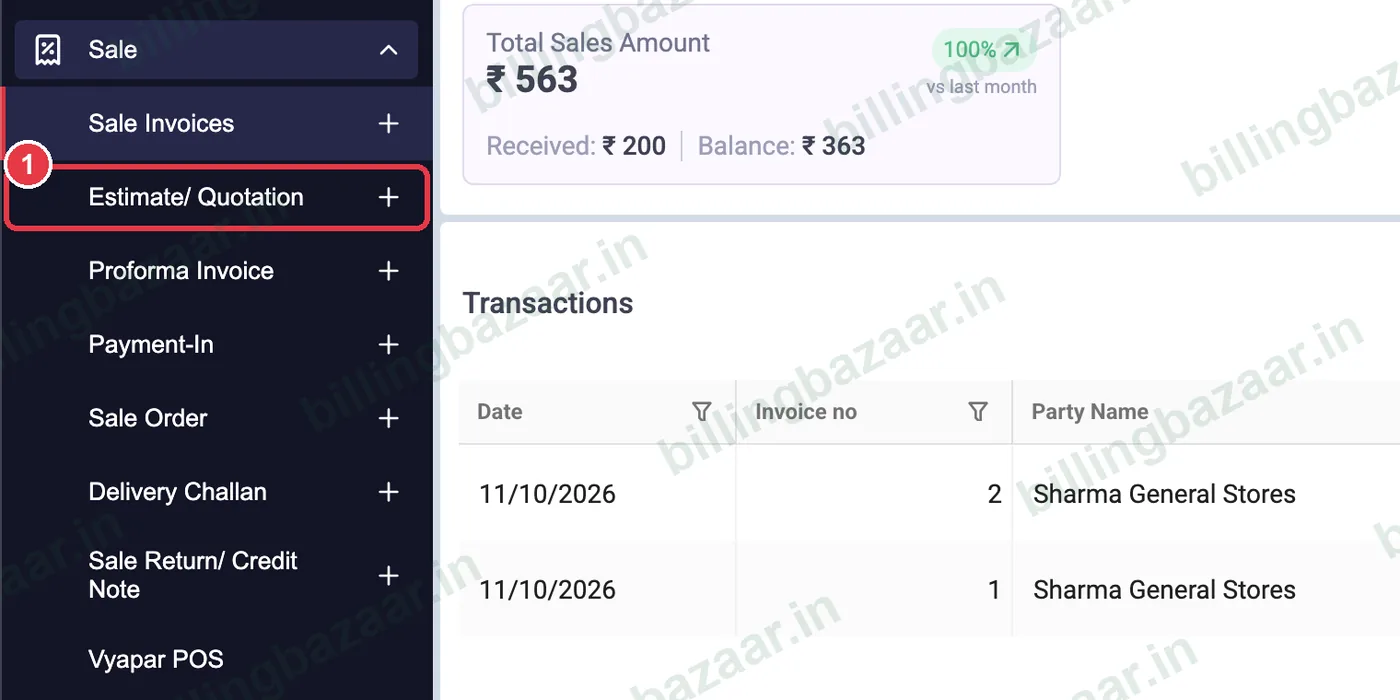
1Open Sale > Estimate/ Quotation
In the sidebar click Sale, then the + next to Estimate/ Quotation.
2Choose the party
Pick the customer in Party. Vyapar sets the Ref No., date and state of supply automatically.

3Add items, quantity and discount
Add each item and QTY. For a bulk quote, enter a Discount % on the line; Vyapar calculates the discount amount and applies GST on the discounted price.

4Check the total
The Total includes tax and round-off. Add terms and conditions, such as validity or delivery time, with ADD TERMS & CONDITIONS.

5Save and share
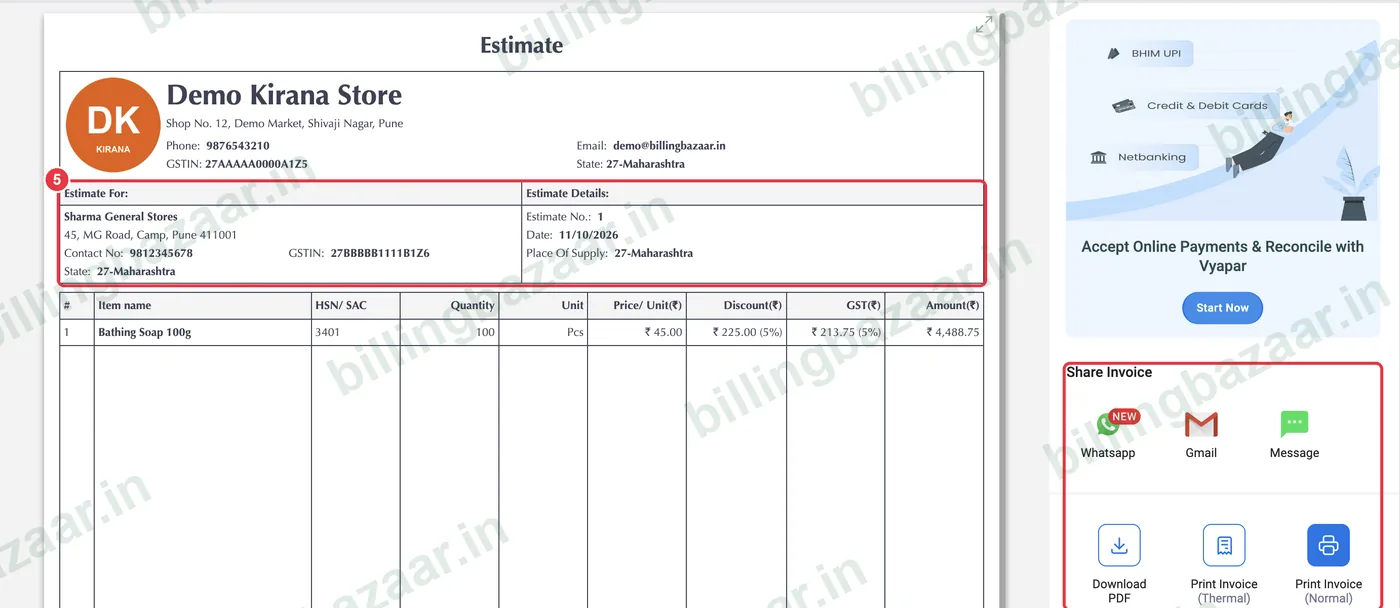
Click Save. Vyapar shows the Estimate preview with your logo, the customer and a tax summary. Share it on WhatsApp or Gmail, or download the PDF.
6Track open estimates
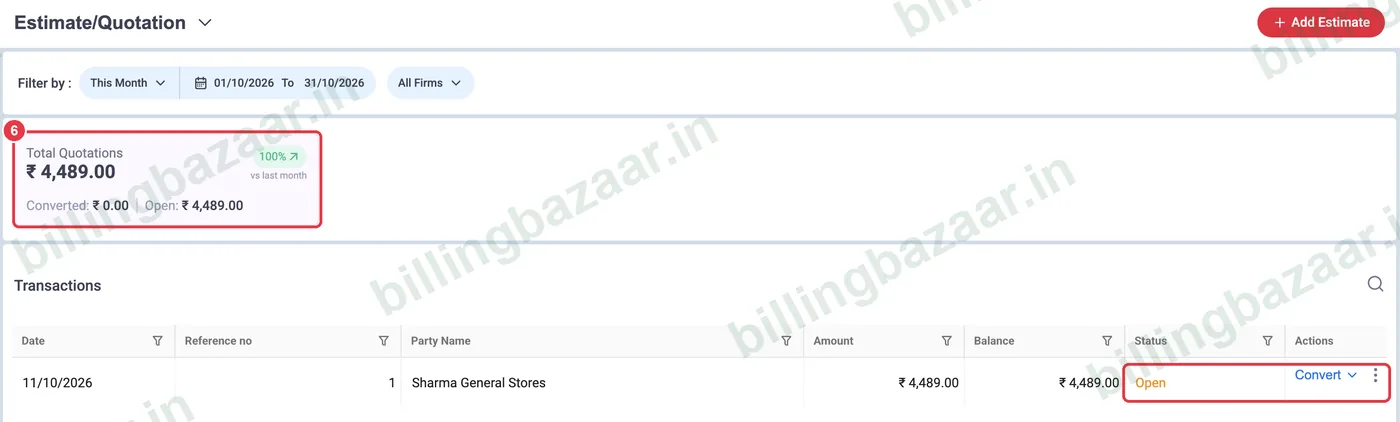
Sale > Estimate/ Quotation lists all estimates with status Open or the invoice they became, plus totals for converted and open quotations.
Good to know
- Estimates do not reduce stock or change party balances.
- Convert an accepted estimate into a sale invoice in one click instead of typing it again.
- Use a Proforma Invoice instead when the customer needs an invoice-style document before paying.
Questions people ask
Does an estimate affect stock in Vyapar?
No. Stock and the customer's balance change only when the estimate is converted to a sale.
Can I give a discount on a quotation?
Yes. Enter a discount % or amount on each line; GST is calculated on the discounted price.
How do I send a quotation to a customer?
After saving, use WhatsApp, Gmail or Download PDF in the preview.
What is the difference between estimate and proforma invoice?
Both are pre-sale documents. A proforma invoice looks like a tax invoice and is often used for advance payments; an estimate is a price quote.
Related guides
- How to convert an estimate into an invoice in Vyapar
- How to give item and invoice discounts in Vyapar
- How to create a GST invoice in Vyapar
- How to create a sale order in Vyapar
Screenshots are from a demo company in Vyapar Desktop for Mac, October 2026. Menus can move slightly between app versions. Guide by Billing Bazaar, a Vyapar partner.