 Billing Bazaar
How to create a delivery challan in Vyapar
A delivery challan goes with goods sent to a customer before an invoice, for example on approval, for job work or when billing happens later. Vyapar prints it with quantities only and lets you convert one or more challans into an invoice.
| Time needed | 2 minutes |
|---|---|
| Steps | 5, each with a screenshot |
| Tested on | Vyapar Desktop for Mac, October 2026 |
| Last updated | 11 October 2026 |
Before you start
- Delivery Challan turned on in Settings > General > More Transactions (on by default).
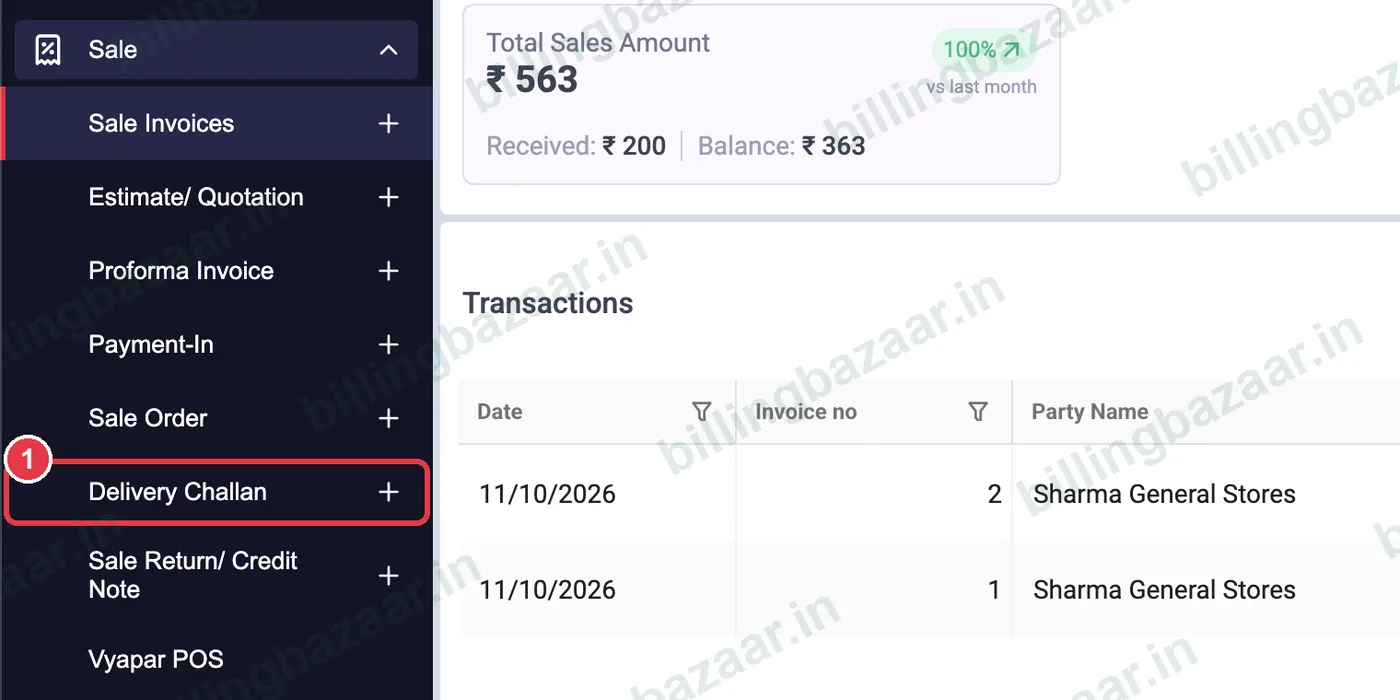
1Open Sale > Delivery Challan
In the sidebar click Sale, then the + next to Delivery Challan.
2Choose party and dates
Pick the customer in Party; the billing address fills in. Vyapar sets the Challan No.; set the Due Date by which the goods should be billed or returned.

3Add items and quantity
Add the items and QTY being sent. Prices and tax can be filled in now and will carry over when you convert to an invoice.

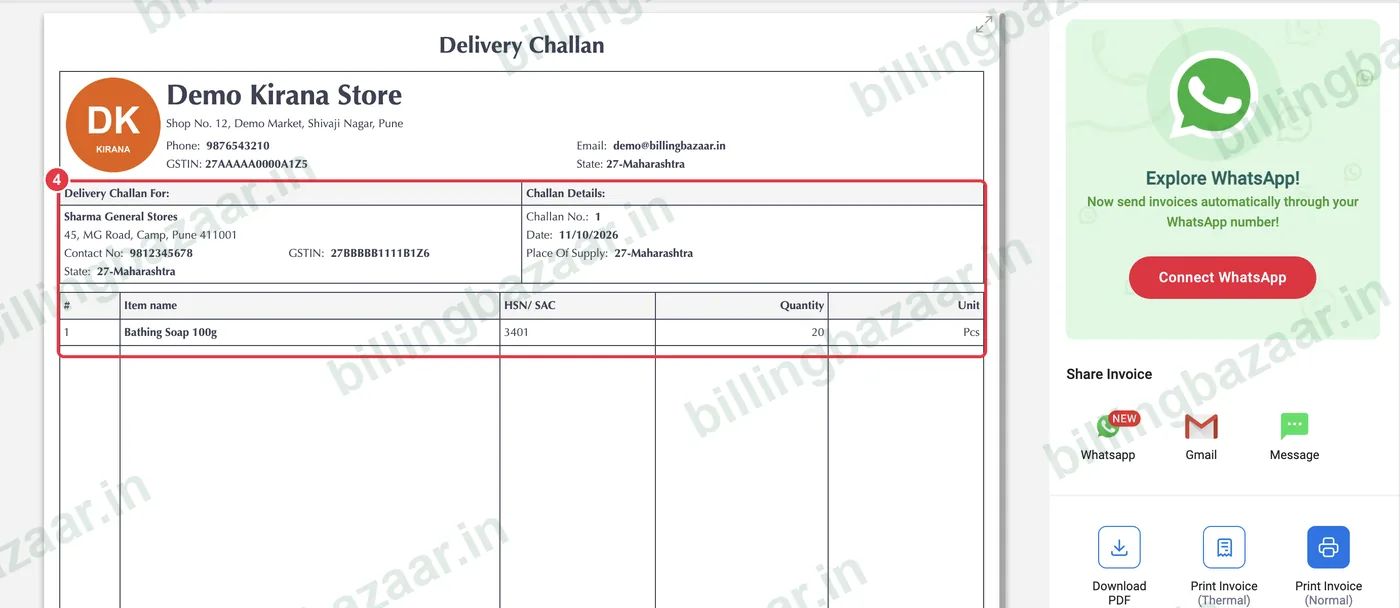
4Save and check the challan
Click Save. The Delivery Challan shows your business, the customer, challan number and the items with HSN, quantity and unit, without prices by default.
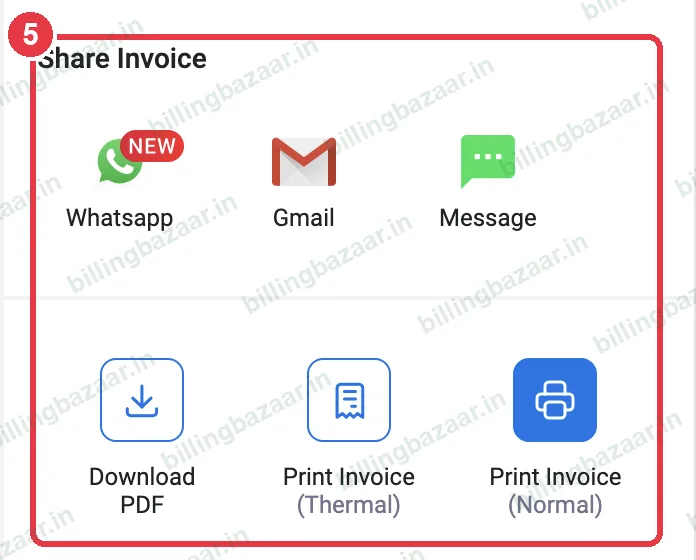
5Print or share
Print two copies to send with the goods, or share the PDF on WhatsApp. Later, convert the challan into a sale invoice from Sale > Delivery Challan.
Good to know
- Turn on Print amount in Delivery Challan in Settings if you want prices on the challan.
- Goods return on Delivery Challan lets the customer send back part of the goods.
- Goods moving more than 50,000 rupees by vehicle may need an e-way bill even with a challan.
Questions people ask
What is a delivery challan in Vyapar?
A document sent with goods before invoicing, showing items and quantity. It can be converted into a sale invoice later.
Does a delivery challan show prices?
Not by default. Enable Print amount in Delivery Challan in Settings > General if you need prices.
How do I convert a challan to an invoice?
Open Sale > Delivery Challan and use Convert to Sale, or Bulk Convert To Sale for several challans.
Is a delivery challan a tax invoice?
No. It records movement of goods; the GST invoice is issued when you convert it to a sale.
Related guides
- How to create a sale order in Vyapar
- How to create a GST invoice in Vyapar
- How to add an e-way bill number in Vyapar
Screenshots are from a demo company in Vyapar Desktop for Mac, October 2026. Menus can move slightly between app versions. Guide by Billing Bazaar, a Vyapar partner.