 Billing Bazaar
How to create a proforma invoice in Vyapar
A proforma invoice looks like a tax invoice but is not one: it tells the buyer exactly what they will be billed, often so they can pay an advance or get approval. Vyapar makes it in the same way as a sale, without affecting stock or balances.
| Time needed | 2 minutes |
|---|---|
| Steps | 4, each with a screenshot |
| Tested on | Vyapar Desktop for Mac, October 2026 |
| Last updated | 11 October 2026 |
Before you start
- Proforma Invoice turned on in Settings > General > More Transactions (on by default).
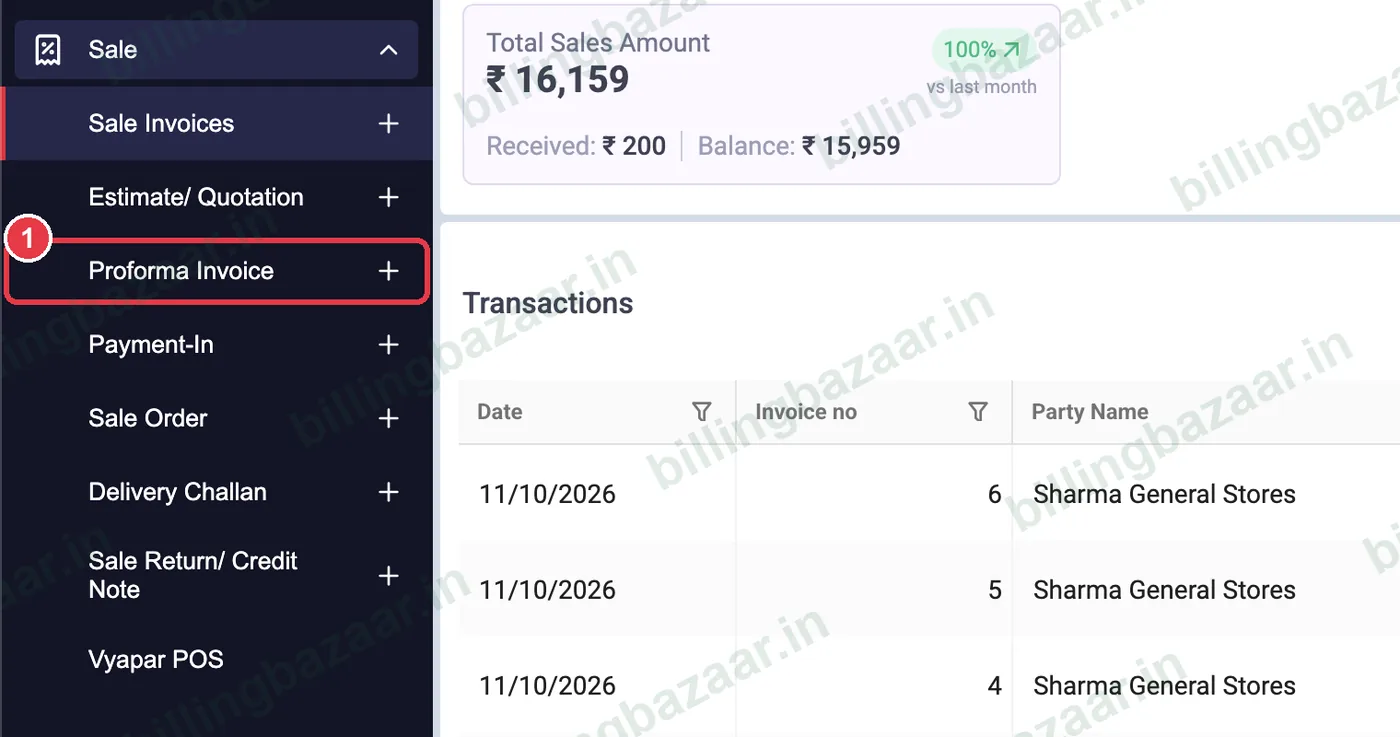
1Open Sale > Proforma Invoice
Click Sale, then the + next to Proforma Invoice.
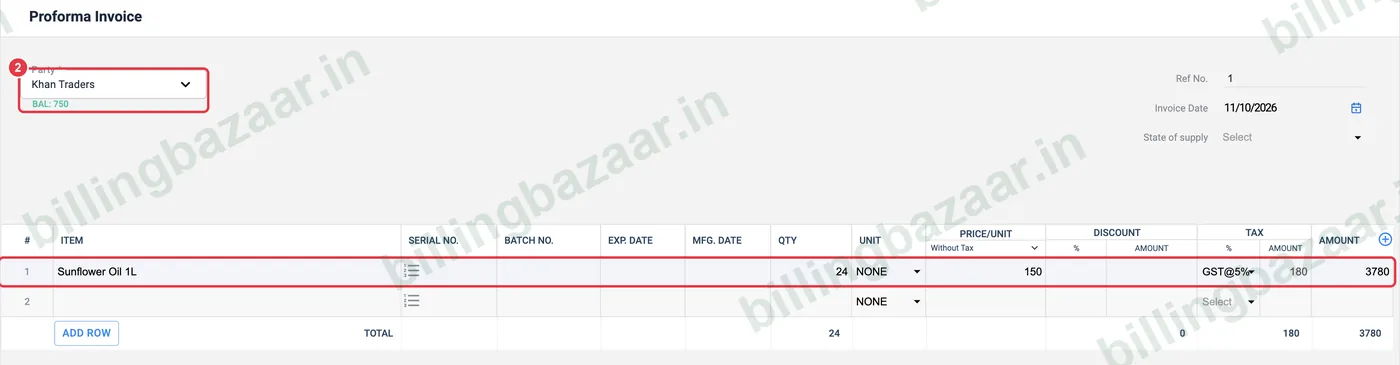
2Choose party and items
Pick the Party (Vyapar shows their balance), then add items and QTY. Price and GST fill in from each item.
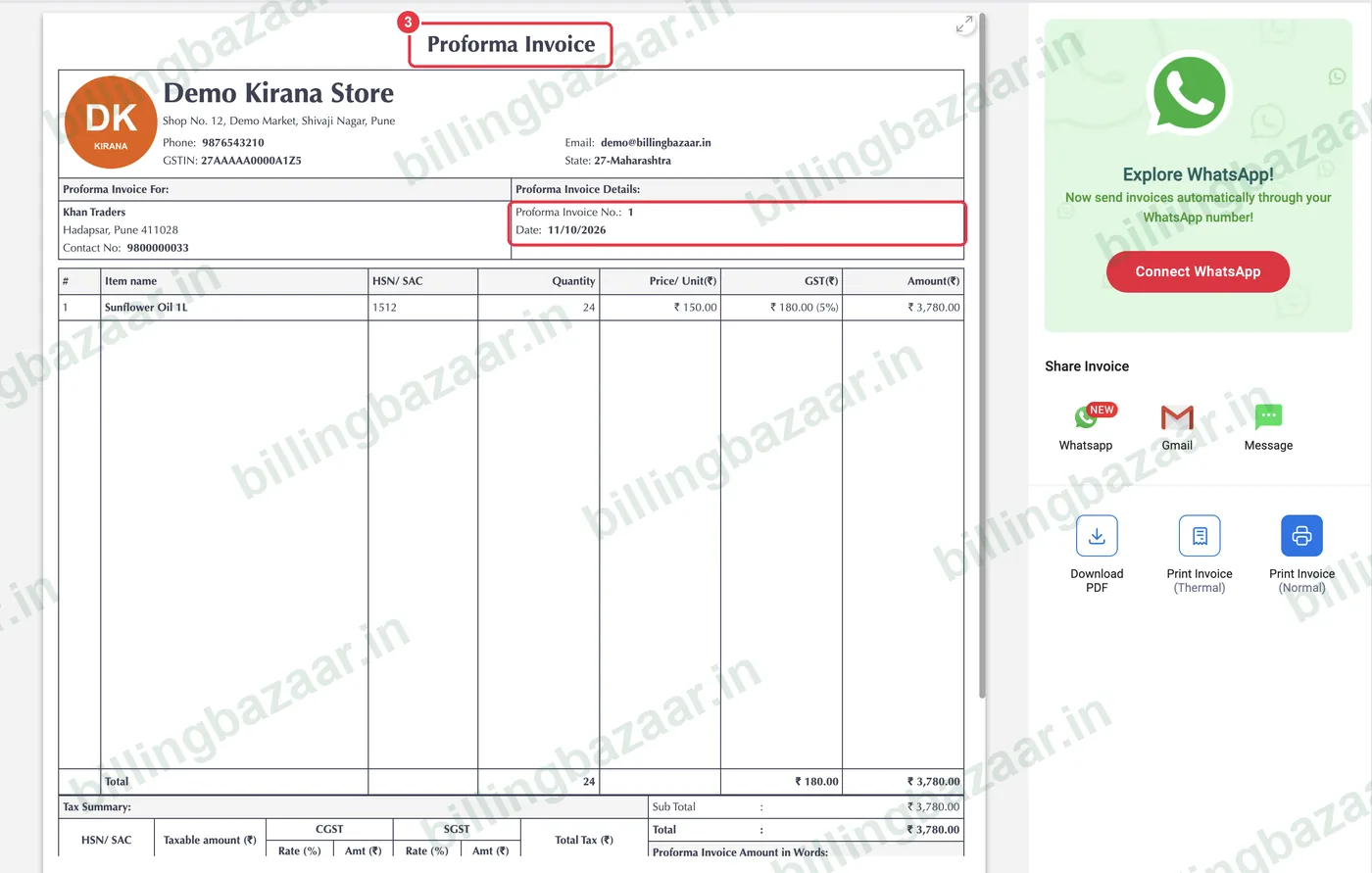
3Save and check the document
Click Save. The preview is titled Proforma Invoice, with your business details, the buyer, a proforma number and a GST tax summary.
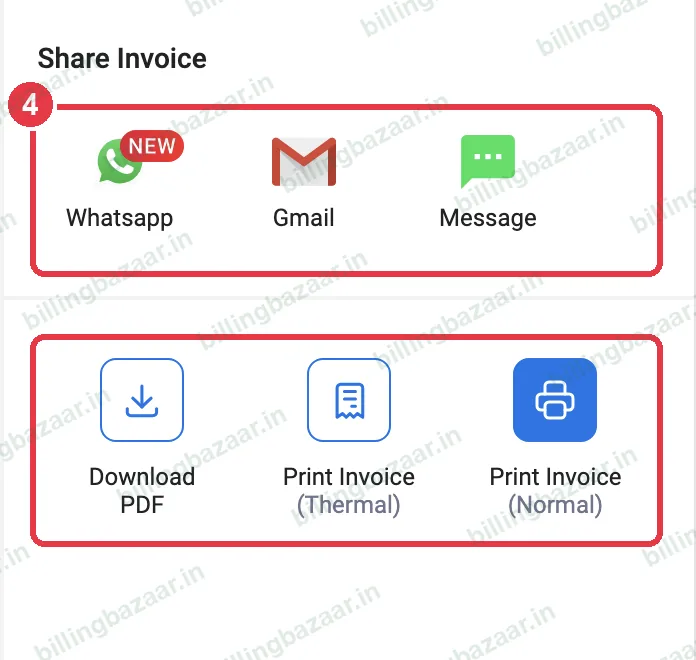
4Share or print
Send it on WhatsApp, Gmail or Message, Download PDF, or print it. When the customer confirms, create the sale invoice.
Good to know
- A proforma invoice does not count as a sale and is not reported in GST returns.
- Record any advance received as Payment-In.
- Use estimates for price quotes and proforma invoices when the buyer needs an invoice-format document.
Questions people ask
What is a proforma invoice in Vyapar?
A pre-sale document in invoice format that shows what the buyer will be billed. It does not change stock or balances.
Is a proforma invoice a GST invoice?
No. Issue the tax invoice when the sale happens.
How do I send a proforma invoice?
After saving, use WhatsApp, Gmail or Download PDF in the preview.
Related guides
- How to create an estimate or quotation in Vyapar
- How to create a GST invoice in Vyapar
- How to record a payment received (Payment In) in Vyapar
Screenshots are from a demo company in Vyapar Desktop for Mac, October 2026. Menus can move slightly between app versions. Guide by Billing Bazaar, a Vyapar partner.