 Billing Bazaar
How to create a sale return (credit note) in Vyapar
When a customer returns goods, record it as a Sale Return in Vyapar. It creates a GST credit note that refers to the original invoice, reduces the customer's balance (or records a refund) and puts the items back into stock.
| Time needed | 2 minutes |
|---|---|
| Steps | 5, each with a screenshot |
| Tested on | Vyapar Desktop for Mac, October 2026 |
| Last updated | 11 October 2026 |
Before you start
- The original sale invoice number and date.
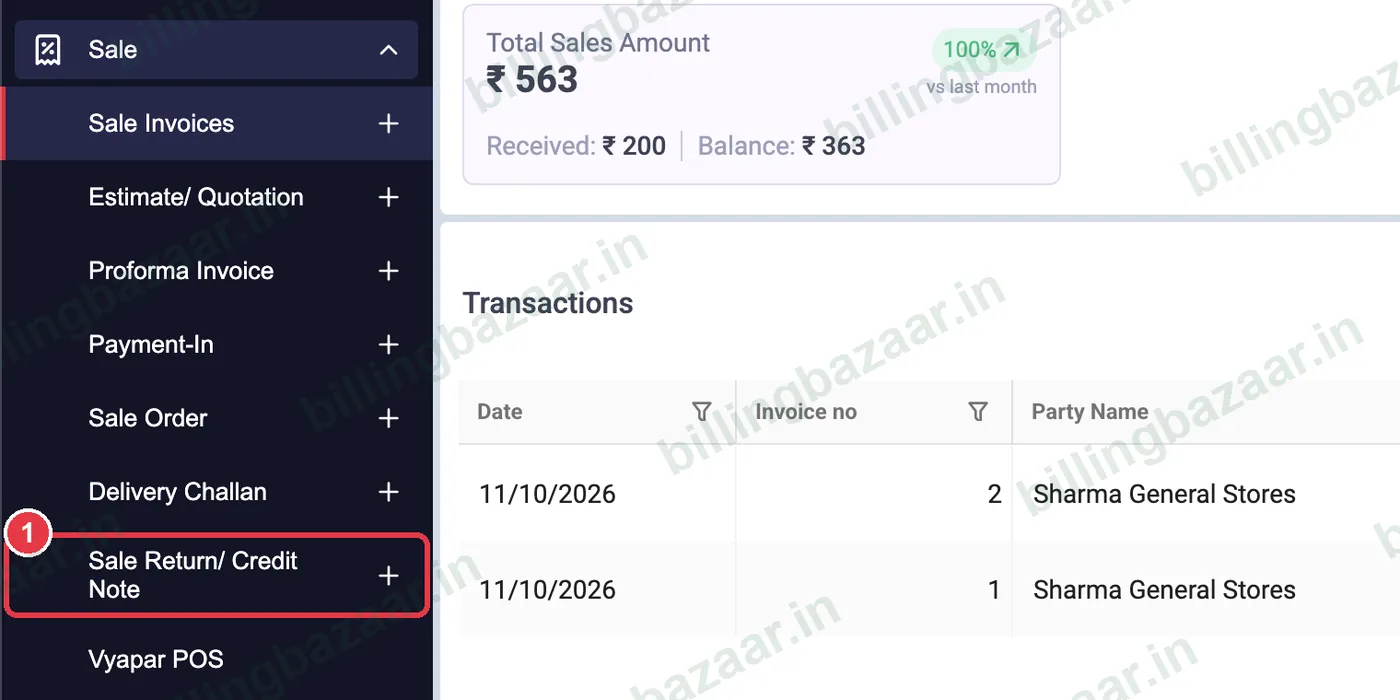
1Open Sale > Sale Return/ Credit Note
In the sidebar click Sale, then the + next to Sale Return/ Credit Note.
2Choose party and original invoice
Pick the customer in Party. Vyapar sets the Return No.; enter the original Invoice Number and Invoice Date so the credit note is linked to it.

3Add the returned items
Add the items and QTY being returned. GST is calculated the same way as on the invoice, so the tax is reversed correctly.

4Refund or adjust the balance
If you paid the money back now, tick Paid amount and enter the refund. Otherwise leave it; the return amount is taken off the customer's balance.

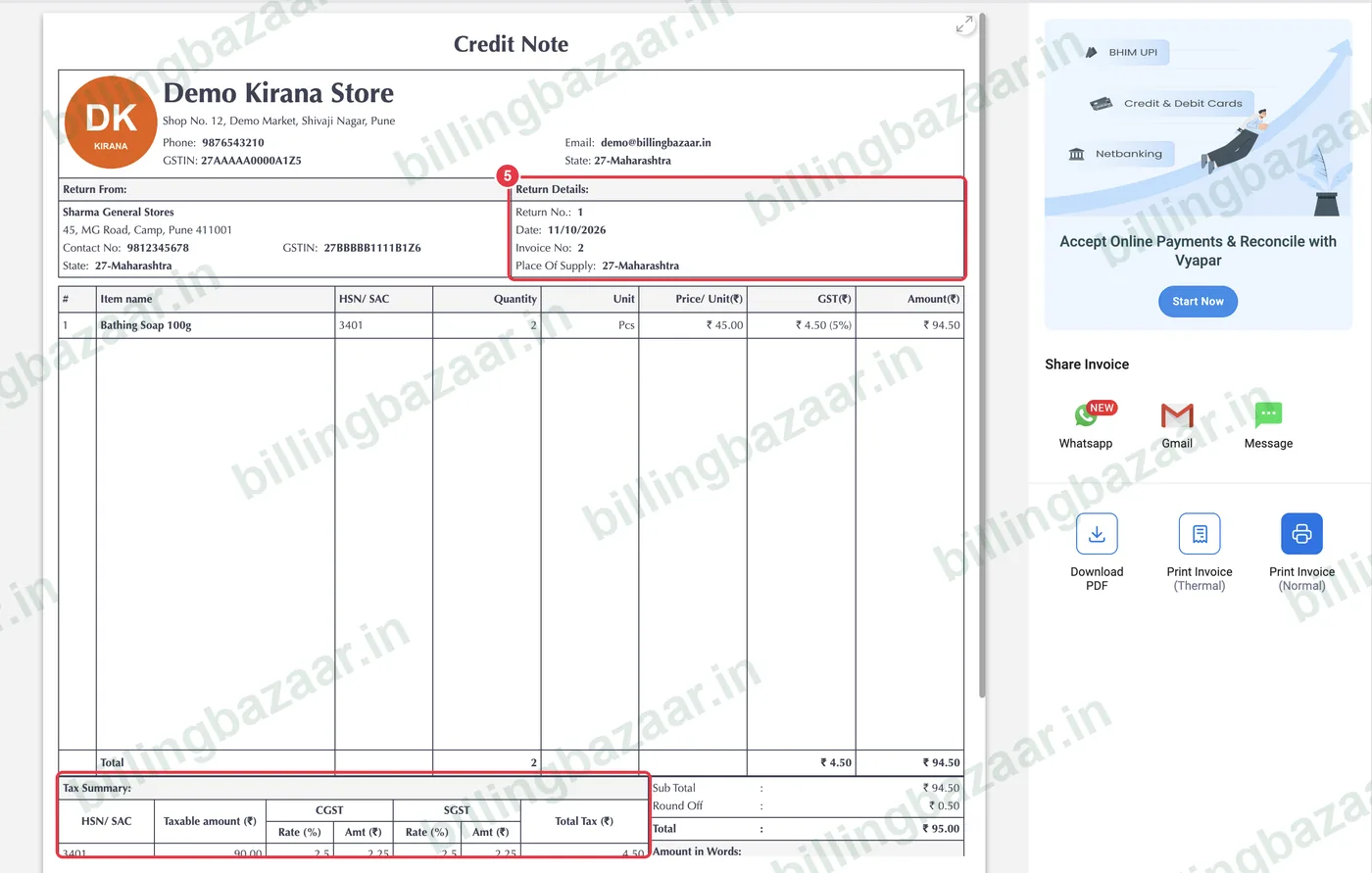
5Save the credit note
Click Save. The Credit Note shows the return number, the original invoice number, the items and a CGST/SGST tax summary. Share or print it for the customer.
Good to know
- Credit notes reduce your GST liability and are reported in GSTR-1.
- Returned items are added back to stock automatically.
- For goods you send back to a supplier, use Purchase Return / Debit Note.
Questions people ask
How do I record a sales return in Vyapar?
Go to Sale > Sale Return/ Credit Note, choose the party, enter the original invoice number and date, add the returned items and click Save.
Does a sale return add stock back?
Yes. The returned quantity is added back to the item's stock.
Is a credit note reported in GST returns?
Yes. Credit notes for registered customers are reported in GSTR-1 and reduce your output tax.
Can I refund cash on a sale return?
Yes. Tick Paid amount and enter the refund; otherwise the amount is adjusted against the customer's balance.
Related guides
- How to create a GST invoice in Vyapar
- How to create a purchase return (debit note) in Vyapar
- How to generate the GSTR-1 report in Vyapar
Screenshots are from a demo company in Vyapar Desktop for Mac, October 2026. Menus can move slightly between app versions. Guide by Billing Bazaar, a Vyapar partner.