 Billing Bazaar
How to delete or cancel an invoice in Vyapar
Mistakes happen: a duplicate bill, the wrong customer, a test entry. Vyapar lets you either cancel an invoice, which keeps its number in the series as cancelled, or delete it completely.
| Time needed | 1 minute |
|---|---|
| Steps | 4, each with a screenshot |
| Tested on | Vyapar Desktop for Mac, October 2026 |
| Last updated | 11 October 2026 |
Before you start
- Make sure the invoice is really wrong; consider a credit note if goods were actually returned.
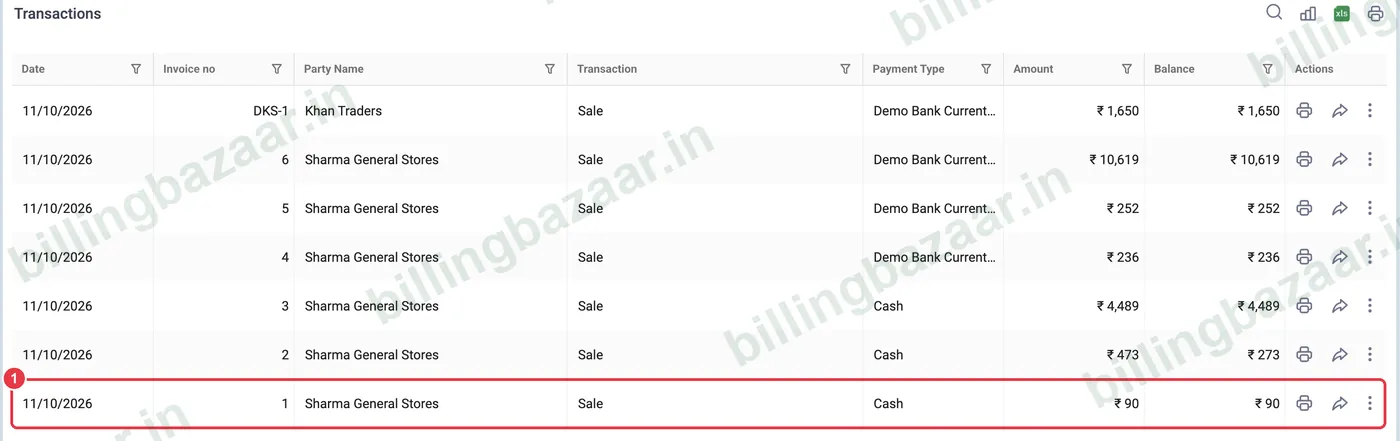
1Find the transaction
Open the list (for example Sale > Sale Invoices) and find the invoice.
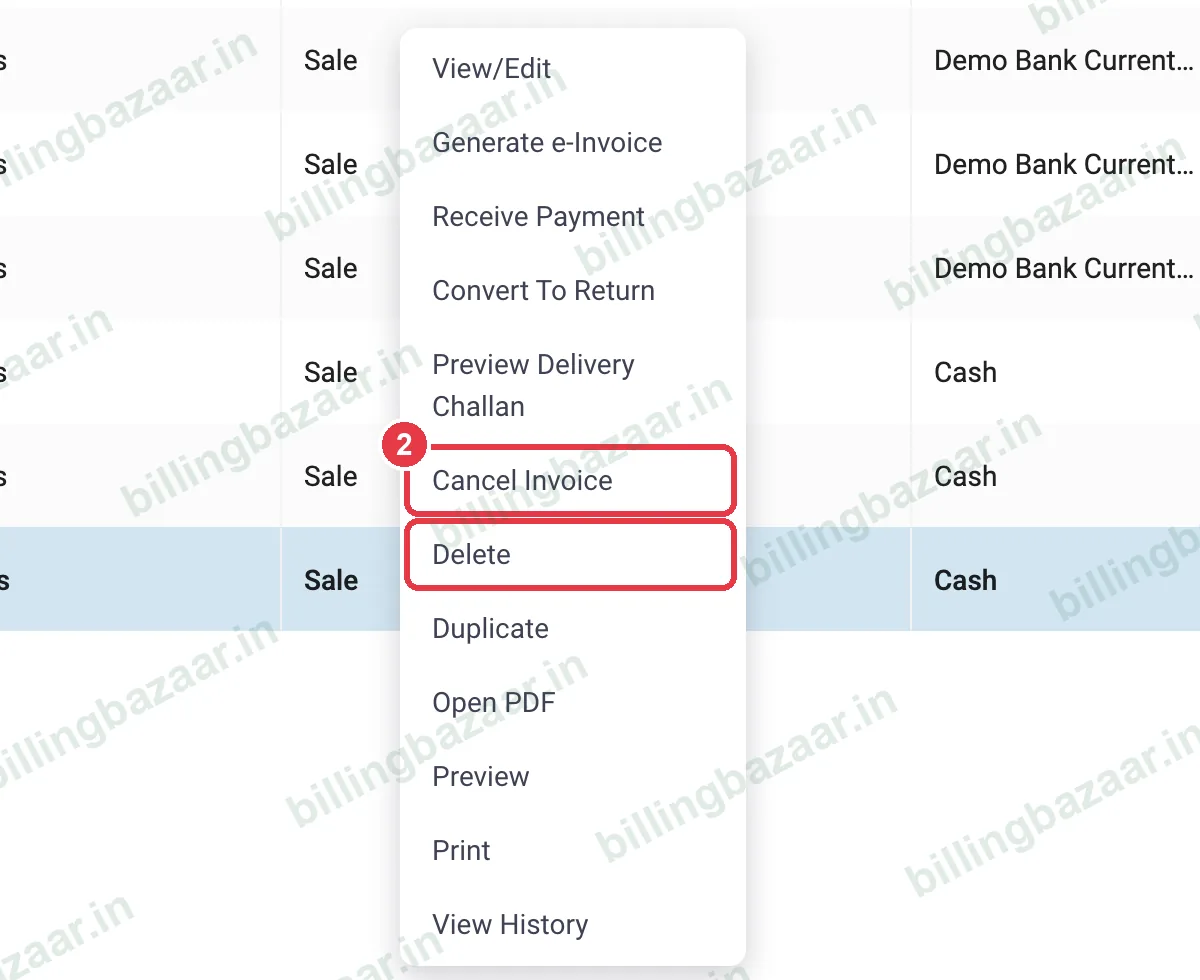
2Right-click for actions
Right-click the row (or use the ⋮ menu). Besides View/Edit, Duplicate, Print and View History, you get Cancel Invoice and Delete.
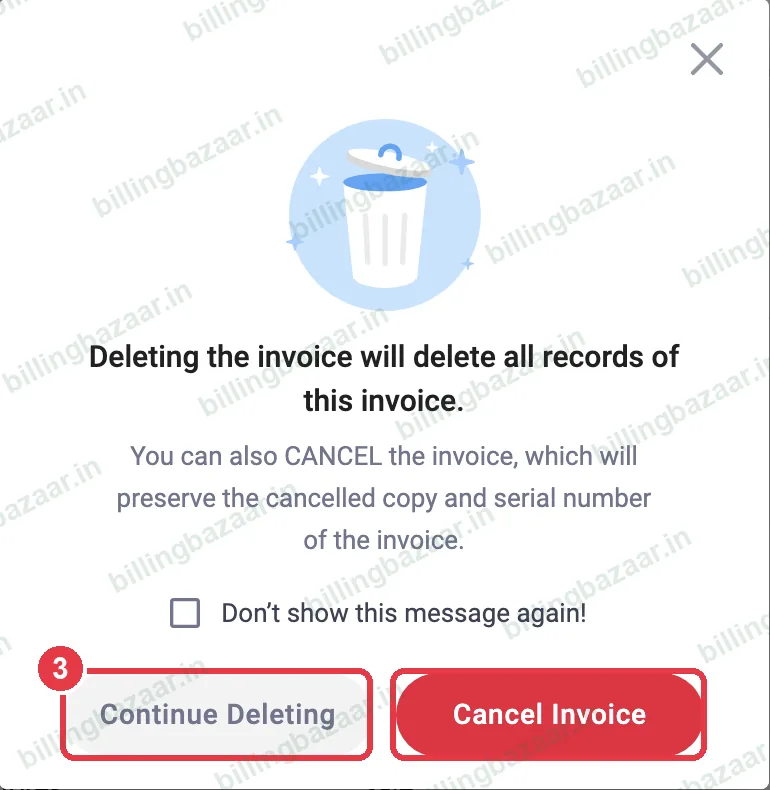
3Choose cancel or delete
Click Delete. Vyapar explains that deleting removes all records, while cancelling keeps the cancelled copy and its serial number. Choose Cancel Invoice for GST invoices already issued, or Continue Deleting for entries made by mistake.
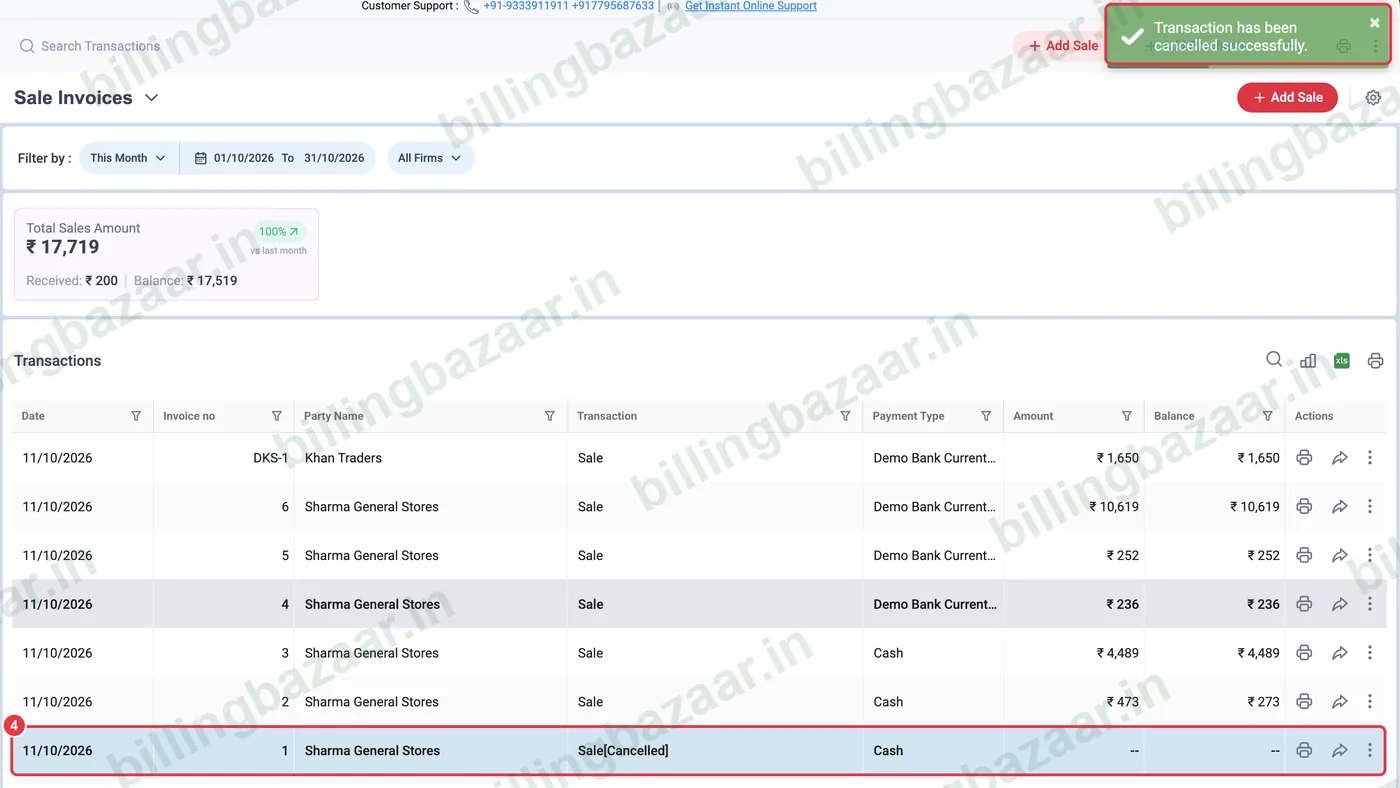
4Check the result
A cancelled invoice stays in the list as Sale[Cancelled] with no amount, and stock and balances are reversed. A deleted one disappears (with Audit Trail on, the change is still logged).
Good to know
- GST invoice numbers should be continuous; cancelling keeps the gap explained.
- Use a credit note, not deletion, for genuine returns.
- Turn on Enable Passcode for transaction edit/delete in Settings > Transaction to protect against accidental deletes.
Questions people ask
How do I delete an invoice in Vyapar?
Right-click it in the list, choose Delete and then Continue Deleting.
What is the difference between cancel and delete?
Cancel keeps the invoice in the list as cancelled with its number; delete removes it entirely.
Can I restore a deleted invoice?
With Audit Trail and backups you can recover it; Vyapar Gold includes unlimited restore of deleted transactions (Silver: 2).
Related guides
- How to create a sale return (credit note) in Vyapar
- How to take a backup in Vyapar
- How to create a GST invoice in Vyapar
Screenshots are from a demo company in Vyapar Desktop for Mac, October 2026. Menus can move slightly between app versions. Guide by Billing Bazaar, a Vyapar partner.