 Billing Bazaar
How to export data from Vyapar to Tally
Many CAs keep books in TallyPrime. Vyapar can export your transactions as a Tally XML file, so you bill in Vyapar and your CA imports the entries into Tally without retyping.
| Time needed | 2 minutes |
|---|---|
| Steps | 4, each with a screenshot |
| Tested on | Vyapar Desktop for Mac, October 2026 |
| Last updated | 11 October 2026 |
Before you start
- Your CA's preferred period (usually monthly or quarterly).
- Ledger names agreed with your CA, if they want them to match.
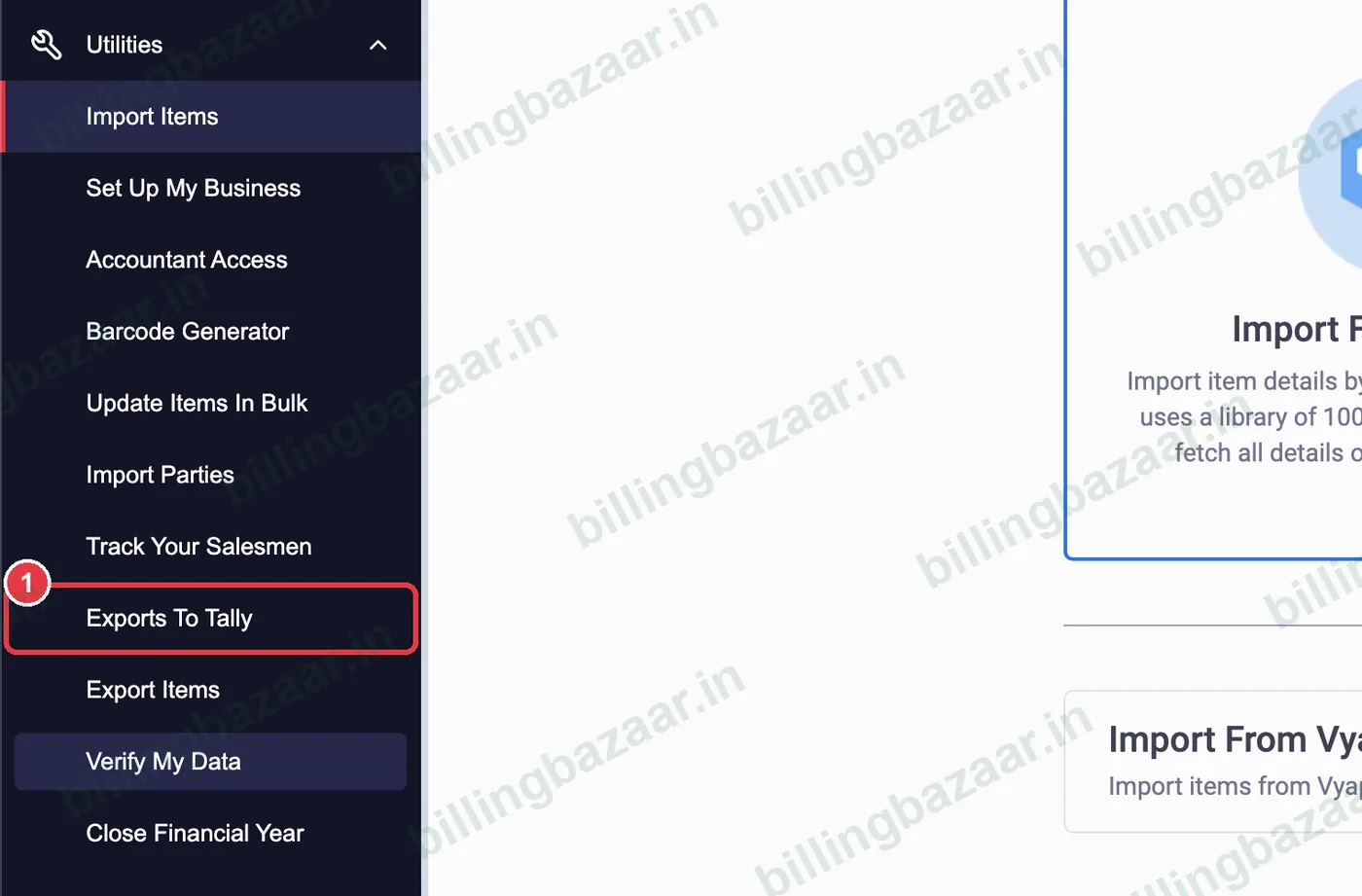
1Open Utilities > Exports To Tally
Click Utilities and choose Exports To Tally.
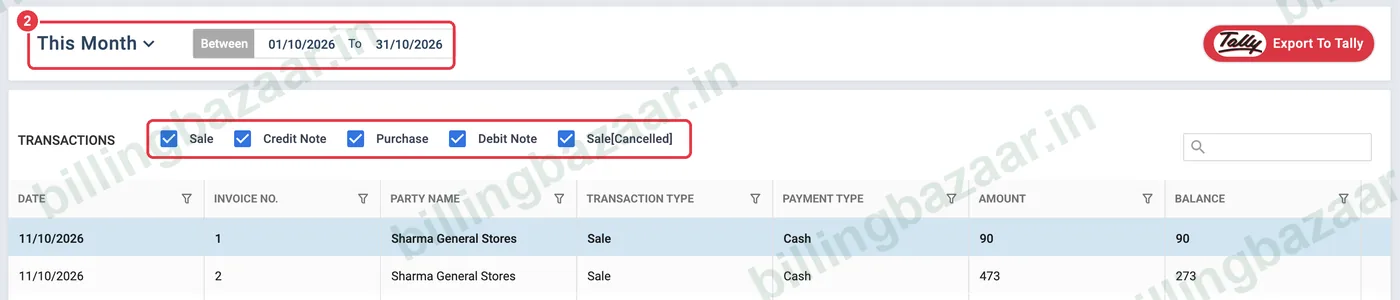
2Choose period and transaction types
Pick the period (This Month or custom dates) and tick which transactions to include: Sale, Credit Note, Purchase, Debit Note, Sale[Cancelled].
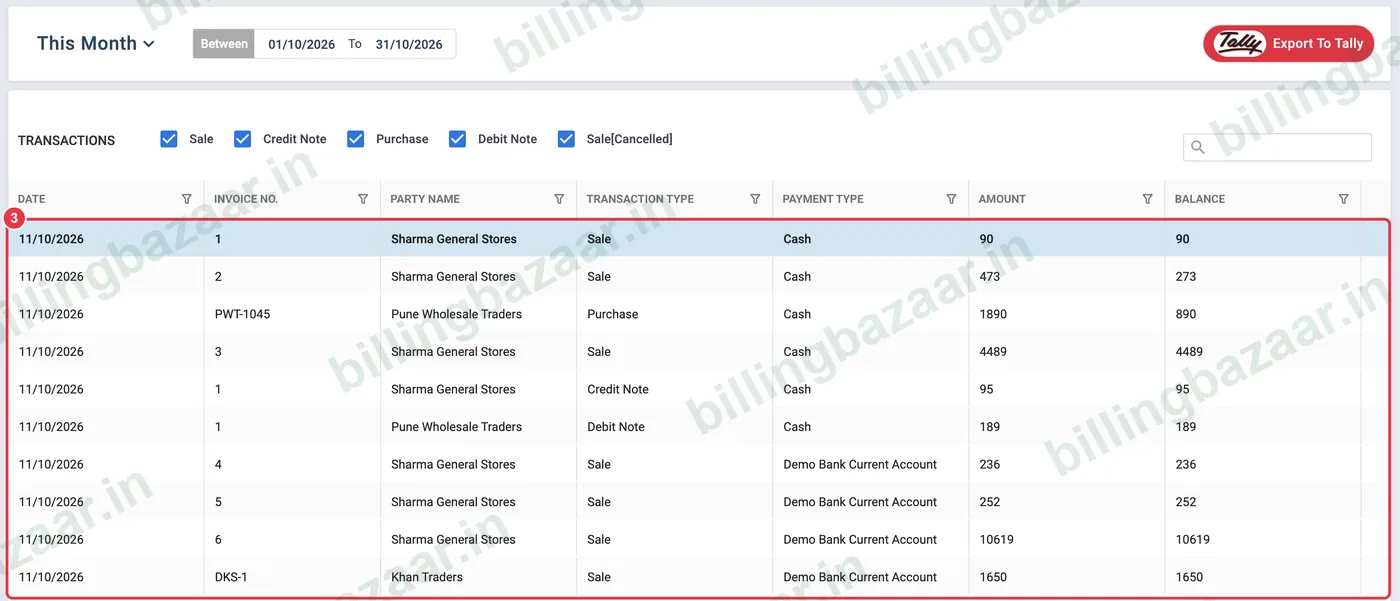
3Check the list
Every transaction to be exported is listed with date, invoice number, party, type, payment type, amount and balance.
4Click Export To Tally
Click the red Export To Tally button. Vyapar saves an XML file and shows Downloaded successfully. If some transactions have issues (for example missing tax details), Vyapar tells you and exports the rest; fix those and export again.

Good to know
- Send the XML to your CA to import in TallyPrime (Import > Transactions).
- Export the same period only once to avoid duplicate entries in Tally.
- Watch Vyapar's video link on the export screen for Tally import steps.
Questions people ask
Can Vyapar export to Tally?
Yes. Utilities > Exports To Tally creates a Tally XML file of your transactions.
Which transactions can I export?
Sales, credit notes, purchases, debit notes and cancelled sales.
Why were some transactions not exported?
Vyapar skips transactions with data issues and reports how many; check their tax and party details.
Related guides
- How to export reports to Excel and PDF in Vyapar
- How to generate the GSTR-1 report in Vyapar
- How to take a backup in Vyapar
Screenshots are from a demo company in Vyapar Desktop for Mac, October 2026. Menus can move slightly between app versions. Guide by Billing Bazaar, a Vyapar partner.