 Billing Bazaar
How to generate the GSTR-3B report in Vyapar
GSTR-3B is the monthly summary return where you pay GST. Vyapar calculates the figures from your sales, purchases, expenses and returns, including the input tax credit you can claim.
| Time needed | 2 minutes |
|---|---|
| Steps | 5, each with a screenshot |
| Tested on | Vyapar Desktop for Mac, October 2026 |
| Last updated | 11 October 2026 |
Before you start
- Sales and purchase bills for the month entered in Vyapar.
- Purchases marked Eligible for ITC where you can claim GST.
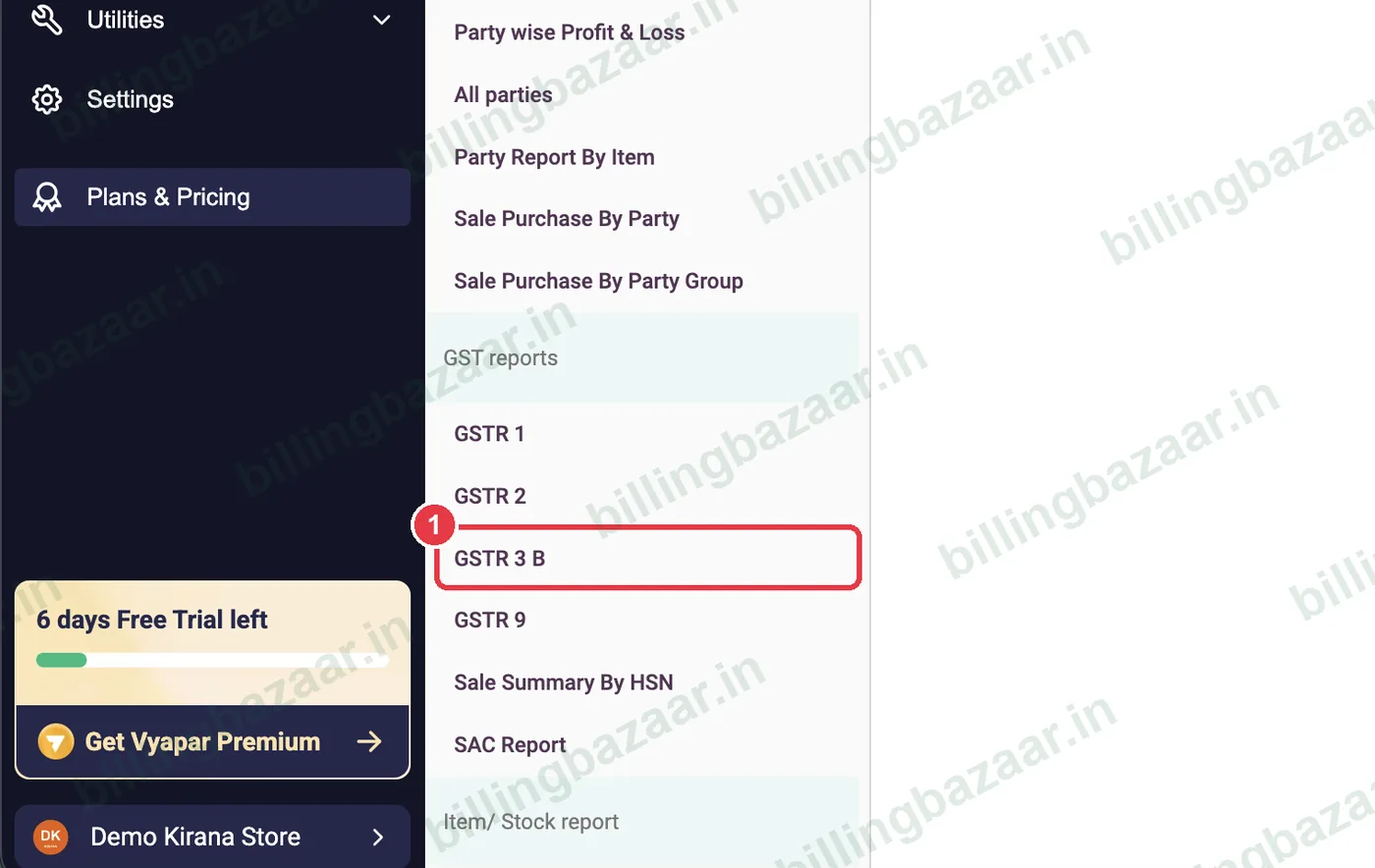
1Open Reports > GSTR 3 B
Click Reports, scroll to GST reports and click GSTR 3 B.
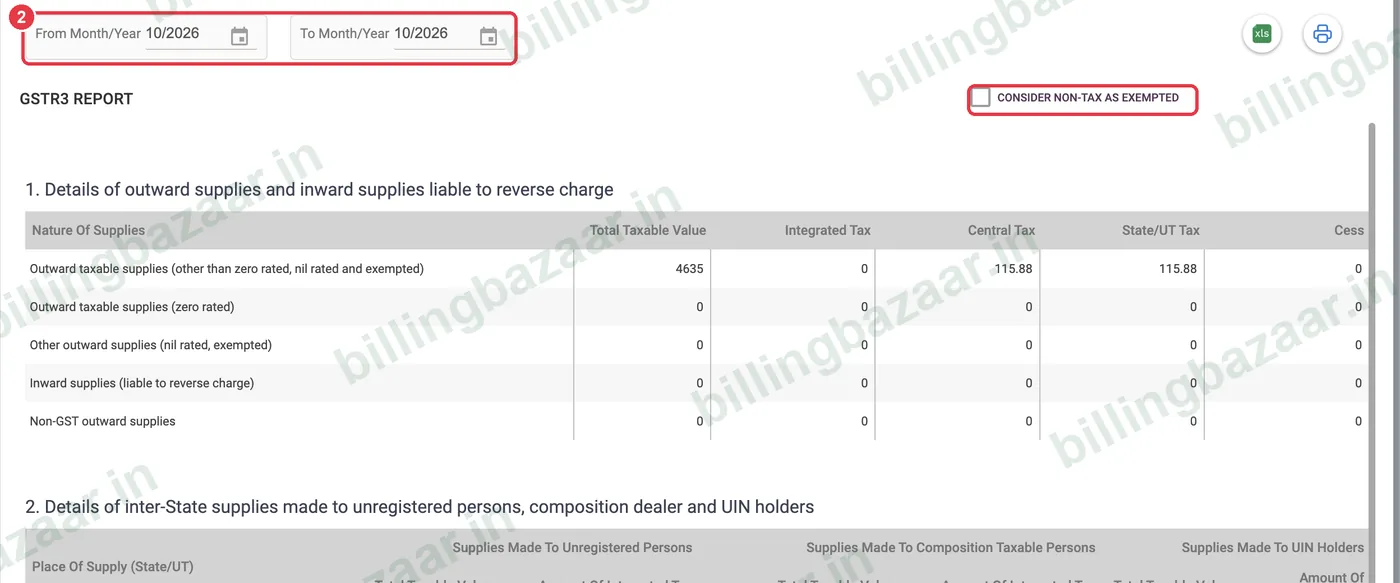
2Choose the month
Set From Month/Year and To Month/Year. Tick Consider non-tax as exempted if you sell non-GST items.
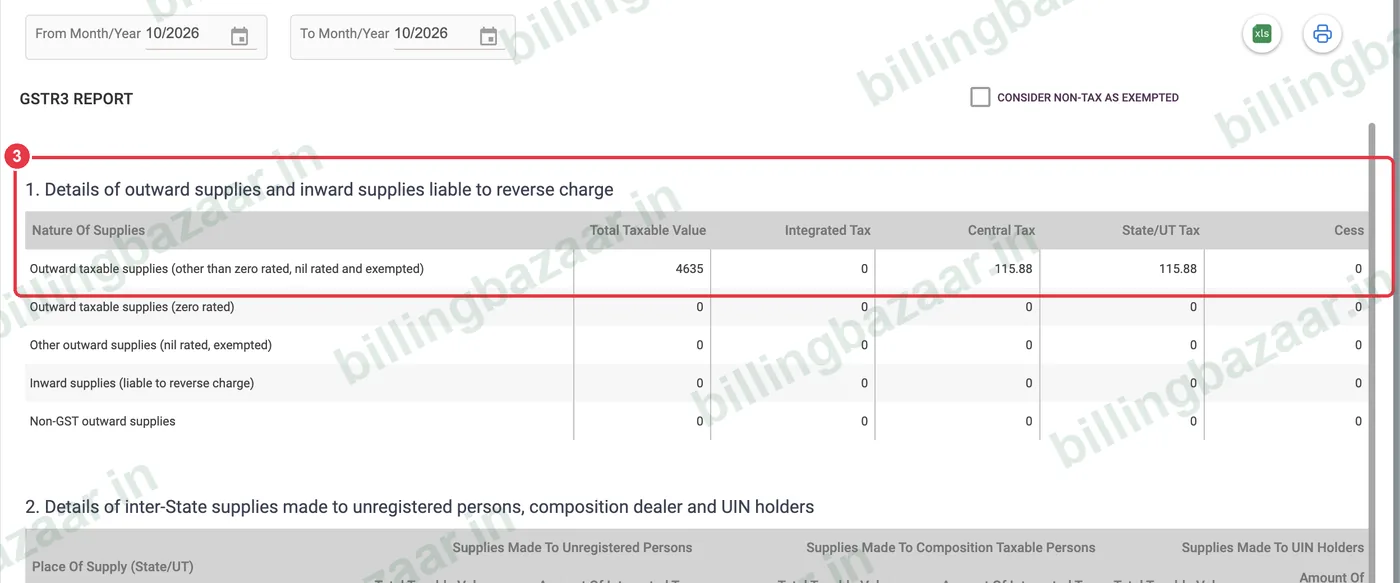
3Check outward supplies (3.1)
Section 1 shows taxable outward supplies with total taxable value and integrated, central and state tax. This is the GST you collected.
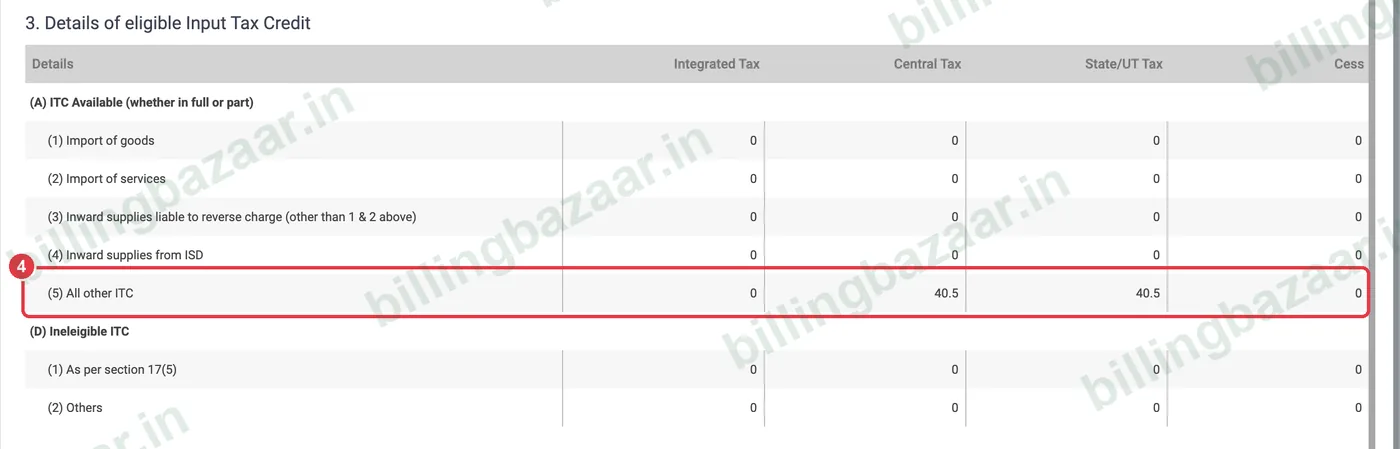
4Check eligible ITC (4)
Section 3 shows Details of eligible Input Tax Credit. All other ITC is the GST on your purchases you can set off against output tax.
5Export or print
Use the Excel and print icons at the top right to share the summary with your CA or fill it on the GST portal.

Good to know
- Match ITC with GSTR-2B on the portal before filing; claim only what appears there.
- Debit notes reduce ITC and credit notes reduce output tax automatically.
- GSTR-3B is due by the 20th (monthly) or the 22nd/24th (quarterly) depending on your state.
Questions people ask
Does Vyapar calculate GSTR-3B?
Yes. Reports > GSTR 3 B summarises output tax, ITC and exempt supplies for the selected month.
Where does input tax credit come from?
From purchase bills and expenses with GST marked Eligible for ITC.
Can I file GSTR-3B from Vyapar?
Vyapar prepares the figures; file them on the GST portal or through your CA.
Related guides
- How to generate the GSTR-1 report in Vyapar
- How to enter a purchase bill in Vyapar
- How to create a purchase return (debit note) in Vyapar
Screenshots are from a demo company in Vyapar Desktop for Mac, October 2026. Menus can move slightly between app versions. Guide by Billing Bazaar, a Vyapar partner.