 Billing Bazaar
How to import customers from Excel in Vyapar
If you already keep customers in Excel, Tally or another app, import them into Vyapar in one go instead of typing each party. Opening balances come across too, so udhaar is correct from day one.
| Time needed | 3 minutes |
|---|---|
| Steps | 5, each with a screenshot |
| Tested on | Vyapar Desktop for Mac, October 2026 |
| Last updated | 11 October 2026 |
Before you start
- An Excel file (.xlsx/.xls) with one row per party: name, phone, email, address, GSTIN and opening balance.
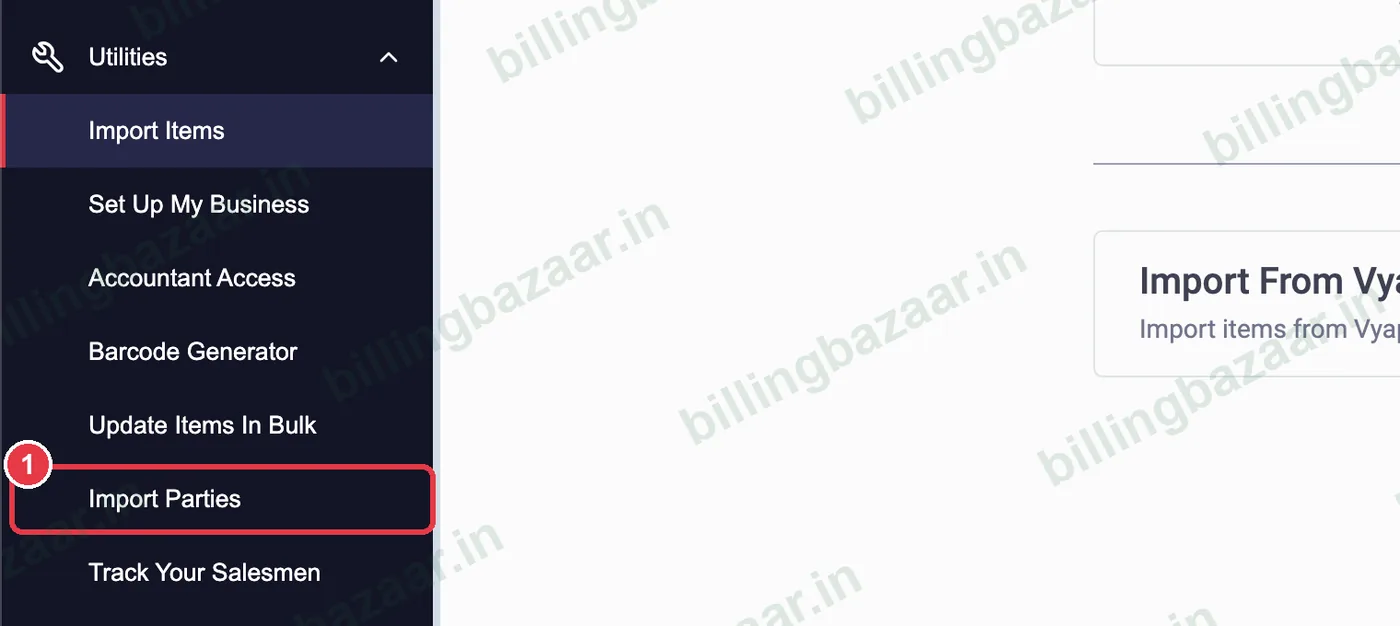
1Open Utilities > Import Parties
In the sidebar click Utilities > Import Parties.
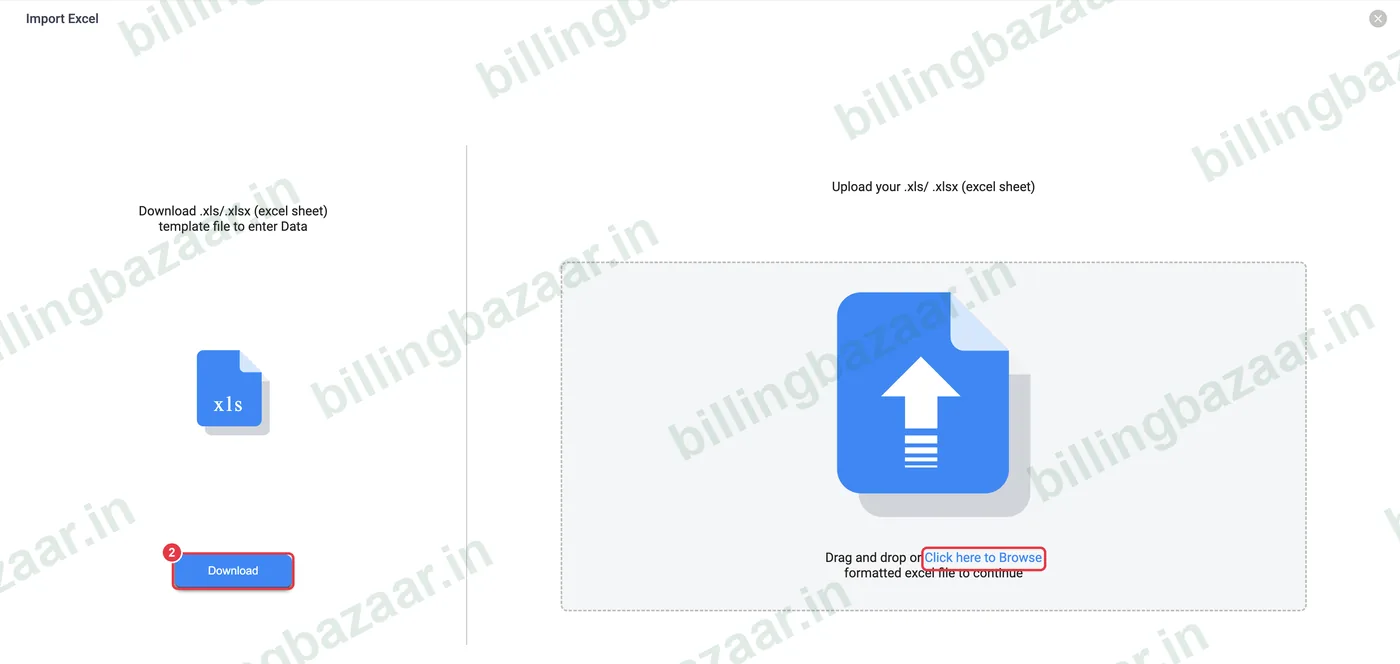
2Download the template or upload your file
Click Download for Vyapar's template, or prepare a sheet with columns such as Name, Contact No, Email ID, Address, GSTIN and Opening Balance. Then click Click here to Browse (or drag the file in).
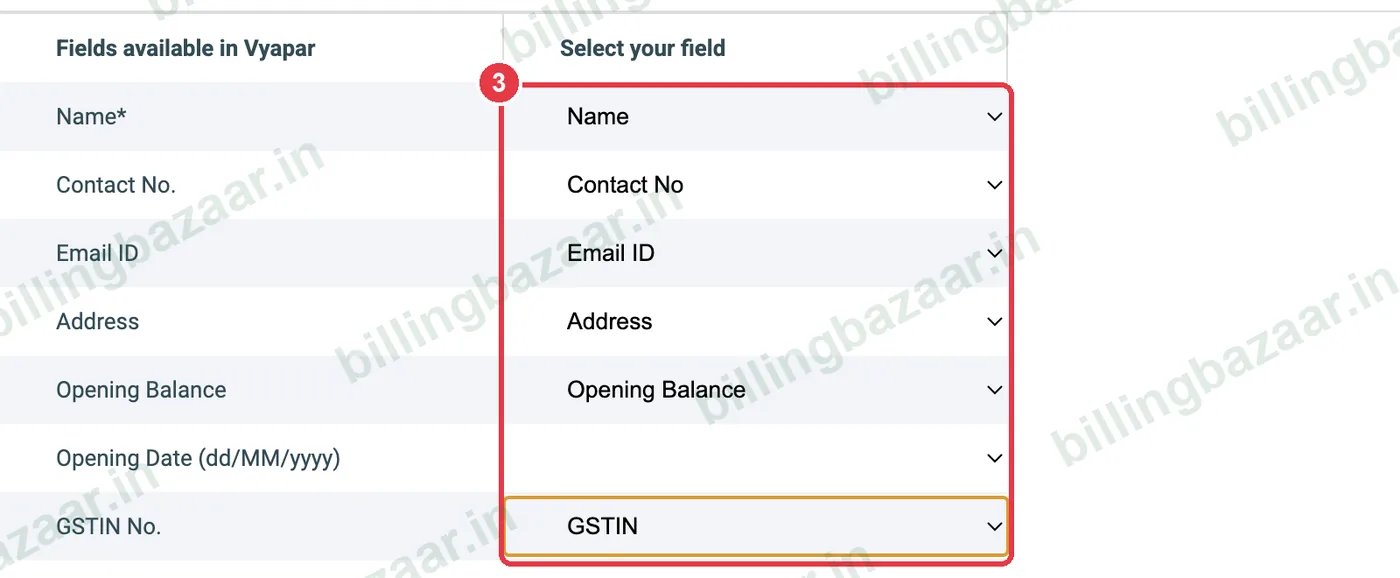
3Map your columns
Under Map your fields to Vyapar's fields, choose your column for each Vyapar field: Name* is required; also map Contact No., Email ID, Address, Opening Balance, Opening Date and GSTIN No. Click Proceed.
4Check valid parties
Vyapar shows Valid Parties and Parties with Errors. Review the rows and fix any errors in the sheet.

5Import
Click Import Valid Parties. Vyapar confirms Party(s) imported successfully, with opening balances and GSTINs ready.

Good to know
- Keep phone numbers as 10 digits without spaces.
- Positive opening balance means the party owes you.
- Format GSTIN as text so it is not changed by Excel.
Questions people ask
Can I import parties into Vyapar?
Yes. Utilities > Import Parties, upload the Excel file, map columns and import.
Which column is required?
Only Name. Phone, email, address, GSTIN and opening balance are optional.
Will opening balances import?
Yes. Map the Opening Balance column (and Opening Date if you have it).
Related guides
- How to add customers and suppliers in Vyapar
- How to add a party's opening balance and credit limit in Vyapar
- How to import items from Excel in Vyapar
Screenshots are from a demo company in Vyapar Desktop for Mac, October 2026. Menus can move slightly between app versions. Guide by Billing Bazaar, a Vyapar partner.