 Billing Bazaar
How to manage cheques in Vyapar
Cheques take days to clear, so Vyapar keeps them separate until you deposit them. That way your bank balance shows only money that has actually arrived, and you can see every pending cheque in one list.
| Time needed | 2 minutes |
|---|---|
| Steps | 5, each with a screenshot |
| Tested on | Vyapar Desktop for Mac, October 2026 |
| Last updated | 11 October 2026 |
Before you start
- A bank account added in Vyapar to deposit cheques into.
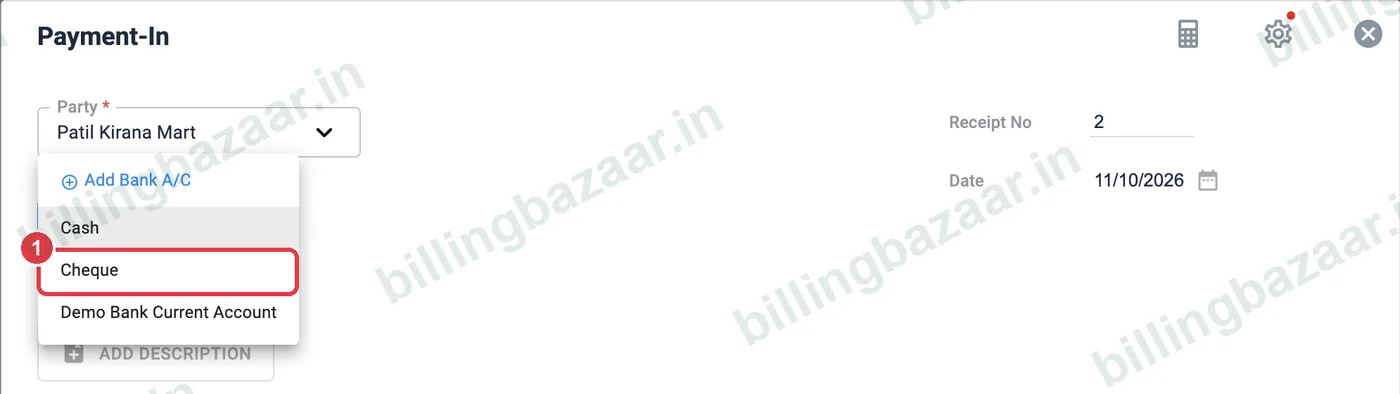
1Record a payment by cheque
On Payment-In (or a sale, purchase or Payment-Out), choose Cheque as the Payment Type.
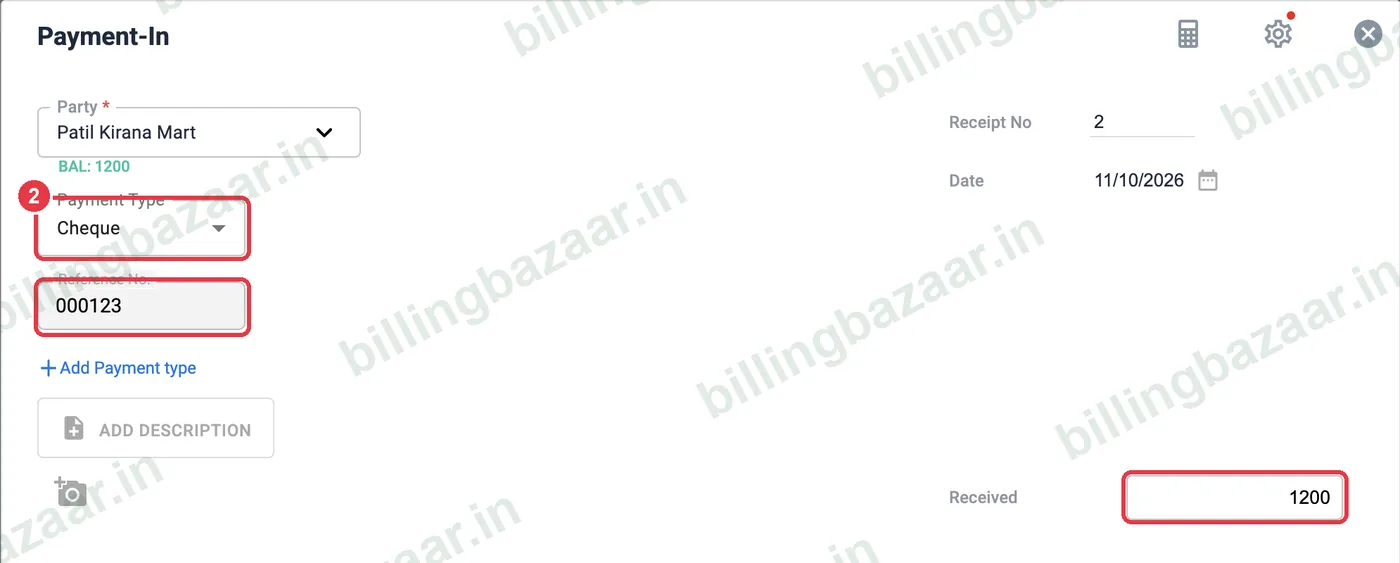
2Add cheque number and amount
Enter the cheque number in Reference No. and the amount, then save. The money is not yet added to cash or bank.
3Track open cheques
Open Cash & Bank > Cheques. Every cheque is listed with party, number, date, amount and status Open.

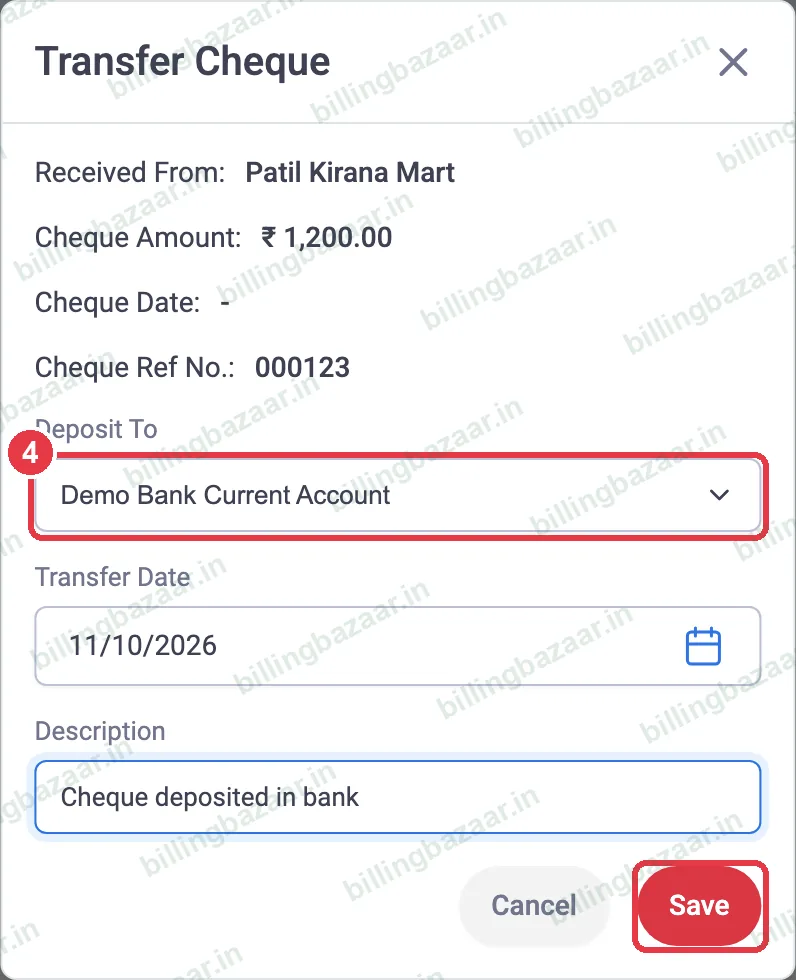
4Deposit the cheque
When you bank it, click Deposit. Choose Deposit To (your bank account or cash), set the transfer date, add a note and click Save.
5Check the status
The status changes to Deposited to your account and the bank balance increases. If the cheque bounces, use Re-Open to undo the deposit.

Good to know
- Enter post-dated cheques with their cheque date and deposit them on that date.
- Check the Cheques list every morning for cheques due to deposit.
- For bounced cheques, Re-Open and follow up with the party.
Questions people ask
How do I record a cheque in Vyapar?
Choose Cheque as the payment type and enter the cheque number in Reference No.
Where do I see pending cheques?
Cash & Bank > Cheques lists all cheques with status Open or Deposited.
What if a cheque bounces?
Click Re-Open on the deposited cheque to reverse it.
Related guides
- How to add a bank account in Vyapar (with UPI QR on invoices)
- How to record a payment received (Payment In) in Vyapar
- How to record a payment made (Payment Out) in Vyapar
Screenshots are from a demo company in Vyapar Desktop for Mac, October 2026. Menus can move slightly between app versions. Guide by Billing Bazaar, a Vyapar partner.