 Billing Bazaar
How to send payment reminders in Vyapar
Udhaar collection is easier when reminders go out on time. Vyapar can remind you when payments are due and lets you send a polite reminder to the customer with the pending amount.
| Time needed | 2 minutes |
|---|---|
| Steps | 4, each with a screenshot |
| Tested on | Vyapar Desktop for Mac, October 2026 |
| Last updated | 11 October 2026 |
Before you start
- Customers saved with phone numbers and balances to receive.
1Enable payment reminders
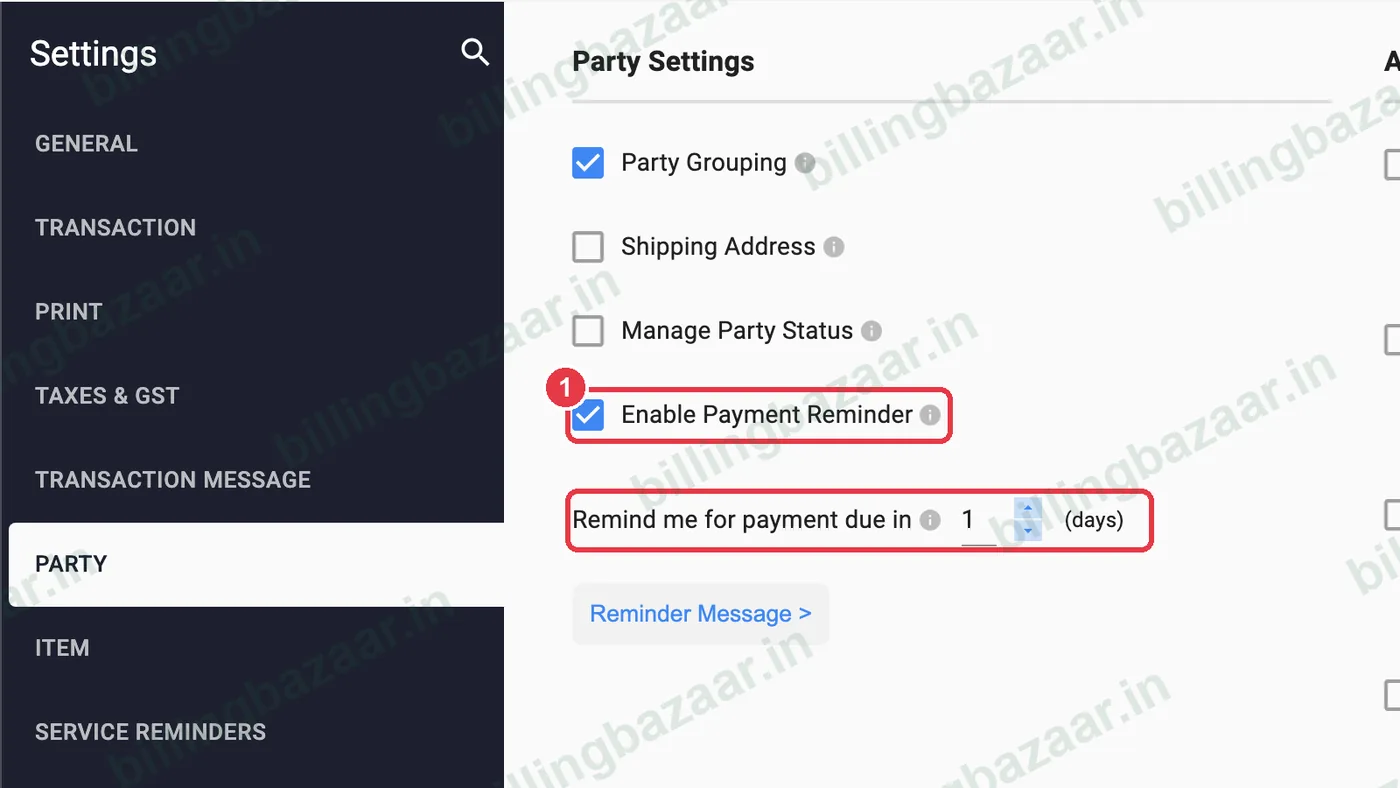
In Settings > PARTY, tick Enable Payment Reminder and set Remind me for payment due in (days).
2Write the reminder message
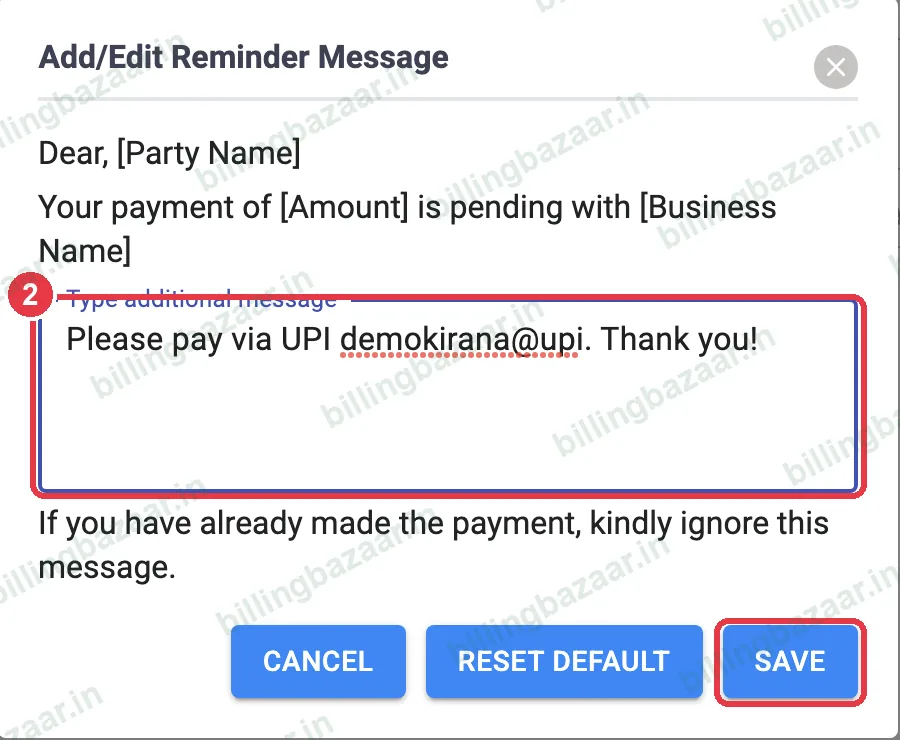
Click Reminder Message >. The message includes the party name, amount and your business name automatically; add your own line such as your UPI ID, then click SAVE.
3Remind from the party screen
Open Parties and select the customer. The icons at the top right send an SMS, a WhatsApp message or a payment reminder.

4Check what is pending
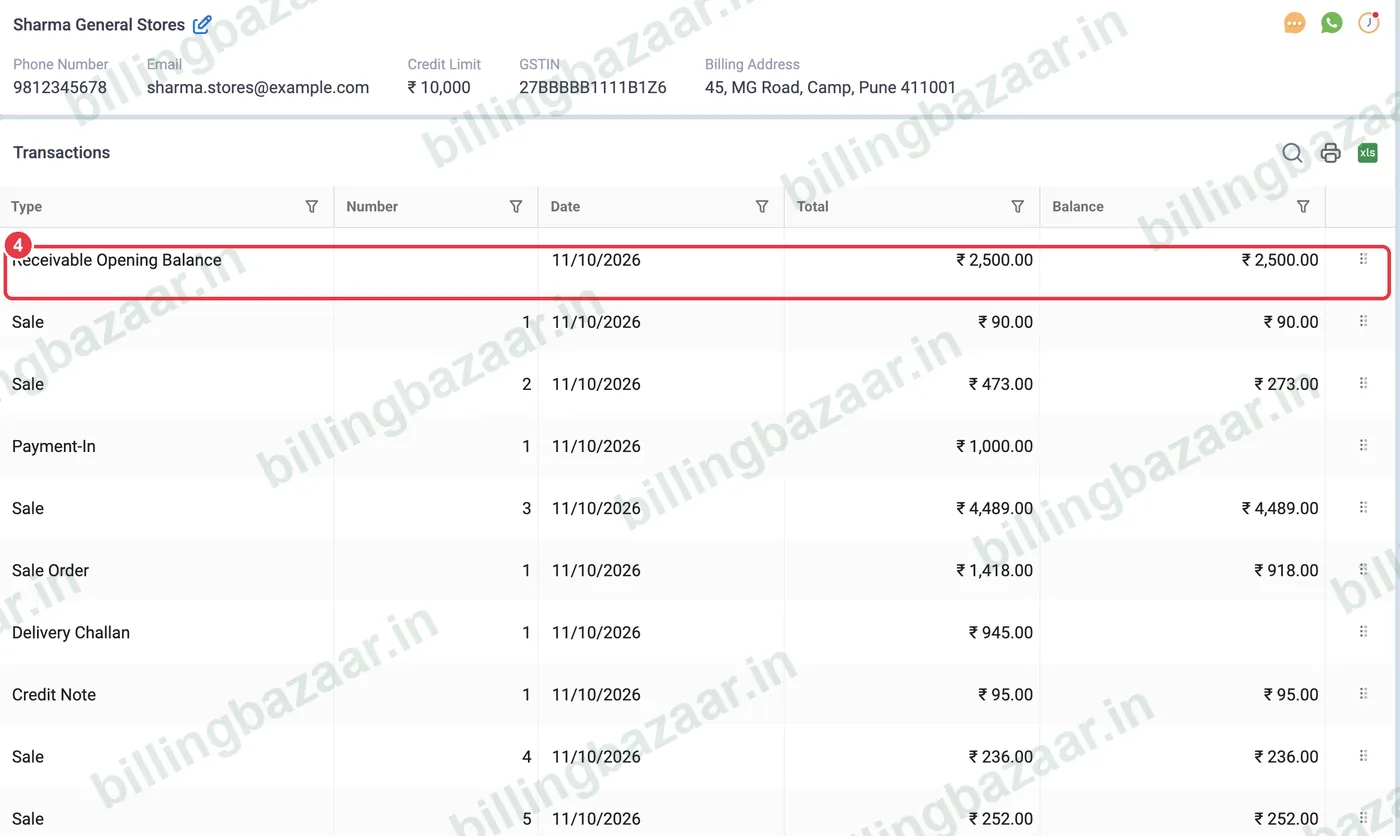
The party's transactions show each invoice with its balance, so you can mention the exact bills in your reminder.
Good to know
- WhatsApp reminders need Send via Personal WhatsApp set up in Settings > Transaction Message.
- Add your UPI ID in the message so customers can pay instantly.
- Use Reports > Party Statement to send a full ledger with the reminder.
Questions people ask
How do I send a payment reminder in Vyapar?
Enable Payment Reminder in Settings > Party, set the message, then use the reminder or WhatsApp icon on the customer in Parties.
Can I change the reminder text?
Yes. Settings > Party > Reminder Message.
Does Vyapar send reminders automatically?
Vyapar reminds you of due payments; you send the reminder to the customer from the party screen.
Related guides
- How to add a party's opening balance and credit limit in Vyapar
- How to see and share a party statement (ledger) in Vyapar
- How to record a payment received (Payment In) in Vyapar
- How to turn off or customise automatic SMS to customers in Vyapar
Screenshots are from a demo company in Vyapar Desktop for Mac, October 2026. Menus can move slightly between app versions. Guide by Billing Bazaar, a Vyapar partner.