 Billing Bazaar
How to see the profit and loss report in Vyapar
The profit and loss report shows whether the business made money in a period. Vyapar builds it automatically from your sales, purchases, returns, expenses and stock, so it is ready whenever you or your CA need it.
| Time needed | 1 minute |
|---|---|
| Steps | 5, each with a screenshot |
| Tested on | Vyapar Desktop for Mac, October 2026 |
| Last updated | 11 October 2026 |
Before you start
- Some sales and purchases recorded in Vyapar.
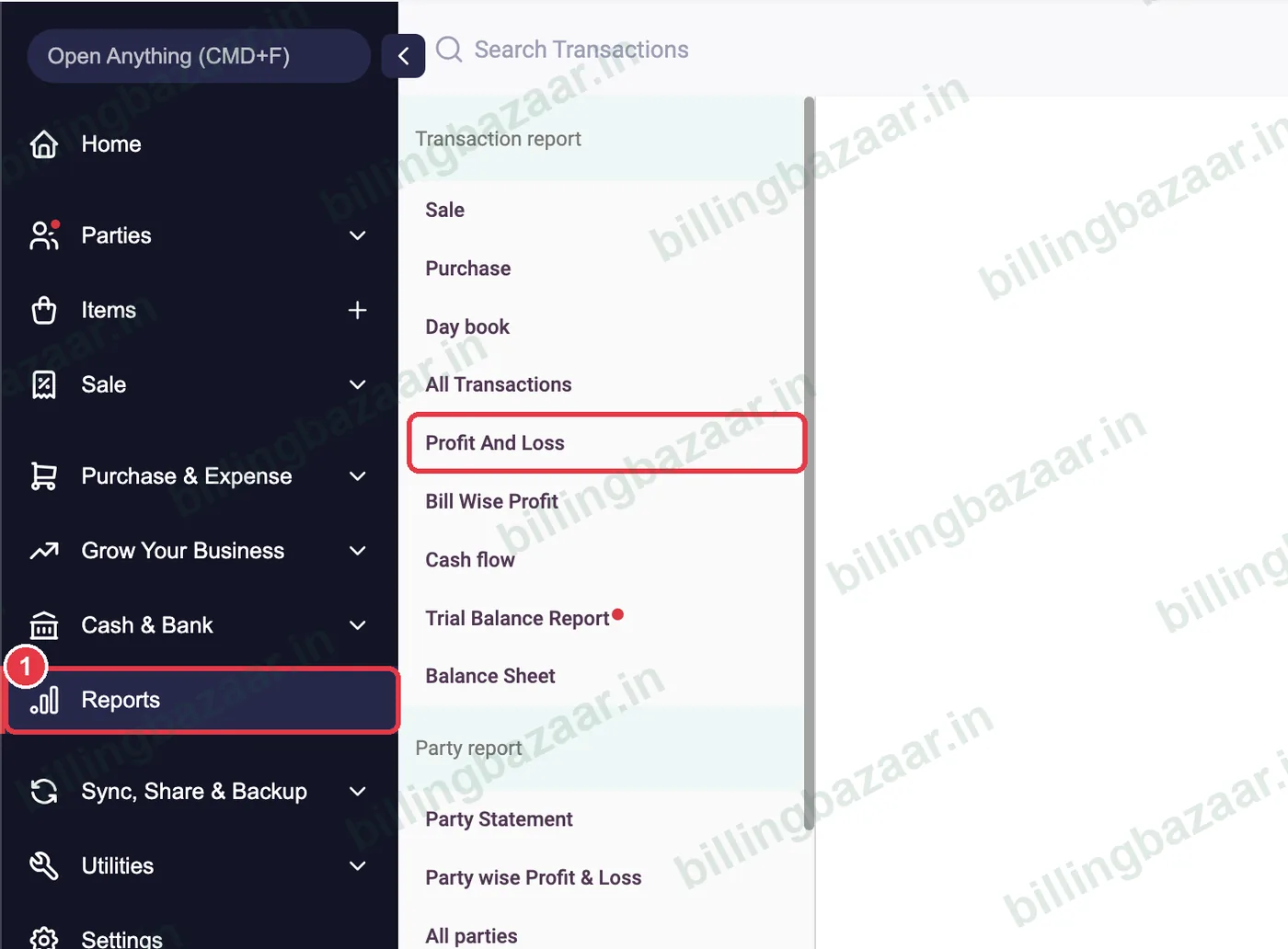
1Open Reports > Profit And Loss
Click Reports in the sidebar, then Profit And Loss under Transaction report.
2Choose the period and view
Set the From and To dates (for example the month or financial year). Keep View: Vyapar for a simple layout, or choose Accounting for a format your CA expects.

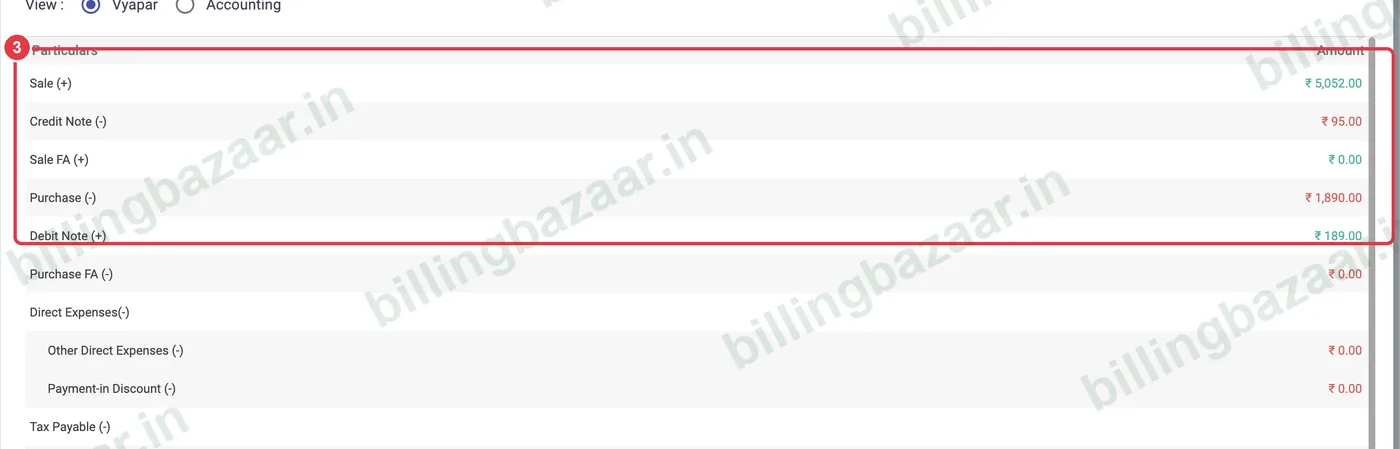
3Read sales, returns and purchases
The top lines show Sale (+), Credit Note (-), Purchase (-) and Debit Note (+). Green amounts add to profit, red amounts reduce it.
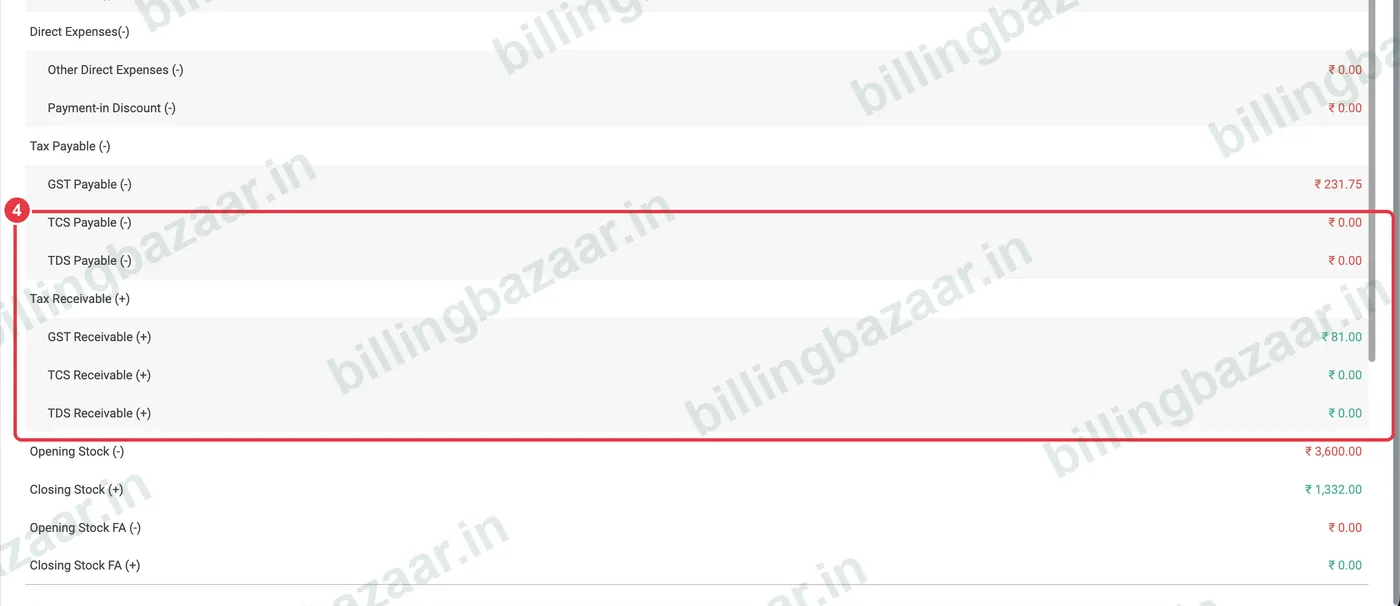
4Check expenses, tax and stock
Further down are direct and indirect expenses, tax payable and receivable, and Opening Stock and Closing Stock. The net profit or loss is at the bottom.
5Export or print
Use the Excel and print icons at the top right to download the report or print it.

Good to know
- Record expenses such as rent and salary in Vyapar, or profit will look higher than it really is.
- Closing stock is valued at purchase price; keep purchase prices updated.
- Compare months by changing the date range.
Questions people ask
Where is the profit and loss report in Vyapar?
Reports > Profit And Loss, under Transaction report.
Why does my profit look too high?
Usually because expenses are not recorded. Add rent, salaries and other expenses under Expenses.
Can I export profit and loss to Excel?
Yes. Use the Excel icon at the top right of the report.
What is the Accounting view?
A more traditional accounting layout of the same figures, useful for CAs.
Related guides
- How to record business expenses in Vyapar
- How to see party-wise profit in Vyapar
- How to see the stock summary report in Vyapar
Screenshots are from a demo company in Vyapar Desktop for Mac, October 2026. Menus can move slightly between app versions. Guide by Billing Bazaar, a Vyapar partner.