 Billing Bazaar
How to set units and unit conversion in Vyapar
Many shops buy in cartons, boxes or bags and sell in packs, pieces or kg. Vyapar lets each item have a base unit and a secondary unit with a conversion rate, so stock stays correct whichever unit you bill in.
| Time needed | 2 minutes |
|---|---|
| Steps | 5, each with a screenshot |
| Tested on | Vyapar Desktop for Mac, October 2026 |
| Last updated | 11 October 2026 |
Before you start
- How many small units are in one big unit (for example 24 packs in a carton).
1Click Select Unit
In Add Item (or when editing an item), click Select Unit next to the HSN field.
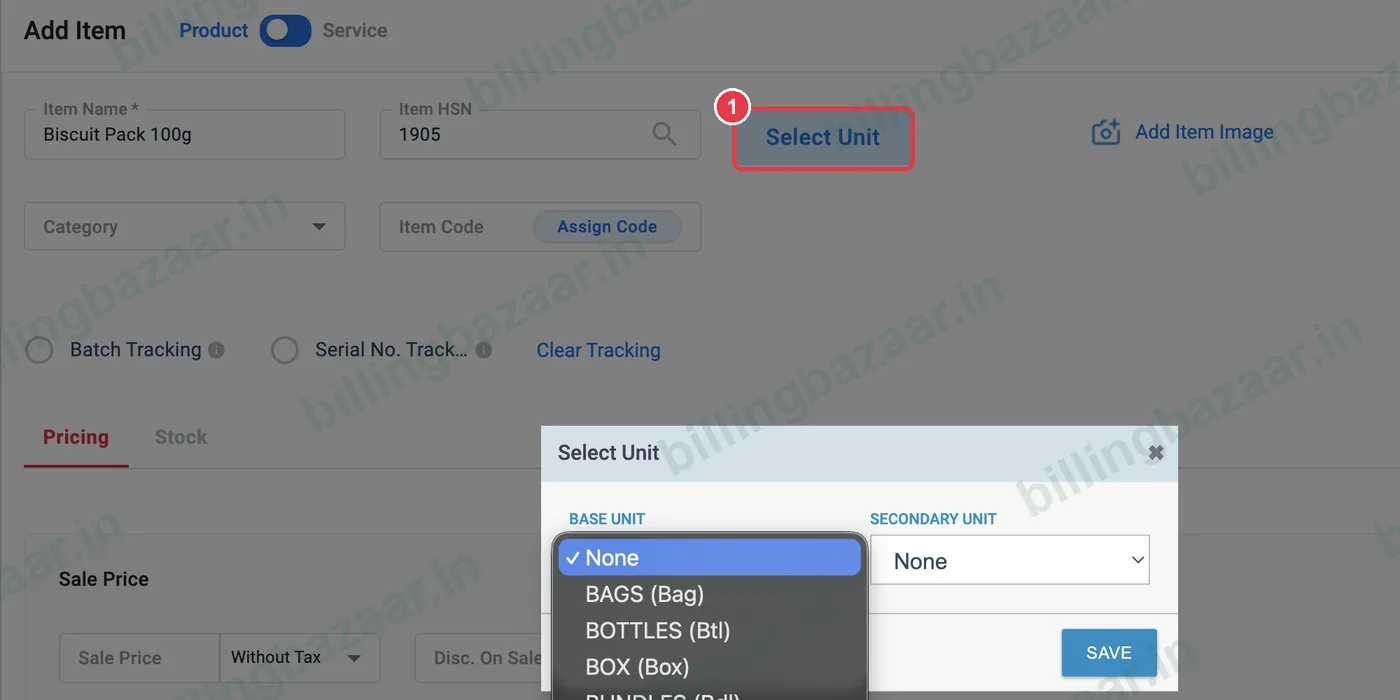
2Choose the base unit
Open BASE UNIT and pick the bigger unit you buy in, for example CARTONS (Ctn). Vyapar has bags, boxes, bottles, kg, litres, metres, pieces, packs and more.
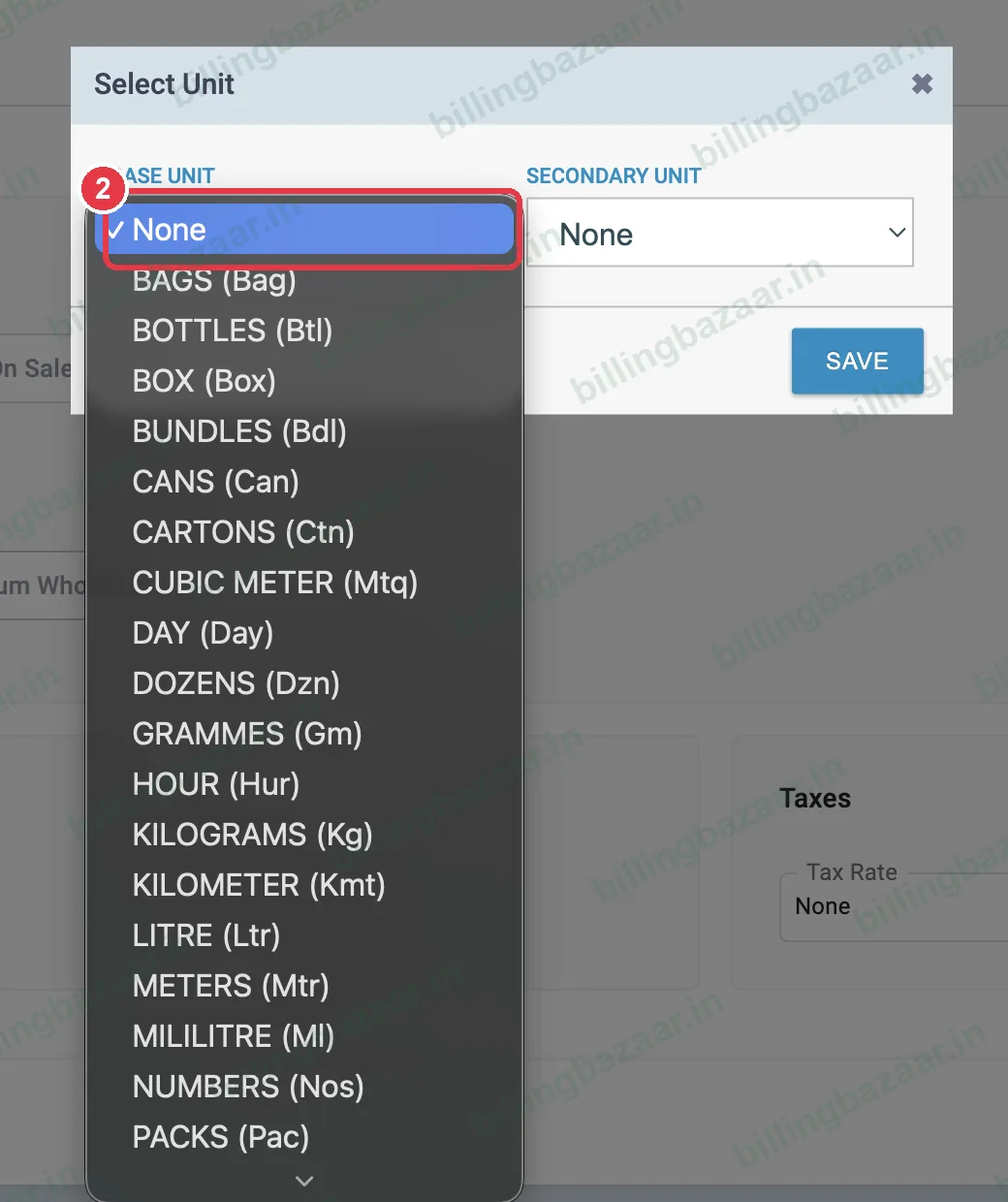
3Choose the secondary unit
Open SECONDARY UNIT and pick the smaller unit you also sell in, for example PACKS (Pac).
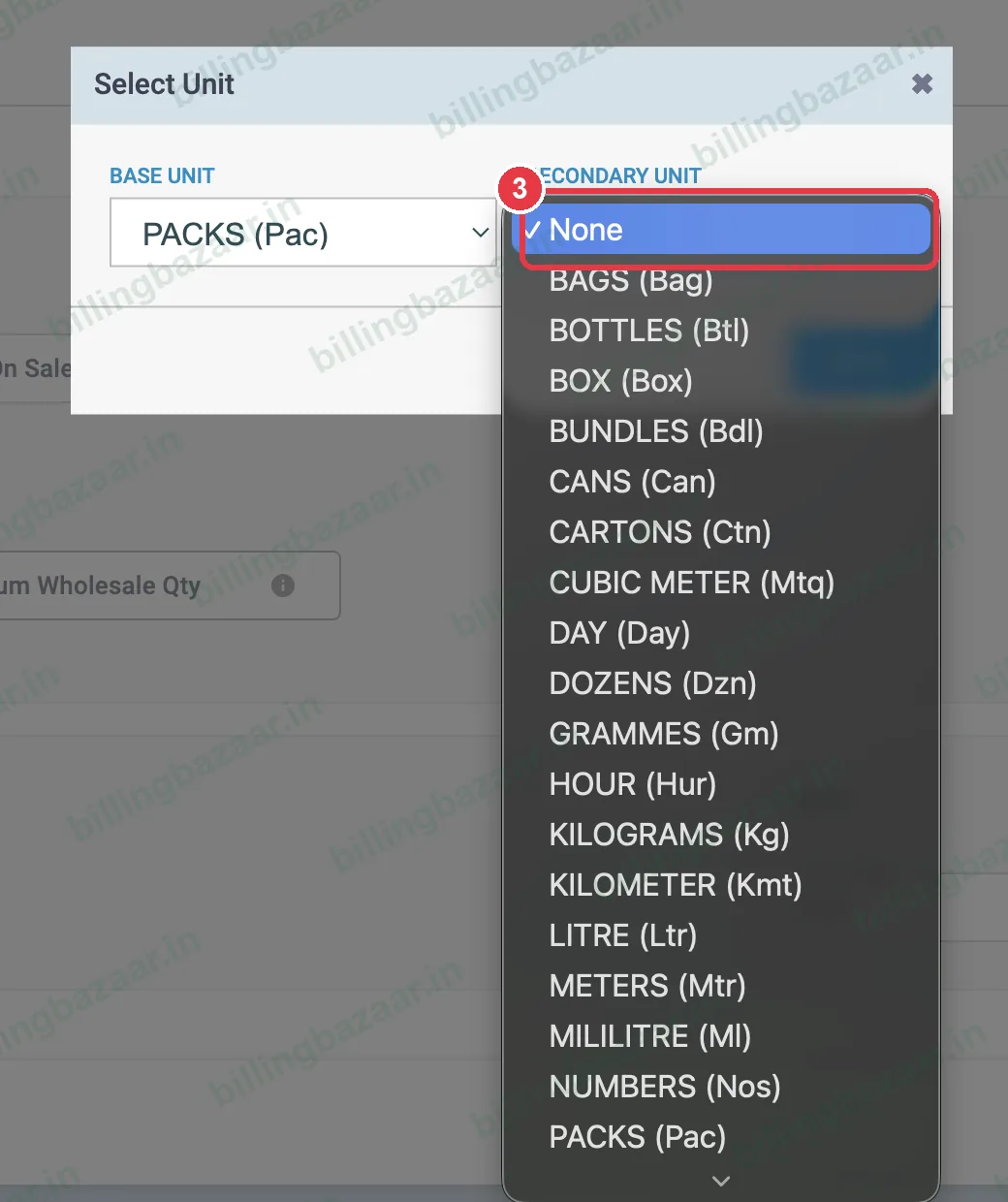
4Enter the conversion rate
Under Conversion Rates, enter how many secondary units make one base unit, for example 1 CARTONS = 24 PACKS. Click SAVE.
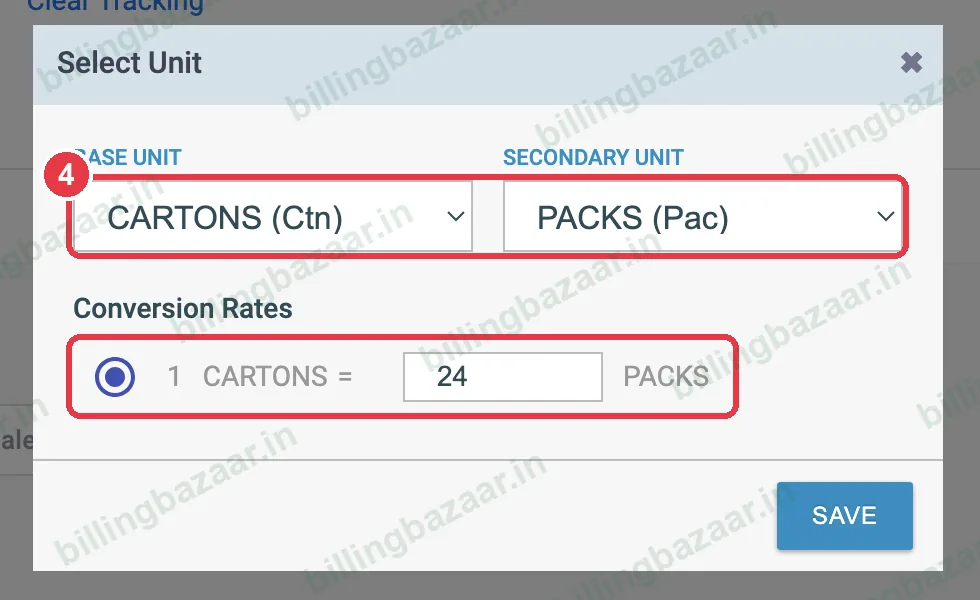
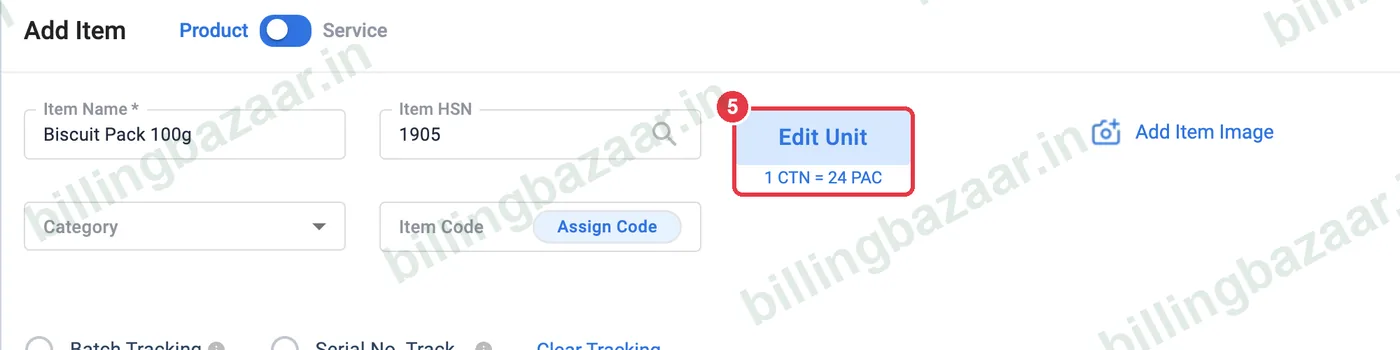
5Check the unit mapping
Vyapar shows Item Unit Mapping saved successfully and the button changes to Edit Unit with 1 CTN = 24 PAC below it. Add prices and save the item. On invoices and purchases you can now choose either unit; stock converts automatically.
Good to know
- Prices are entered for the base unit; Vyapar works out the secondary unit price on invoices.
- Turn on Default Unit in Settings > Item if most items use the same unit.
- Unit names print on invoices, so keep them short and standard.
Questions people ask
How do I add a secondary unit in Vyapar?
Click Select Unit on the item, choose a base unit and a secondary unit, enter the conversion rate and click Save.
Can I sell in packs if I buy in cartons?
Yes. Set cartons as the base unit and packs as the secondary unit with the conversion rate; choose the unit on each invoice line.
Can I change units later?
Yes. Click Edit Unit on the item. Changing units on an item with transactions affects how stock is shown, so check the stock report afterwards.
Related guides
- How to add items with HSN code and GST rate in Vyapar
- How to set wholesale and retail prices in Vyapar
- How to see the stock summary report in Vyapar
Screenshots are from a demo company in Vyapar Desktop for Mac, October 2026. Menus can move slightly between app versions. Guide by Billing Bazaar, a Vyapar partner.