 Billing Bazaar
How to set up your online store in Vyapar
Vyapar's Online Store turns your item list into a simple shop page customers can order from. Share the link with regular customers on WhatsApp, and orders come straight into Vyapar.
| Time needed | 3 minutes |
|---|---|
| Steps | 5, each with a screenshot |
| Tested on | Vyapar Desktop for Mac, October 2026 |
| Last updated | 11 October 2026 |
Before you start
- Items with sale prices added in Vyapar.
- Business name, logo and phone number set in your profile.
1Open Grow Your Business > Online Store
In the sidebar click Grow Your Business > Online Store.

2Create the store
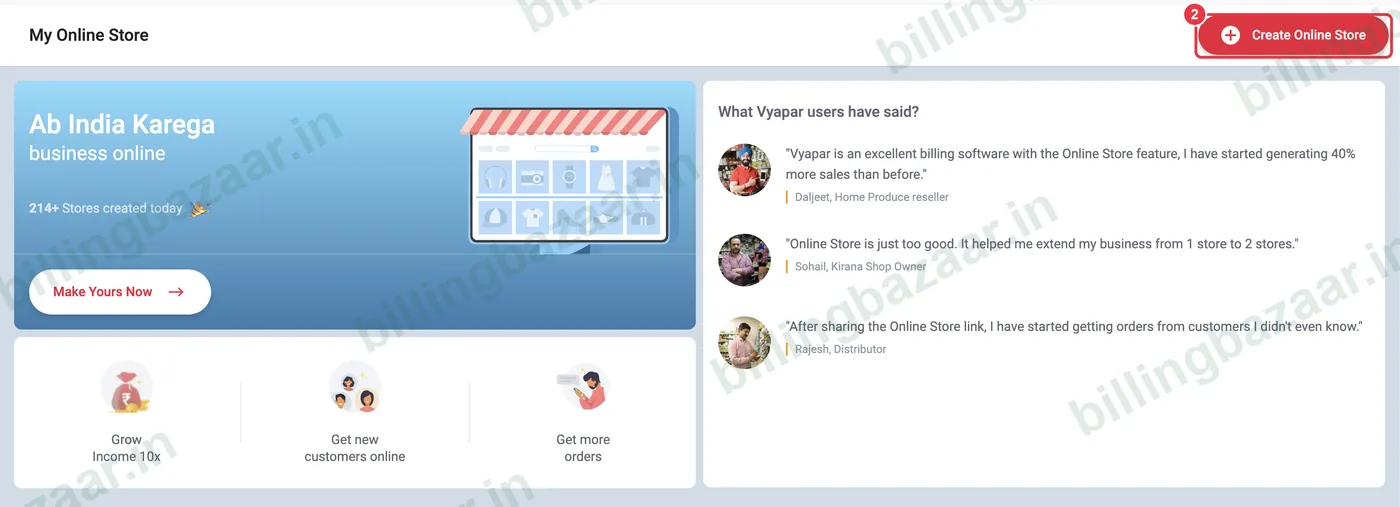
Click Create Online Store (or Make Yours Now). Vyapar builds the store from your business details and items.
3Get your store link
The store opens with your business name and a link such as vyaparapp.in/store/yourbusiness. Use Share Online Store to send it on WhatsApp, and Edit Store Info to add a description.

4Choose items and prices
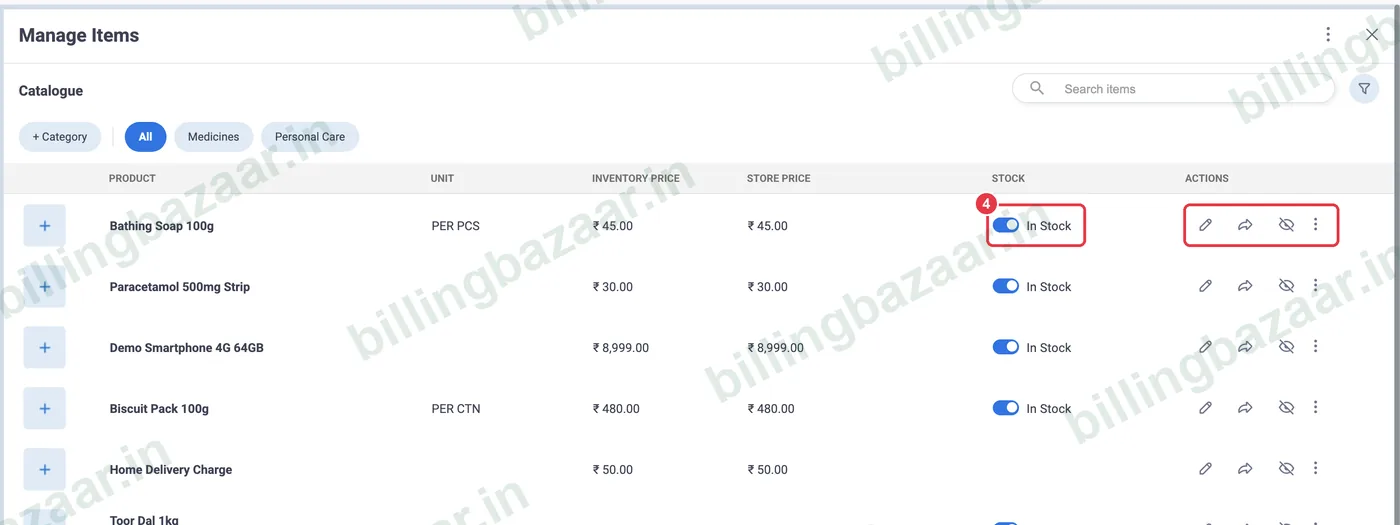
Open Manage Items. Your items are listed with inventory and store price; edit the store price, mark items in or out of stock, or hide items you do not want online.
5Handle orders
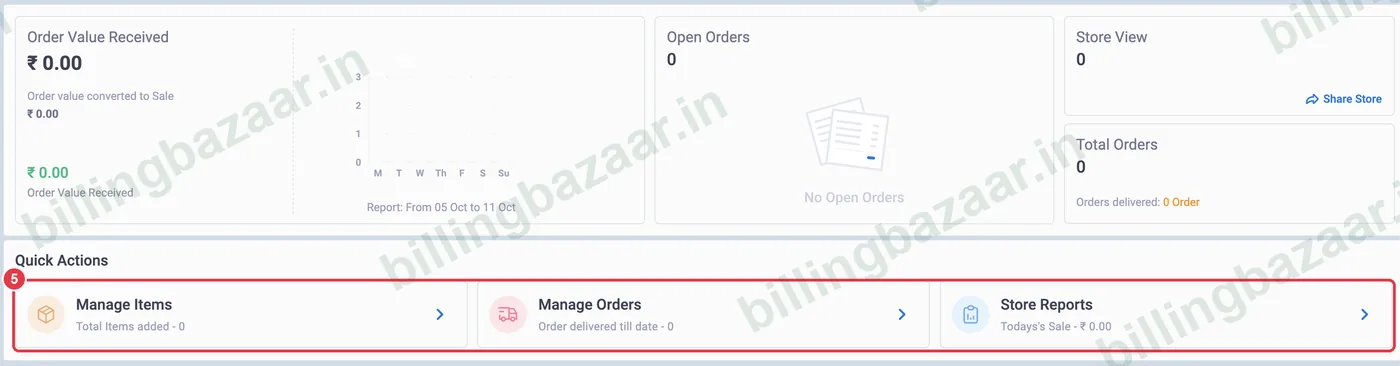
Orders appear in Open Orders and Manage Orders, and Store Reports show today's sales and views. Convert orders into sales as you deliver.
Good to know
- Add item photos so customers can see what they order.
- Hide items you only sell in the shop.
- Share the link in your WhatsApp status and groups.
Questions people ask
Does Vyapar have an online store?
Yes. Grow Your Business > Online Store creates a shareable store from your items.
How do customers order?
They open your store link, add items and place an order, which appears in Vyapar.
Can I set different online prices?
Yes. Edit the store price for each item in Manage Items.
Related guides
- How to add items with HSN code and GST rate in Vyapar
- How to create a sale order in Vyapar
- How to share an invoice on WhatsApp from Vyapar
Screenshots are from a demo company in Vyapar Desktop for Mac, October 2026. Menus can move slightly between app versions. Guide by Billing Bazaar, a Vyapar partner.