 Billing Bazaar
How to use POS (point of sale) billing in Vyapar
Vyapar POS is a full-screen billing mode for busy counters such as supermarkets and kirana stores. You scan or type item codes, Vyapar adds them with tax, and it shows the change to return when you enter the cash received.
| Time needed | 2 minutes |
|---|---|
| Steps | 6, each with a screenshot |
| Tested on | Vyapar Desktop for Mac, October 2026 |
| Last updated | 11 October 2026 |
Before you start
- Items with item codes or barcodes (see the barcode guide).
- A barcode scanner is optional; typing codes works too.
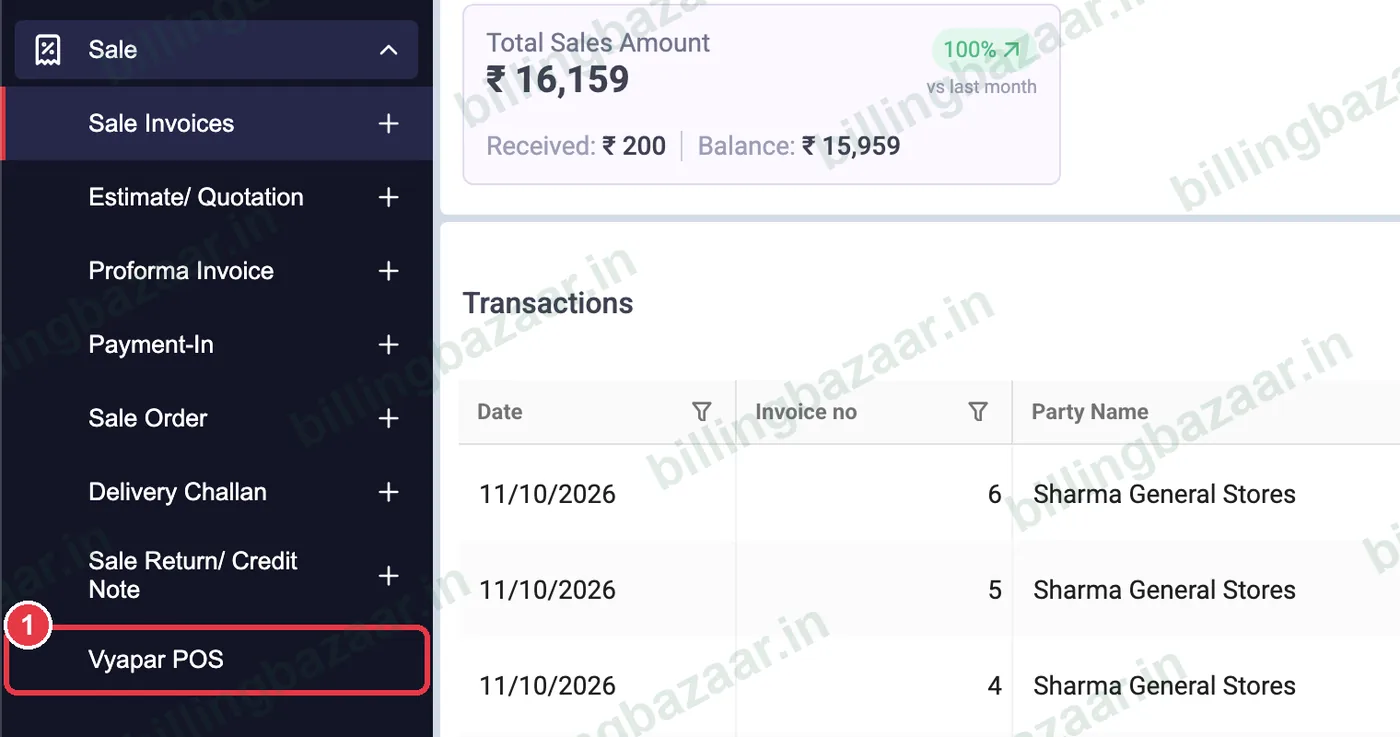
1Open Sale > Vyapar POS
In the sidebar click Sale > Vyapar POS. The POS screen opens full-screen with a new bill tab (for example #DKS-1).
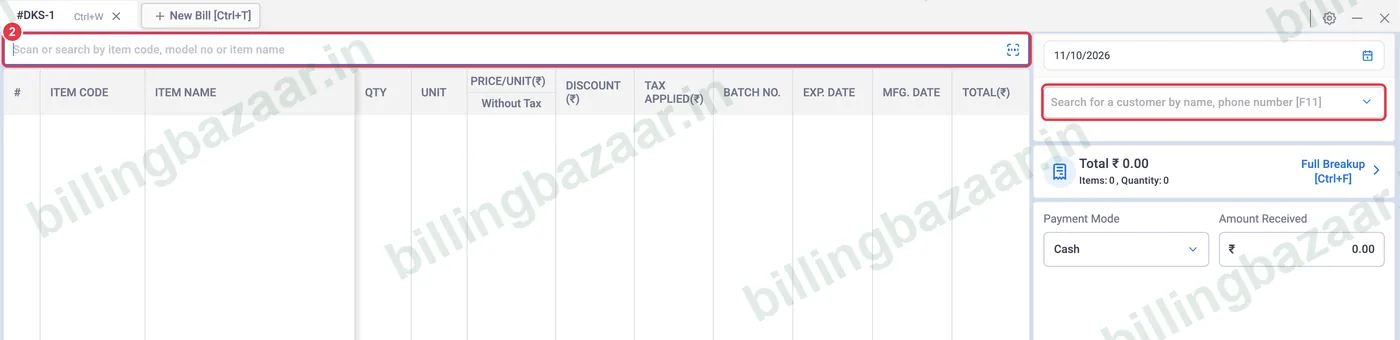
2Scan or search items
Click the search bar at the top and scan a barcode or type the item code, name, HSN or price. Pick a customer at the right with [F11], or leave it for walk-in sales.
3Pick the item
Search results show item code, name, stock, sale price and purchase price. Press Enter to add the highlighted item.

4Build the bill
Each item is added as a line with quantity, price, tax and total. Total on the right updates with the number of items and quantity.

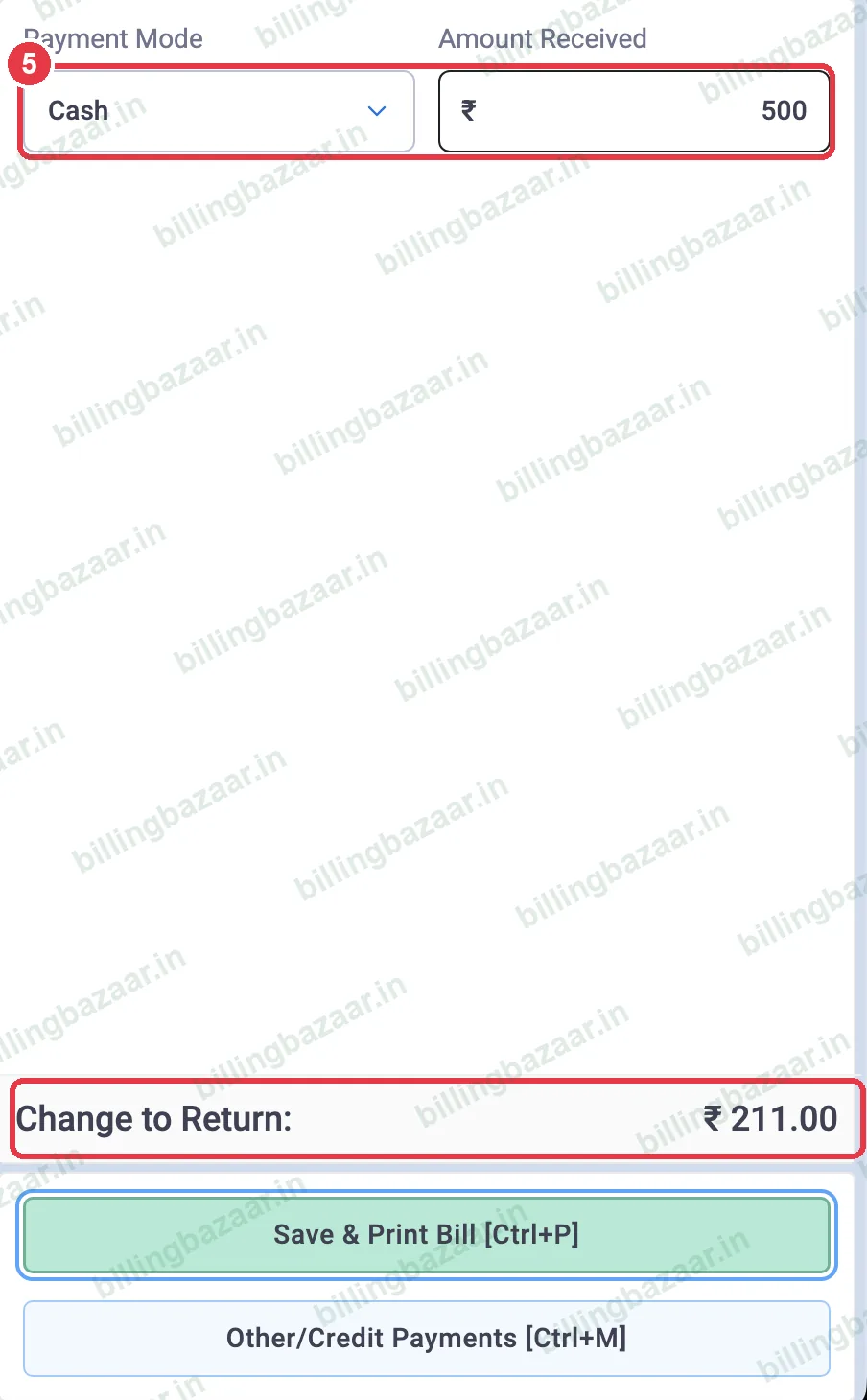
5Take payment and see change
Choose the Payment Mode and type the Amount Received. Vyapar shows Change to Return at the bottom.
6Use shortcuts and save
Buttons and keys handle common actions: Change Quantity [F2], Item Discount [F3], Remove Item [F4], Change Unit [F6], Additional Charges [F8], Bill Discount [F9]. Press Save & Print Bill [Ctrl+P] to finish, or New Bill [Ctrl+T] to serve the next customer in a new tab.

Good to know
- Keep several bills open in tabs during rush hour.
- Use a thermal receipt printer with a thermal invoice theme.
- Exiting POS discards open bills that are not saved.
Questions people ask
Does Vyapar have a POS mode?
Yes. Sale > Vyapar POS opens a full-screen counter billing screen.
Can I use a barcode scanner with Vyapar POS?
Yes. Scan into the search bar to add items.
How does Vyapar show change to return?
Enter the amount received; Vyapar shows the change at the bottom right.
Related guides
- How to generate and print barcodes in Vyapar
- How to print an invoice (A4 and thermal) in Vyapar
- How to create a GST invoice in Vyapar
Screenshots are from a demo company in Vyapar Desktop for Mac, October 2026. Menus can move slightly between app versions. Guide by Billing Bazaar, a Vyapar partner.