 Billing Bazaar
How to add HSN and SAC codes in Vyapar
GST invoices must show the HSN code of goods (or SAC code of services). In Vyapar the code is stored on each item, so it prints on every invoice and appears in the HSN summary of GSTR-1 automatically.
| Time needed | 1 minute |
|---|---|
| Steps | 4, each with a screenshot |
| Tested on | Vyapar Desktop for Mac, October 2026 |
| Last updated | 11 October 2026 |
Before you start
- The HSN code for each product (from supplier bills or the GST portal) and SAC codes for services.
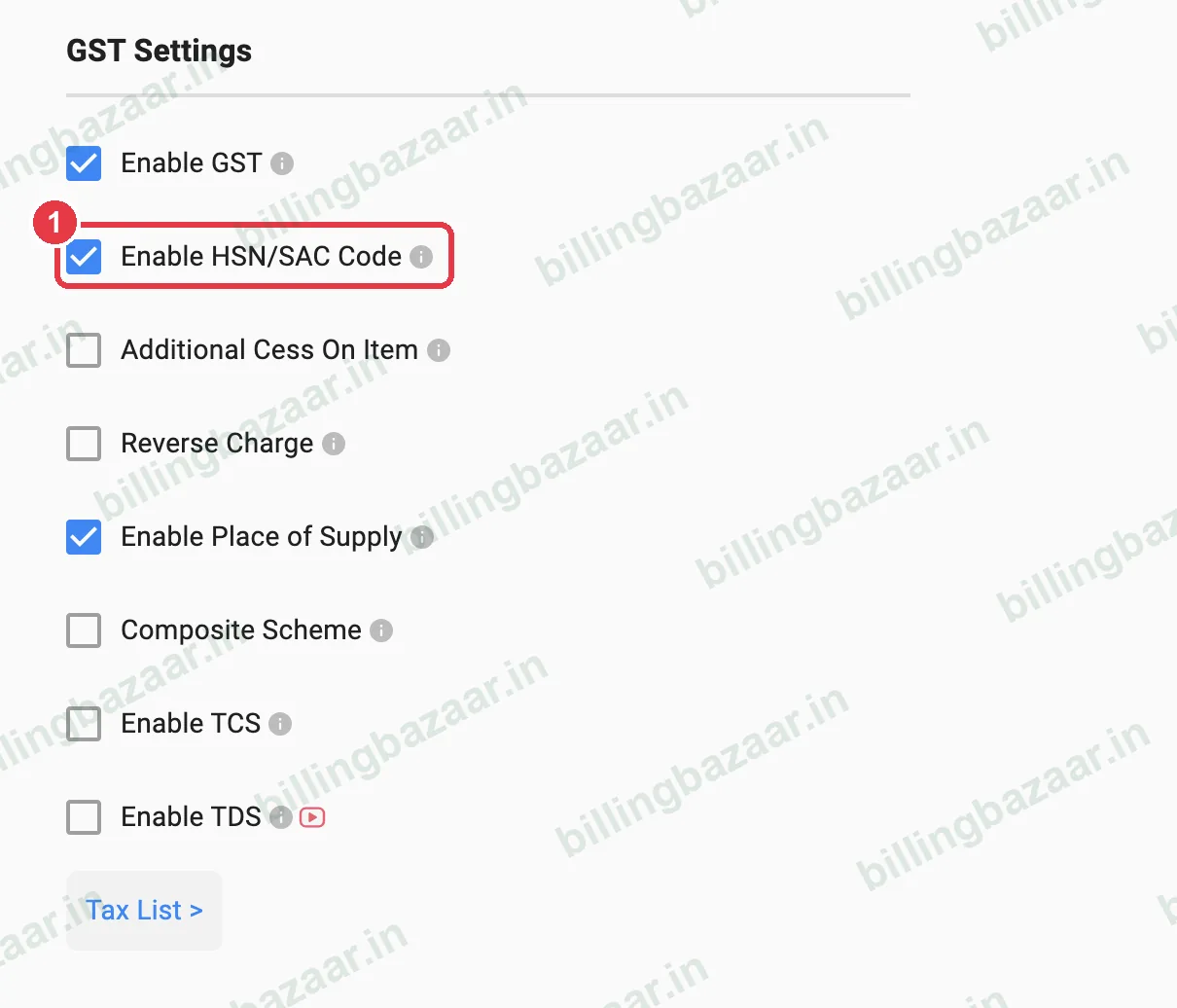
1Turn on HSN/SAC codes
In Settings > TAXES & GST, make sure Enable HSN/SAC Code is ticked so the field appears on items and invoices.
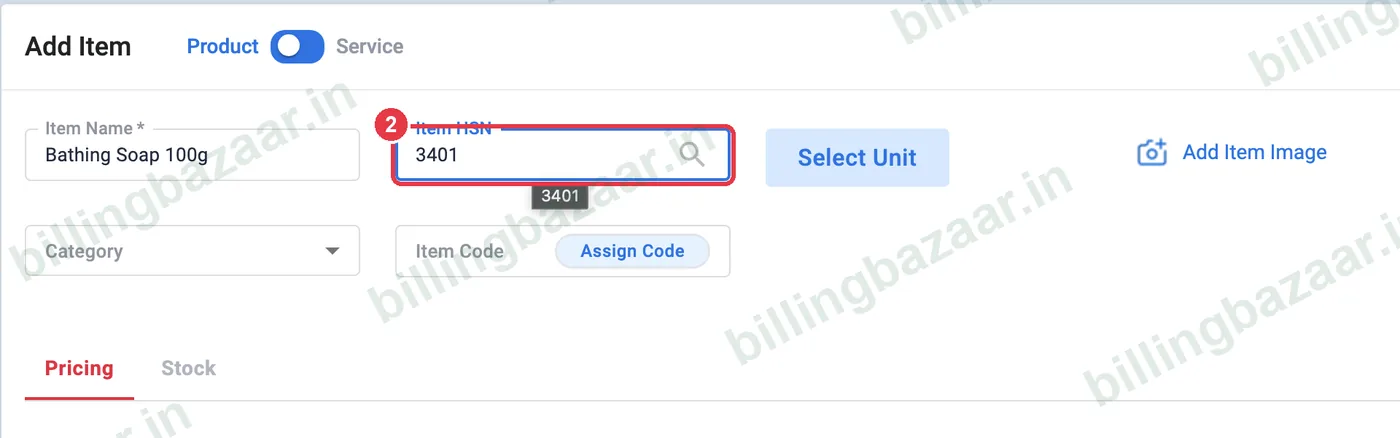
2Type the HSN on the item
In Add Item (or edit), type the code in Item HSN, for example 3401 for soap. Use 4, 6 or 8 digits as required for your turnover.
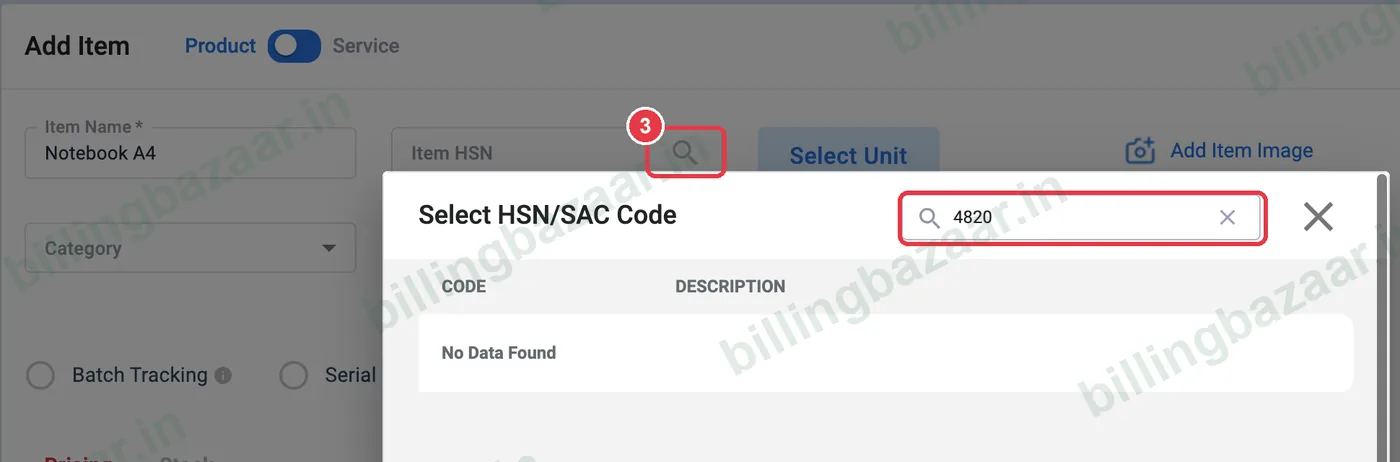
3Or search for the code
Click the search icon in Item HSN to open Select HSN/SAC Code and search by product name or code. If it shows No Data Found, check your internet connection or find the code on the GST portal's HSN search and type it in.
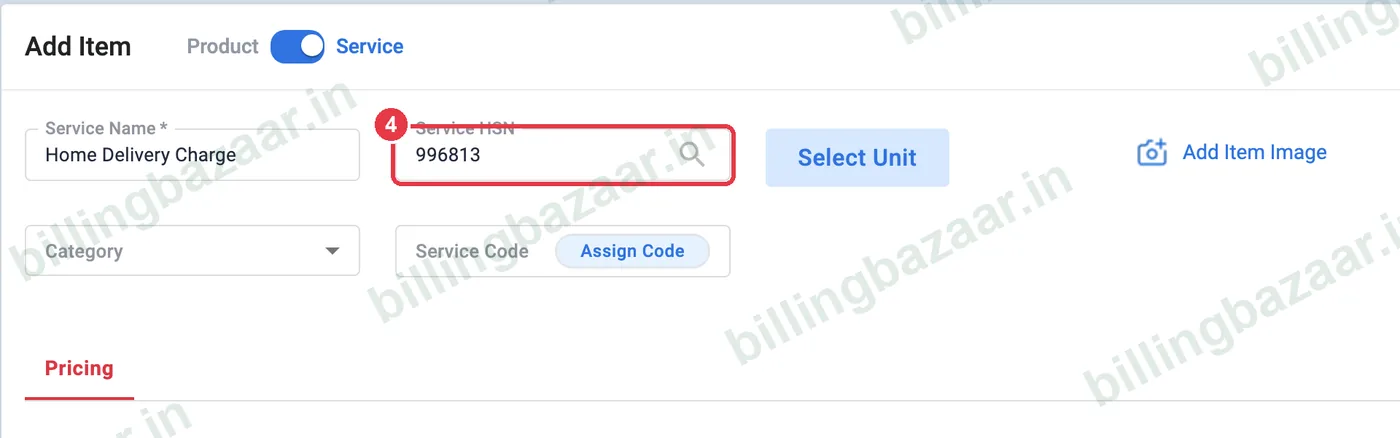
4Use SAC for services
For services, the same field is labelled Service HSN; enter the 6-digit SAC code (for example 996813).
Good to know
- Turnover up to 5 crore: 4-digit HSN on B2B invoices; above: 6 digits.
- Format HSN as text in Excel imports so leading zeros stay.
- Reports > Sale Summary By HSN checks codes and tax per HSN.
Questions people ask
Where do I enter HSN code in Vyapar?
In the Item HSN field of each item (Add Item or edit item).
Why does HSN search show no data?
The lookup needs an internet connection; you can also type the code directly.
Does HSN print on Vyapar invoices?
Yes, in the HSN/SAC column, and it is used in the HSN summary of GSTR-1.
Related guides
- How to add items with HSN code and GST rate in Vyapar
- How to add services with SAC code in Vyapar
- How to generate the GSTR-1 report in Vyapar
- How to turn on GST and set tax rates in Vyapar
Screenshots are from a demo company in Vyapar Desktop for Mac, October 2026. Menus can move slightly between app versions. Guide by Billing Bazaar, a Vyapar partner.