 Billing Bazaar
How to download the Vyapar app for free on mobile and PC
Vyapar is free to download on Android phones and as a desktop app for computers. Always download it from the Google Play Store or Vyapar's official website (vyaparapp.in), never from third-party APK or setup sites. This guide shows both, with screenshots from October 2026.
| Time needed | 3 minutes |
|---|---|
| Steps | 5, each with a screenshot |
| Tested on | Vyapar Android app 29.4 and vyaparapp.in, October 2026 |
| Last updated | 12 October 2026 |
Before you start
- An Android phone with about 60 MB free (the app was 51 MB on the Play Store in October 2026), or a Windows or Mac computer.
- A mobile number or Google account to sign up.
1Search for Vyapar in the Play Store
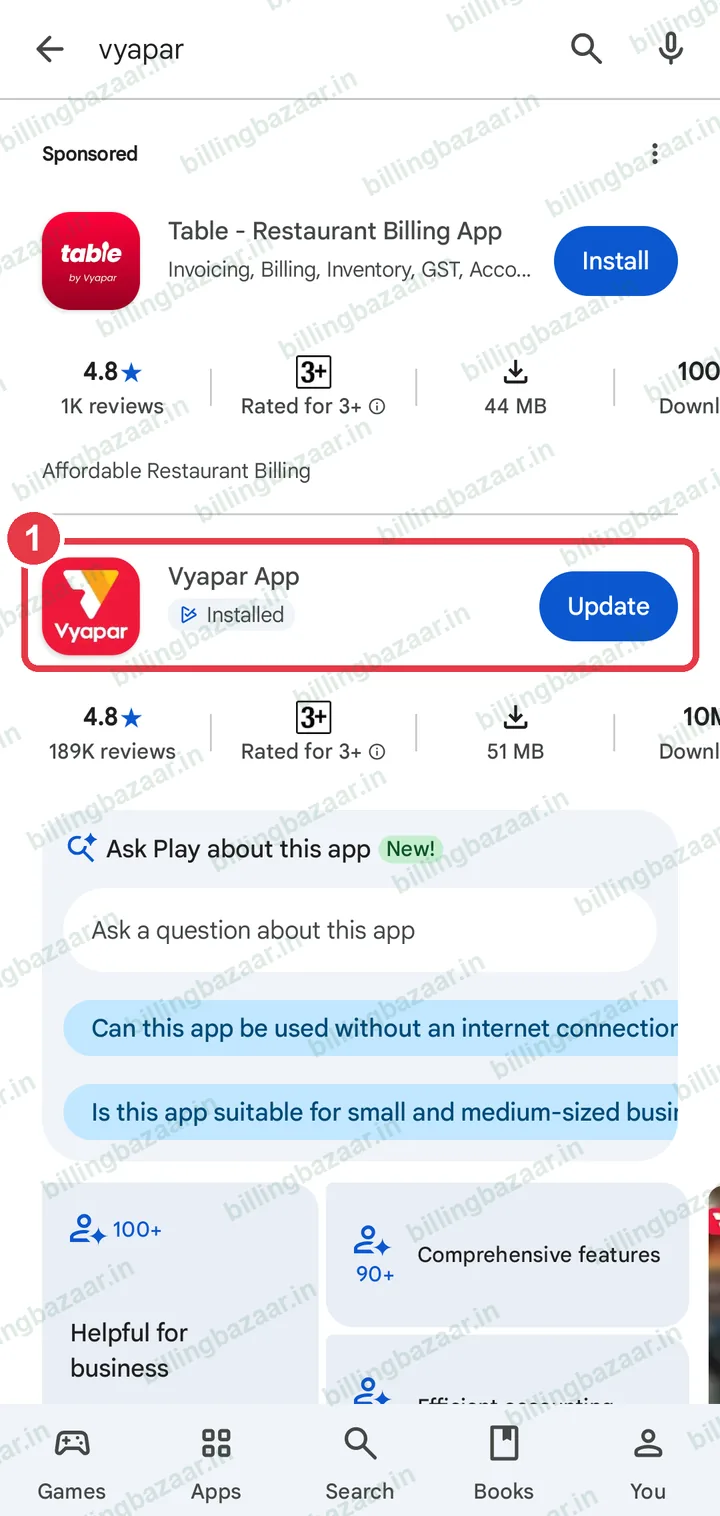
On your Android phone, open the Google Play Store and search vyapar. Pick Vyapar App by Simply Vyapar Apps (in October 2026 the listing showed 4.8 stars from about 1.9 lakh reviews). Sponsored apps may appear above it, so check the name and publisher before installing.
2Tap Install
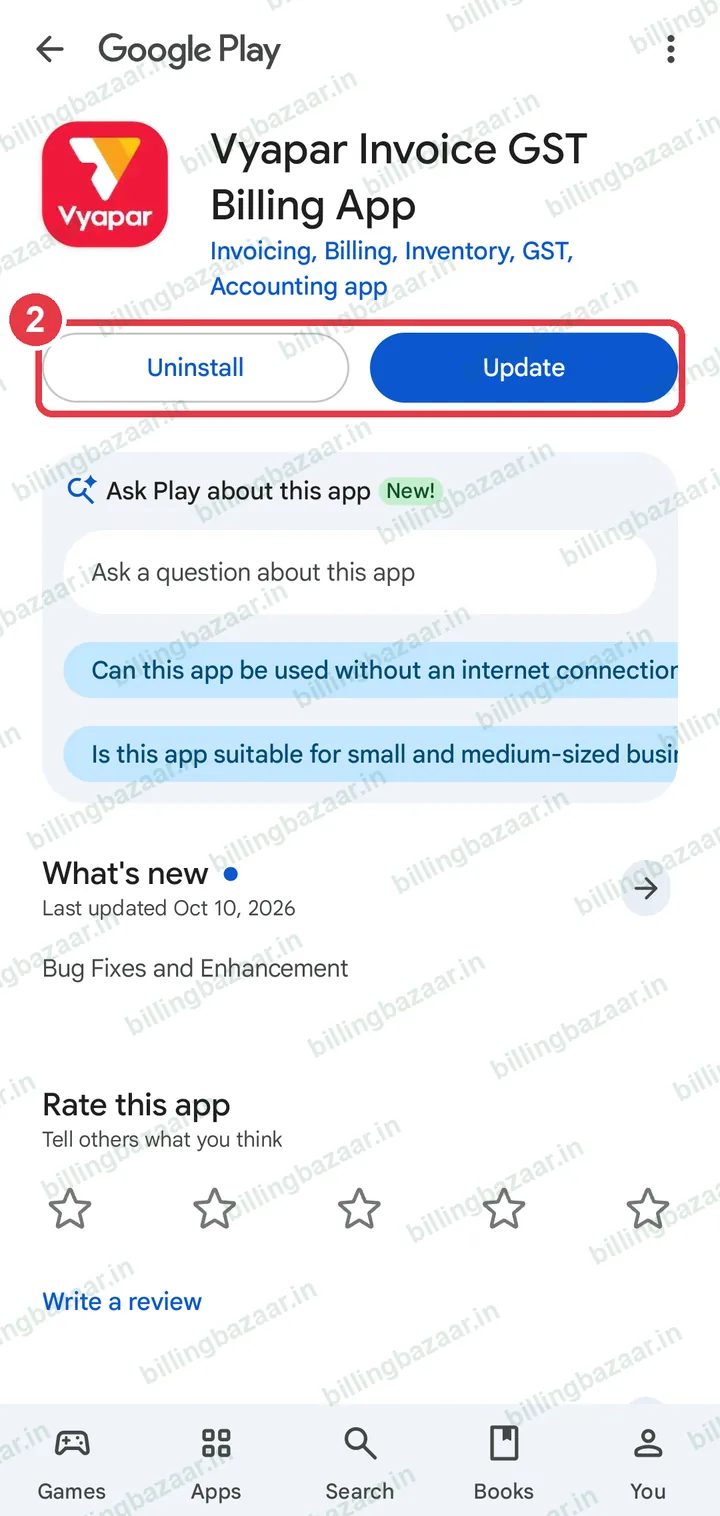
On the app page, tap Install. If Vyapar is already on your phone you will see Open or Update instead.
3Open Vyapar and start
Open the app and tap Use Vyapar For Free, then sign up with your mobile number and OTP or with Google.

Tip: New to Vyapar? The sign-up guide walks through the OTP and your first invoice.
4Download Vyapar for PC from the official website
On your computer, open vyaparapp.in, choose Desktop in the menu (the page is called Billing Software for PC) and click Download Vyapar Now!.

5Install it and sign in
Run the downloaded installer (on a Mac, open the .dmg file and drag Vyapar to Applications). Open Vyapar, sign in with the same mobile number to use one account, and create or open your company.
Good to know
- Phone and computer keep separate data unless you turn on sync, which is a paid feature.
- Keep the app updated from the Play Store or the desktop app's update prompt for the latest GST changes.
Questions people ask
Is the Vyapar app free to download?
Yes. Vyapar is free to download on Android and as a desktop app. Paid plans add features such as data sync across devices, more companies and unlimited e-way bills.
Where do I download Vyapar for PC?
From the official website vyaparapp.in: open Desktop in the menu (the Billing Software for PC page) and click Download Vyapar Now.
Is Vyapar available for Mac?
Yes, the desktop app can be installed on a Mac from the official website as well as on Windows.
Is it safe to download Vyapar APK from other websites?
Avoid it. Third-party APKs and 'mod' versions can contain malware or steal data. Use the Play Store or vyaparapp.in only.
Related guides
- How to sign up and make your first invoice in the Vyapar mobile app
- How to add business details and GSTIN in Vyapar
Useful for these businesses
More on Vyapar
Screenshots are from a demo company in Vyapar Android app 29.4 and vyaparapp.in, October 2026. Menus can move slightly between app versions. Guide by Billing Bazaar, a Vyapar partner.